
Google has launched its new Pixel smartphone range in India and the Google Pixel 11 is available to buy now. The new Pixel generation is more than a hardware upgrade, it’s largely focused on artificial intelligence, photography, performance, privacy and security.
The Pixel 11 offers Google’s latest Tensor G6 CPU, Gemini-powered AI capabilities, a sophisticated camera system, a high-refresh-rate display and Google’s Android software experience. It is pitched as the base flagship phone in the Pixel 11 range, sitting below the Pixel 11 Pro, Pixel 11 Pro XL and Pixel 11 Pro Fold.
Priced at ₹89,999, Pixel 11 is a premium smartphone for Indian customers and is aimed at users wanting the latest in Google’s software and AI capabilities. Let’s deep analyse the Google Pixel 11 price, specs, features, AI capabilities, cameras, battery life, security, software and if it’s worth the buy.
Google Pixel 11 Price In India
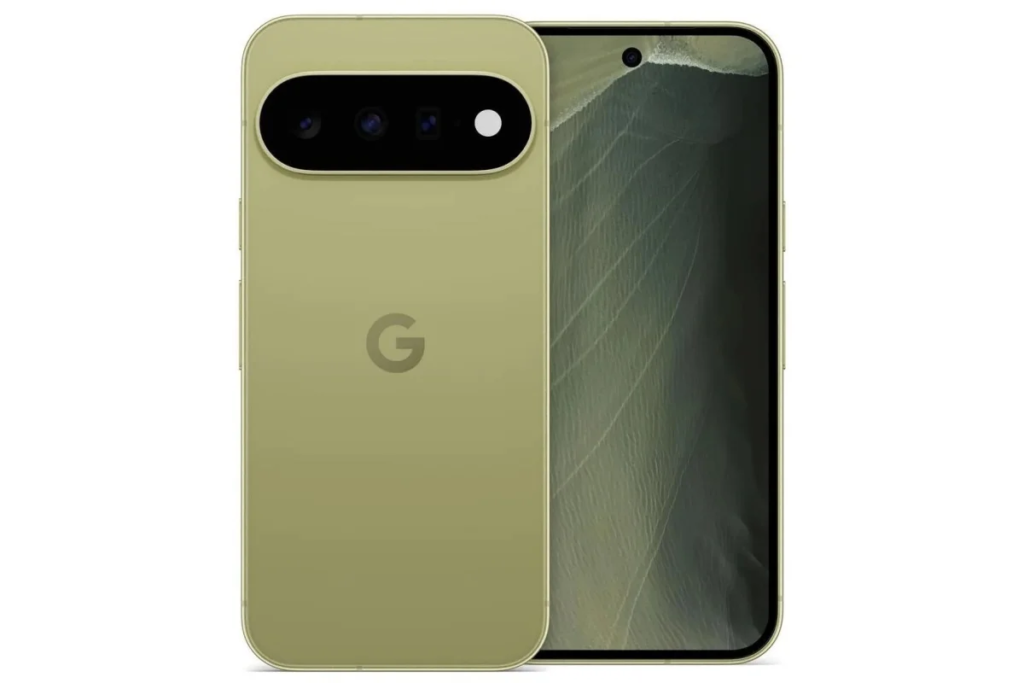
One of the first things purchasers will want to know is how much it costs.
According to Reliance Digital, the Google Pixel 11 is priced as follows:
| Google Pixel 11 Variant | RAM | Storage | Price |
| Pixel 11 | 12GB | 256GB | ₹89,999 |
| Pixel 11 | 12GB | 512GB | ₹1,04,999 |
The 12GB + 256GB variant is listed at ₹89,999 on Reliance Digital, however the effective price is ₹82,999 following an instant reduction of ₹7,000, subject to the applicable deal terms.
The rest of the Pixel 11 family is more expensive:
- Pixel 11 – from ₹89,999
- Pixel 11 Pro – from ₹1,19,999
- Pixel 11 Pro XL – from ₹1,34,999
- Pixel 11 Pro Fold – from ₹1,86,999
This makes the regular Pixel 11 the starting point for Google’s premium flagship lineup in 2026.
Google Pixel 11 Availability In India
The Pixel 11 series was launched on August 20, 2026 in India. The devices will be available to buyers through authorised online and offline retail channels.
The Google Store is also running a series of launch discounts, including trade-in offers and other purchase advantages. Some deals are time-limited, so purchasers should examine the terms before buying.
Google Pixel 11 Specifications
Here are the key specifications buyers should know:
| Specification | Google Pixel 11 |
| Processor | Google Tensor G6 |
| RAM | 12GB |
| Storage | 256GB / 512GB |
| Operating System | Android 17 |
| Display | 6.3-inch OLED |
| Refresh Rate | Up to 120Hz |
| Rear Cameras | Triple-camera setup |
| Main Camera | 48MP |
| Ultrawide | 13MP |
| Telephoto | 10.8MP, 5x |
| Front Camera | 10.5MP |
| Connectivity | 5G |
| Water/Dust Resistance | IP68 |
| Security | Google security and hardware-backed protections |
| AI | Gemini and Pixel AI features |
The 12GB RAM and Google’s Tensor platform are built specifically for AI-assisted smartphone experiences and not only chasing benchmark numbers.
Google Pixel 11 Display
The Pixel 11 features a 6.3-inch OLED screen that offers a 120Hz refresh rate.
A 120Hz display will make compatible material and animations look smoother than typical 60Hz displays . That can make a huge difference while you’re browsing through websites, social media feeds and menus.
The display is also designed to offer good outdoor visibility, adding to the phone’s practicality for users who often use their cellphones outdoors.
For daily chores such as:
- Watching YouTube
- Browsing websites
- Using Instagram
- Editing photos
- Reading documents
- Playing games
- Using AI applications
The display delivers the kind of experience you expect from a premium smartphone.
Google Tensor G6 Processor
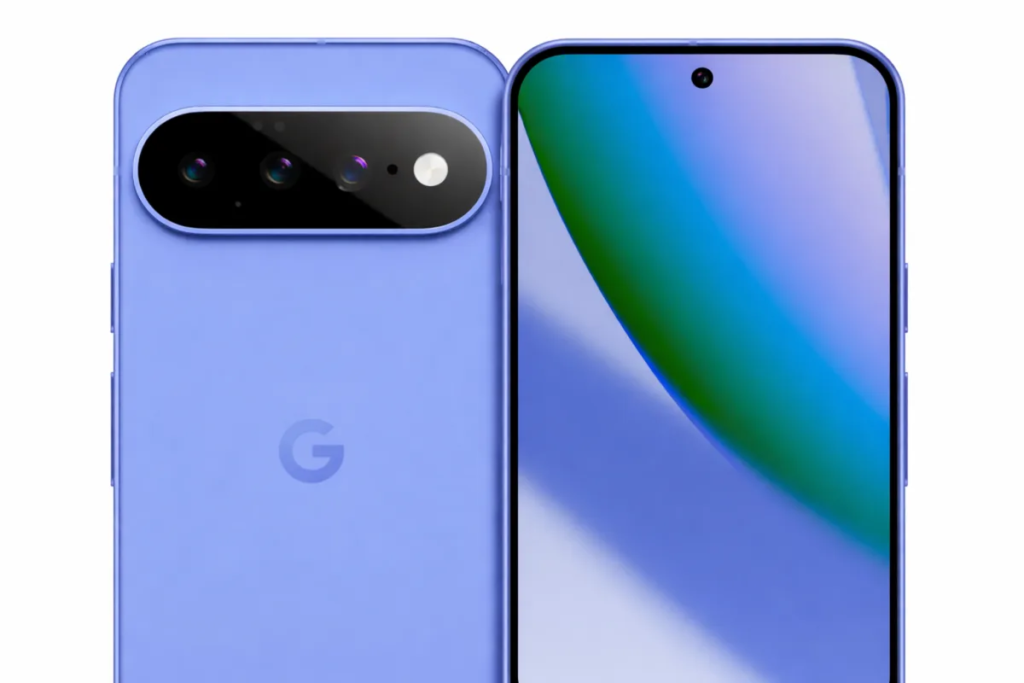
The Pixel 11 is powered by one of the largest technologies, the Tensor G6.
The Tensor chips that Google builds are meant for the machine learning and artificial intelligence functions in the Pixel. Google said Tensor allows Pixel devices to do more with photographs, videos and other AI workloads more effectively.
This is crucial because the Pixel 11 isn’t built on processor performance alone.
The Tensor platform helps enable:
- AI image processing
- Voice recognition
- Gemini features
- Photography processing
- Translation
- Smart suggestions
- On-device AI operations
- Other Pixel-exclusive software features
That mix of hardware and software is one of the biggest things that separates Pixel phones from a lot of other Android handsets.
Google Pixel 11 AI Tools And Features
Arguably the largest aspect of the Pixel 11 experience is AI.
Google has incorporated AI into various elements of the phone, not only a chatbot.
1. Gemini AI
Gemini offers an AI assistant to help users with day-to-day tasks.
For example, Gemini can be used to:
- Brainstorm ideas
- Explain difficult topics
- Draft messages
- Rewrite text
- Summarize information
- Ask questions
- Generate ideas
- Work with information
This can make the phone a great productivity tool for students, content makers and office workers.
2. Gemini Proactive Assistance
Google is also making Gemini more active.
The Pixel experience is designed to offer contextual help in particular scenarios instead of needing customers to open an AI app every time.
The idea is to make AI feel like it’s part of the operating system, not a separate program.
3. Camera Looks
Camera Looks is a great feature of the Pixel 11 camera.
This function will allow the Pixel 11 series to apply several photographic styles when processing an image. The feature will be restricted to the Pixel 11 generation upon launch.
This is very handy for those who want their images to look a certain way without having to alter each photo manually.
4. Magic Capture
Magic Capture is another fascinating tool for photography and it can assist users to capture useful still shots from video.
Imagine you’re shooting a moving subject and then you realise that one shot would make a terrific photograph. A feature like Magic Capture can ease that procedure.
5. AI Photo Editing
Known for computational photography and AI-powered editing, Google’s Pixel phones.
They may also utilise Google’s editing tools to enhance photos, remove unwanted components, tweak images and make other adjustments from the phone itself.
This is particularly helpful for social-media creators who want to swiftly alter content without the need to move photographs to a computer.
Google Pixel 11 Camera Features
People still buy Pixel devices largely because of the camera.
The Pixel 11 features a triple camera setup:
48MP Main Camera
The primary camera is for everyday shooting.
It is utilised for:
- Portraits
- Food photography
- Travel photos
- Family photographs
- Street photography
- Social media content
Then Google’s computational photography gets to work processing the collected image, improving the outcome.
13MP Ultrawide Camera
The ultrawide camera is excellent when you want to fit more of a scene in.
For instance, it is good for:
- Landscapes
- Buildings
- Group photographs
- Travel photography
- Large indoor spaces
10.8 MP 5x Telephoto Camera
The Pixel 11’s dedicated 5x telephoto camera lets you have more options when shooting faraway subjects.
This can be beneficial when photographing:
- Wildlife
- Sports
- Concerts
- Buildings
- Travel subjects
- People from a distance
The computational photography on the Pixel also allows for an extension of the usable zoom range.
Google Pixel 11 Battery
And battery life is another key factor for a high-end smartphone.
The Pixel 11 is made for all-day use, but real-world battery life depends a lot on how you use the phone.
For instance, someone who spends most of their time on WhatsApp, email and online surfing can have quite different battery life than someone who spends many hours gaming, capturing 4K video and utilising mobile internet.
Battery life is affected by the following factors:
- Screen brightness
- 5G usage
- Gaming
- Camera usage
- Video recording
- GPS
- AI workloads
- Background applications
So, advertised battery rates should always be taken with real world usage in mind.
Google Pixel 11 Software
The Pixel 11 uses the newest Android OS from Google and is built around a clean Pixel interface.
The big advantage of owning a Pixel is that you get Google’s software directly, not waiting for some third-party maker to adapt Android.
Another reason to look at the Pixel is Google’s long-term upgrade strategy.
With long software support, buyers can hold on to the phone for several years but still receive key operating-system changes and security patches.
Google Pixel 11 Security Features
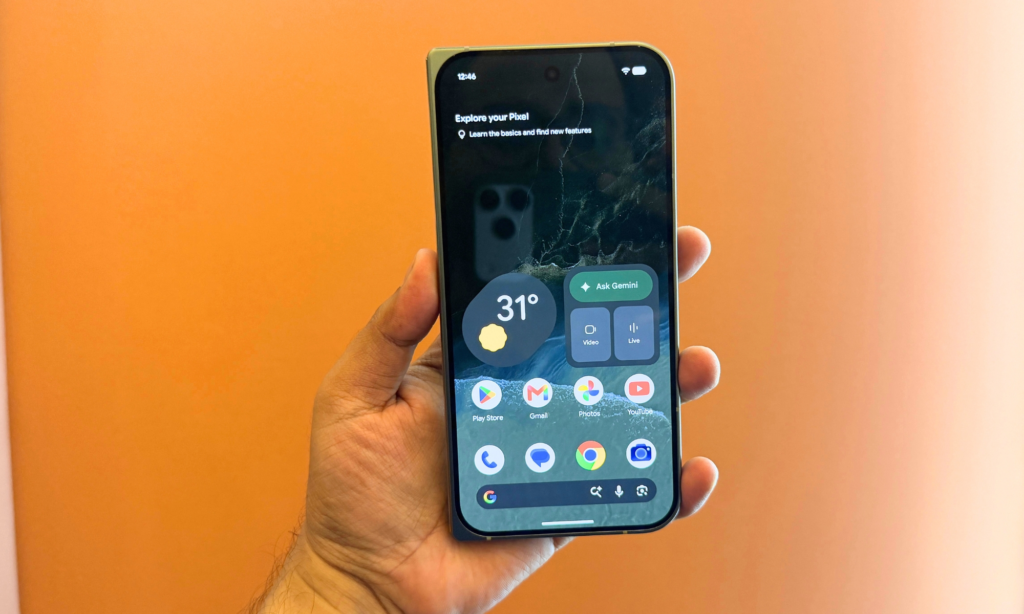
Security is a crucial aspect of a modern smartphone because phones carry very sensitive information.
Your smart phone may have:
- Banking applications
- Passwords
- Personal photographs
- Emails
- Work documents
- Private messages
- Social-media accounts
- Authentication applications
Google says Pixel devices have built-in security and privacy protections to help protect the device, accounts and passwords. Pixel also has built-in anti-phishing defences and centralised security and privacy controls.
Security should extend beyond the phone’s hardware.
OWASP advocates using secure authentication to protect apps and user accounts.
NIST SP 800-63B-4 – Technical Requirements and Guidance for Digital Authentication and Identity Management .
Microsoft also advises multifactor authentication as it provides an additional layer of protection when signing into account.
These ideas are particularly essential for smartphone users as a phone often serves as the gateway to a number of online accounts.
Real-World Example
1: College Student
Picture a college kid who utilises the Pixel 11 for research, assignments, online classes and social media.
Students would be able to use Gemini to:
- Understand a difficult subject.
- Generate ideas for an assignment.
- Rewrite a paragraph.
- Summarize lengthy information.
- Draft an email to a professor.
The camera can also be used to take photographs of notes, documents and teaching material.
The 256GB storage capacity will give you space for apps, documents, photos and movies.
2: Content Creator
Now imagine a content creator touring across India.
For regular photos, the author can use the primary camera, for landscapes they can use the ultrawide camera and for things far away, they can use the 5x telephoto camera.
Once the photos are taken, AI-powered editing features can help get the images ready for Instagram, YouTube thumbnails or other social-media platforms.
This implies the developer can do a lot of the workflow directly from the smartphone with no urgent requirement for a PC.
Google Pixel 11 Pros And Cons
Pros
- Strong Gemini and AI integration
- Google Tensor G6 processor
- 12GB RAM
- 120Hz OLED display
- Dedicated 5x telephoto camera
- Strong computational photography
- Clean Android experience
- Long-term software support
- Strong security and privacy features
- IP68 protection
Cons
- ₹89,999 is a premium starting price.
- The charge speed might not be attractive for those buyers who value very quick charging.
- Heavy gamers may want performance-oriented gaming cellphones.
- Some AI characteristics may differ by country, language and availability.
- Recent Pixel owners may not be tempted by the hardware upgrade.
Who Should Buy The Google Pixel 11?
The Pixel 11 is particularly suited for:
Students: AI aid, photography, studying and everyday productivity.
Material creators: AI editing and easy creation of camera-quality material.
Professionals: For productivity tools, security and long-term software support.
Photography enthusiasts: Google’s computational photography and dedicated telephoto camera for photography buffs.
Android users: Google’s clean Android experience and Pixel-exclusive features.
Who Should Skip The Pixel 11?
You may want to consider other smartphones if your top priority is:
- Extremely fast charging
- Maximum gaming performance
- Lowest possible price
- Very large battery capacity
- Maximum hardware specifications for the money
The Pixel 11 is all about Google’s software, AI and photography experience.
Is Google Pixel 11 Worth Buying In 2026?
The Google Pixel 11 is certainly a premium buy at ₹89,999. But it has a combination of AI, camera technology, Android OS and security features that make it different from a conventional Android smartphone.
The best reason to buy the Pixel 11 isn’t just RAM or processor. That’s how Google integrates Tensor G6 + Android + Gemini + Pixel Camera + security into one ecosystem.
If you want a phone that is focused on AI and photography, and if you want to use your phone for several years, the Pixel 11 is worth considering.
Some of the hardware upgrades are evolutionary rather than revolutionary but so if you already own a recent high-end Pixel, the upgrading may be less essential.
Frequently Asked Questions
1. How much does Google Pixel 11 cost in India?
The Google Pixel 11 is priced at ₹89,999 for the 12GB RAM + 256GB storage option. The effective price at Reliance Digital after instant discount of ₹7,000 is ₹82,999, subject to relevant deal terms.
2. Google Pixel 11 is available in India?
Yes. The Pixel 11 series is currently available in India via authorised online and offline stores.
3. What CPU does Google Pixel 11 have?
The Pixel 11 is powered by Google’s Tensor G6 engine, which is built to run Pixel’s AI, camera and software capabilities.
4. Does Google Pixel 11 have a telephoto camera?
Yeah The base Pixel 11 contains a 5x telephoto camera, allowing customers to get greater versatility when shooting faraway scenes.
5. What are the AI features of Pixel 11?
The Pixel 11 is all about pushing the use of Gemini and AI-enabled smartphone capabilities including AI help and photographic tools like Camera Looks and Magic Capture. Camera Looks is available only on the Pixel 11 series.
Test Our Tools
Want to make your daily digital chores easier and safer? Free online tools Try ExplainMeTech. We build solutions that actually help you do things with technology and cybersecurity — from password security to other handy internet utilities.
Free tools from ExplainMeTech: https://explainmetech.com/tools/
References
- Reliance Digital – Google Pixel 11 Series — Price, availability and product information.
Reliance Digital – Google Pixel 11 Series - Google Store – Pixel — Official Pixel features, specifications and AI information.
Google Store India – Pixel - OWASP – Authentication Cheat Sheet — Authentication and account-security best practices.
OWASP Authentication Cheat Sheet - NIST – SP 800-63B — Digital identity and authentication guidelines.
NIST SP 800-63B - Microsoft Security – Multifactor Authentication — MFA and account-protection guidance.
Microsoft Security – MFA
For more helpful technology, cybersecurity and digital security tips, visit ExplainMeTech.com and explore our latest guides, tools and insights.