Cyber Security

Authentication Vs Authorization
All Articles, Cyber Security

Authentication Vs Authorization: Understanding The Difference

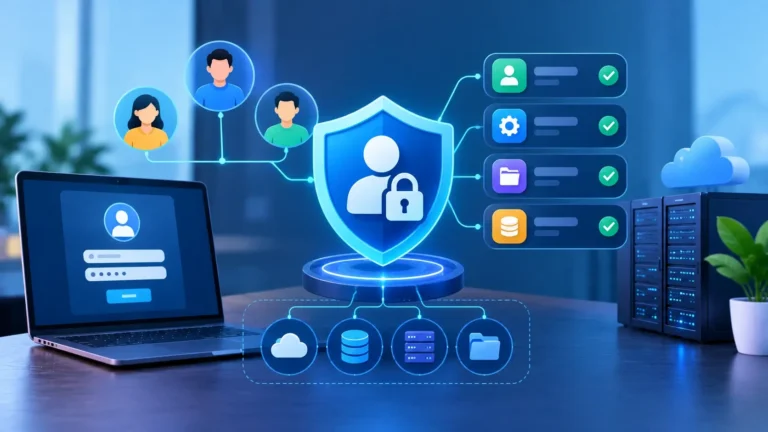
Whether you’re entering into an online account, using an app, accessing online banking or running a website, two vital security processes are happening behind the scenes: authentication and authorisation. The names are often used together, yet they perform independent functions. Authentication is the process of verifying who you are and authorization is the process of determining what you can access or do . Understanding Authentication Vs Authorization is important as both play a crucial part in securing accounts, applications, websites and sensitive information against unapproved access. What Is Authentication? Authentication is the process of confirming one’s identity. Authentication, it says without a doubt, solves the question of “who are you?”. When you log in to an account with an email agreement and password, the service checks to see if the information is yours. It verifies who you are and helps increase the accuracy of records. A few specific methods can be used for authentication. Typical examples are traditional passwords and PINs, however modern systems can additionally use one-time passwords, authentication software, security keys, passwords, fingerprints, facial recognition or digital credentials Multi-issue authentication can also or use multiple authentication methods for identity security. OWASP advocates strong authentication rules, securing credentials, defending against automated attacks and adopting additional security controls such as multifactor authentication where suitable. The NIST Digital Identity Guidelines also contain technical requirements and recommendations for authenticators and authentication. How Does Authentication Work? Authentication normally begins when a user attempts to log in to an account or application. The user provides some form of credential which could be a password, passkey, security key, verification code, etc. The system then checks the information against the account credentials or authentication mechanism. On successful authentication, the system acknowledges the user as an authenticated identity. If the credentials are invalid or the extra verification step fails, access may be denied. For example, when you connect into an email account with a password and 2-factor authentication, the service is using those methods to verify that you are the actual account owner. What Is Authorization? Authorization is the action of determining access rights or privileges for an authenticated user. Basically, “What are you allowed to do?” Just because you’ve logged into an app doesn’t guarantee you can use all of its features. You can assign rights to humans in line with their desire for access, responsibility, or access. For example an employe might be allowed to study business documents but not to take them away. Such documents can be modified by a manager. An administrator may be able to manage users and change system settings. The permission contains these access decisions. OWASP recommends security ideas such as least privilege, deny-by-default, and authorization checks for protected actions and resources. Authentication Vs Authorization: Key Differences Authentication and authorization are two sides of the same coin, but serve different purposes. Authentication is verifying an identity . authorization is restricting access and rights . Feature Authentication Authorization Main purpose Verifies the user’s identity Determines what the user can access Main question Who are you? What are you allowed to do? When it happens Usually before authorization Usually after authentication Focus Identity verification Permissions and access control Common methods Passwords, OTPs, passkeys, biometrics, security keys Roles, permissions, policies, access rules Example Logging into a WordPress account Being allowed to publish or delete posts Security goal Prevent identity impersonation Prevent unauthorized access Common term AuthN AuthZ How Authentication And Authorization Work Together? Authentication and authorization are generally combined as various phases of the security procedure. First, a user attempts to login and provides his credentials. The system then verifies the identity of the user by checking those credentials. After a successful authentication, the application checks the user’s permissions before granting access to specified resources or actions. This means that a person can be authorised yet not allowed to access some elements of an application. For instance, an employe might successfully log into a firm system, yet be refused access to open an administrator dashboard. The employee’s identity has been verified but they do not have permission to access that resource. Realistic Example Online Banking Think about a person logging into an online bank account. They type in their username and password, and the bank can seek a verification code or permission on a device they’ve registered. Next, the bank authenticates the user’s identity as it verifies these facts. Once the user has signed in successfully, authorization dictates what they can do. They can check their account balance, download statements, see transactions or transfer money. But they don’t have the ability to access another client account or undertake administrative actions that are only allowed to bank employes. Here, logging in and proving who you are is authentication, while the rights that decide what banking features you can use are authorisation. WordPress Site Another easy example might be a WordPress site. Let’s say that a website has an administrator, an editor and author. Authentication checks that a user logging onto the website is who they say they are, using their own login details. But, each user has distinct privileges. The administrator can handle plugins, themes, users and site settings. An editor can create, edit and publish posts. An author can mostly handle their own content. The three users are authenticated but they have different authorisations. This division keeps users from accessing administrative functions that they don’t require. Why Is Authentication Important For Security? Authentication is one of the initial security hurdles for an account or an application. Attackers can easily impersonate valid users and may be able to access private information, financial accounts, corporate systems or other sensitive resources. Strong and unique passwords, multifactor authentication, protection of login credentials, and the use of modern authentication technology can all help to increase account security. But authentication alone is not enough. A system must also correctly restrict what authenticated users can access. Why Authorization Is Important For Security? authorization is a safeguard against every logged-in user having automatic access to all the functionality within an

Account Lockout
All Articles, Cyber Security

Account Lockout: Benefits, Risks And Best Practices

After a specified number of failed login attempts, the account lockout prevents unauthorized users from logging in. If someone keeps entering the wrong password, the system can temporarily prohibit subsequent sign-in attempts . This straightforward approach can be used for protecting accounts from brute-force and password-guessing assaults. An account lockout, however, is not a fool-proof security measure. If it is set too aggressively, it can annoy genuine users, or even be utilized by attackers to deliberately lock out other people. Understanding account lockout benefits, dangers and recommended practices can help organizations strike a better balance between security and usability. What Is Account Lockout? Account lockout is an authentication security feature that prevents an account from receiving login attempts for a selected period of time after a predetermined number of failed login attempts. For example, an organization may set its device to bind an account so that the account is mechanically unlocked after a certain amount of time within a certain time frame after a few different failed password attempts, or an administrator may want to address access. Account lockout and login fraud are deeply intertwined. OWASP recommends looking at the amount of failed attempts, statement time, and lockout length. Also recommends linking failed-login monitoring to an account, now not just an IP address, because attackers can open attempts on multiple IP addresses as well. Specific criteria should be tailored to the type of utility, users, threat environment, and recovery process. How Does Account Lockout Work? A common process for an account lockout is: Modern authentication systems will additionally implement progressive delays, risk-based authentication, CAPTCHA challenges or adaptive controls rather than relying only on a fixed lockout. To counter online guessing attacks, NIST advises adopting measures to limit failed authentication attempts. Its current advise also includes tactics such as raising delays and risk-based authentication to lessen the likelihood of attackers intentionally locking out innocent users. Benefits Of Account Lockout 1. Helps reduce brute-force attacks One of the greatest pluses of account lockout is that it makes it harder to guess the password several times. If there is no rate limiter , an automated system can keep submitting password guesses . A lockout or throttling mechanism limits the rate at which those guesses can be made. This is especially useful for individuals who have passwords that an attacker would try to guess using common-password or dictionary-based assaults. 2. Slows Down Automated Attacks Attackers can use scripts and botnets to automate login attempts. Account lockout is an impediment since it restricts the number of failed login attempts for an account. This doesn’t make an account unattackable, but it can go a long way toward slowing down online password guessing. 3. Provides an Early Security Warning Multiple failed attempts to log in might sometimes be a sign of suspicious activity. If an employe logs in successfully and then there are many failed attempts on their account, security teams can analyze the situation. Account lockout in conjunction with security monitoring can thus provide still another level of visibility. 4. Protection against Simple Password Guessing Locking an account out can be quite effective against attackers that try obvious combinations such as common passwords, names or predictable variations . However, users should still use long and unique passwords, as account lockout should not be seen as a substitute for rigorous authentication. 5. Supports Layered Security Account lockout works best when it’s part of a larger security policy. Other controls should be: MFA in particular is recommended by OWASP as a good defence against password assaults. Risks And Disadvantages Of Account Lockout While account lockout provides security benefits, it can also create a number of difficulties. 1. Accident lockouts Legitimate users may forget their password and make mistake to enter wrong password many times. Account lockouts can occur when a user repeatedly enters the wrong password, or when an application or service repeatedly attempts to authenticate using an old password, according to Microsoft. Repeated unintentional lockouts may be frustrating and lead to further support requests. 2. Denial of Service Risk An attacker may try a number of wrong passwords for someone else’s account purposefully. If the system locks the account after a short number of failures, the attacker may be able to deny the legitimate user the ability to log in. This is one of the major problems of traditional account lockout. OWASP particularly warns that lockout mechanisms should be developed so as not to be misused as a denial-of-service technique. 3. Increased Help Desk Work If hundreds of users are routinely locked out, IT workers could be inundated with requests to unlock accounts. Microsoft’s guidance also mentions that account lockout policies might increase help-desk calls, which is why there needs to be a suitable threshold and recovery process for enterprises. 4. Poorly Chosen Thresholds Can Create Problems A very low threshold can lead to unneeded lockouts. If the barrier is set very high, this can give attackers too many chances to guess passwords. Organizations should not naively duplicate a lockout setting from another environment. 5. Lockout Does Not Stop Every Attack Locking an account is mostly about frequent online efforts to authenticate yourself. It does not prevent users from all types of credential attacks. Attackers can steal passwords thru phishing, spyware, credential theft or data breaches. Therefore, account lockout should be used in conjunction with MFA and other security controls. Realistic Example  Employee Accidentally Gets Locked Out Let’s say an employe, Priya, is changing her company password on a Monday morning. Later that day, her laptop still has an outdated password stored in an email application. The program keeps trying to connect using the old credentials. The company’s account lockout policy will kick in after a number of failed attempts. Priya knows her new password, but she cannot log in. This is why enterprises need to monitor applications and services that employ stored credentials. One probable reason for unexpected account lockouts, Microsoft says, is when applications or services are using old passwords. Attacker Tries to Lock

Credential Stuffing vs Password Spraying
All Articles, Cyber Security

Credential Stuffing Vs Password Spraying: What’s The Difference?

Cybercriminals have several tactics to gain unauthorized access to internet accounts, but two attacks that are often mistaken are credential stuffing and password spraying. Both of them are aimed at login systems, although they operate in completely different ways. Credential stuffing uses stolen user name and password combinations, whereas password spraying is a technique where a limited number of common passwords are attempted against a large number of distinct accounts. Being aware of the distinction can allow people and companies to detect unusual login activity, protect passwords more effectively and lessen the danger of account takeovers. In this article, we’ll cover the differences between credential stuffing vs password spraying, how they function, real-life instances, signals to watch out for, and how to protect yourself. What Is Credential Stuffing? Credential stuffing is an automated attack that involves thieves taking previously obtained username-and-password pairs and trying to enter in to additional sites and services. The attack is based on a simple problem of password reuse. For example, if someone uses the same email address and password for an online shopping account, a social network account and an email account. If the shopping website is breached and credentials are stolen, attackers may try those same credentials on other services. Attackers can employ automation to try thousands or millions of stolen credentials against different websites. Credential stuffing is more than simply guessing a password, because the credentials are generally real and obtained from elsewhere. How Credential Stuffing Works? A typical credential stuffing attack will appear like follows: A major factor to the success of credential stuffing is password reuse. What Is Password Spraying? Password spraying is a distinct sort of attack. Instead of trying several passwords against one account, an attacker tries one common password against many accounts. This can help attackers avoid triggering account lockouts that may occur when several incorrect passwords are attempted against one account. For instance, an attacker might try a common password against hundreds of accounts in a company. If one or more users uses that password then the attacker may get access. Password spraying does not require previously stolen credentials. Instead it can fall back on common or predictable passwords. Credential Stuffing Vs Password Spraying: Key Difference The biggest difference is what the attacker already knows. Feature Credential Stuffing Password Spraying Main method Uses stolen credentials Tries common passwords Password source Previously leaked/stolen passwords Common or predictable passwords Target approach Many stolen credentials against accounts One/few passwords against many accounts Password reuse Major factor Not required Automation Commonly automated Commonly automated Main defense Unique passwords + MFA Strong passwords + MFA + monitoring Realistic Example Credential Stuffing For example, let’s say Priya uses the same password for an online shopping account and a social media account. Her email address and password are compromised in a data breach at the shopping service. Attackers get the exposed credentials months later. They don’t have to guess Priya’s password. Rather, they automatically verify the combination of email and password against other popular services. The credentials work effectively on Priya’s social media account as she used the same password. Now the attacker can potentially access the account, change its settings, or use it to target Priya’s contacts. This is a textbook case of credential stuffing. Password Spraying Say you have a corporation with 500 employes. The attacker learns the usernames of the company’s employes, but not their passwords. Instead than assaulting one employee’s account over and over, the attacker is trying a similar password against numerous employe accounts. Most efforts fail, but one employe happens to have the password. The attacker can then log in to that account and perhaps pivot deeper into the organization’s systems. This is password spraying because the attacker tried several accounts with the same password instead of trying many passwords against one account. Why These Attacks Are Dangerous? Both are difficult to detect as attackers tend to automate login attempts and spread them over several accounts or locations. Credential stuffing is particularly problematic for users that repeat passwords on multiple websites. Password spraying poses a specific problem for businesses that have: After an attacker has successfully compromised an account, they may attempt to obtain sensitive information or use the account as a launch pad for further attacks. How To Protect Yourself From Credential Stuffing? Never reuse passwords. It is a huge safeguard against credential stuffing. Use a strong, unique password on each required account. Your uncovered password will not give you immediate access to different accounts if a carrier is compromised. A password manager can help you generate and purchase individual passwords. Enable multi-factor authentication (MFA) where feasible. If attacker knows your password , you can add an extra step of authentication as a security measure . How To Protect Against Password Spraying? Organizations can lower their risk of password spraying with effective authentication practices and monitoring. Key measures are: Organizations Should Also Look For Patterns In Authentication Records That Could Indicate Password Spraying. Generate A Strong Password With Our Password Generator Password Generator – https://explainmetech.com/tools/password-generator/ One of the easiest ways to mitigate the risk of credential-based attacks is a strong, unique password. Think of unpredictable passwords yourself, but utilize a password generator to generate random combinations of characters that are hard to guess. You may use our ExplainMeTech Password Generator to generate strong passwords for your online accounts . Use a unique created password for each key account, including email, banking, social media, and work accounts. Do not share the created passwords with anyone and do not store them in insecure notes or messages. Other Ways To Improve Password Security Having good passwords is only part of securing an account. See also more similar practices: 1. Use MFA Enable multi-factor authentication wherever you can. It’s a layer of verification on top of your password. 2. Avoid Password Reuse Passwords used on one site should never be used on another site. 3. Change Breached Passwords If you find out that a password has leaked in a breach,

Password Spraying
All Articles, Cyber Security

What Is Password Spraying? How It Works And How To Prevent It

Cyber attacks are not usually based on complex procedures. Sometimes, they’re just taking advantage of weak and generic passwords. One such technique is password spraying, where fraudsters do not continually assault one account but instead try a small number of common passwords against several different accounts. This technique might enable attackers to circumvent typical account lockout safeguards while hunting for susceptible accounts. As more and more organizations and individuals use online accounts, an understanding of how password spraying works is an increasingly critical part of remaining secure. In this article, we will discuss what password spraying is, how attackers are using it, real-world examples, warning indications, and practical measures you can do to prevent it. What Is Password Spraying? Password spraying is a cyberattack that attempts a common password in contrast to many specific logins, as opposed to always targeting a single account. The reason is hitting accounts with sensitive, predictable or frequently reused passwords. For example, suppose an attacker has a list of 1,000 employee usernames. Instead of trying hundreds of passwords against an employee account, an attacker can try a generic password like Welcome@123 against all 1,000 loans . If one or two employees use that password, or more, the attacker should gain access. Password Spraying is particularly harmful because it aims to bypass certain basic account locking mechanisms. Many systems lock the account after certain different failed login attempts. Password guessing avoids this by testing a small selection of guesses for each account. How Does Password Spraying Attack Work? A password spraying assault usually has multiple steps. 1. The Attacker Collects Usernames First, attackers require a list of probable username. They could be from publicly available information, company websites, social media profiles, leaked databases, or previous security breaches. Organization usernames might follow predictable patterns like: The attacker could generate hundreds or thousands of potential accounts. 2. Attacker picks common passwords The attacker chooses passwords that people are likely to use, rather than randomly guessing the passwords. Examples might include passwords based on: Often the attacker would start with one password and try it against numerous accounts. 3. The Password Is Tested Across Multiple Accounts The attacker will then try to login to a number of users using the chosen password. For example: Password: Welcome@123 The attacker may attempt: If the password is wrong, the attacker will try a different password instead of trying the same account over and over again. 4. The Attacker Waits and Repeats The attacker may wait after testing one password before trying another. This makes the attack harder to detect, especially if the number of failed attempts against each individual account is small. 5. Compromised Accounts Are Exploited An attacker who discovers a valid username and password mix can attempt to access email, cloud offerings, internal applications, documents, or various organisational resources. Consequences depend on the access the compromised account has. Password Spraying Vs Brute Power Password spraying and brute force attacks attempt to learn passwords and yet they do so in a unique way. A brute-force attack typically identifies an unmarried account and checks a series of unique passwords against it. Password spraying occurs when an attacker tries a controlled amount of known passwords as opposed to large amounts of committed money. For example: Brute force: One account → many password attempts Password spraying: Many accounts → one or a few password attempts This is crucial because password spraying can circumvent account lockout settings that work against typical brute-force attacks. Realistic Example  A Company Email Attack Let’s say a company has 500 employes that use Microsoft 365 for email. The attacker learns the company’s employe email format and harvests a few hundred user names from public info. Rather than constantly assaulting one employe, the attacker tries a common password against several accounts. Most attempts fail. But one employe recently devised a password based on a common company-related phrase. The password equals the attacker’s guess. The attacker can now log into the employe ’ s account. This would then allow the attacker to read emails, access shared files, impersonate the employe or try to attack further. The assault was successful, not because the attacker guessed hundreds of passwords for one person , but because a weak password was used on one of many accounts . A Small Business Attack Imagine a tiny firm and employes using a shared internet app. There are 50 employe accounts in the company. Some of the employes utilize simple passwords that have the firm name and the current year in them. An attacker gets the usernames and tries a common password against all 50 accounts. One account is using this password. The attacker successfully connects into the account and discovers the account has access to customer information. Now the attacker has a foothold in the company’s systems. This example explains why passwords based on a firm name, region, season or current year can be dangerous. Why Is Password Spraying Dangerous? Password spraying can be difficult to identify because individual accounts may not have a huge number of failed logins. Attackers can also automate their attempts and spread them out over time. A successful password spraying attack can result in: If employes duplicate passwords across numerous services, the risk is even greater. Signs Of A Password Spraying Attack Organizations should monitor authentication activity for abnormal patterns. Possible warning indicators are: A failed login does not necessarily mean there is an attack. Security personnel have to be able to spot patterns across various accounts and systems. How To Prevent Password Spraying? 1. Create Strong, Unique Passwords Using long-term accurate passwords for each account is one of the easiest security measures. Do not use information that you now know without difficulty, such as your name, date of birth, company name, or common phrases, in your password. Use password monitor to create detailed passwords and trade. 2. Turn on Multi-Factor Authentication Multi-factor authentication (MFA) adds another layer of security. Even if the attacker knows the user’s password, they cannot access the

How Long Should A Password Be
All Articles, Cyber Security

How Long Should A Password Be In 2026? The Complete Guide

How Long Should A Password Be: Passwords remain the primary line of security for practically every online account.  Whether you’re logging into your email, bank account, social media, or work applications, your password safeguards critical personal information from thieves.  But there is one question that still confuses many users: How long should a password be? The answer is easy: long passwords are much more stable than short passwords. Cybersecurity experts now advise passwords of at least 14 to sixteen characters, with longer passwords providing foolproof security. However, many websites allow shortened passwords of up to eight characters. In this newsletter, you can explore why password length issues, what security professionals recommend, how hackers crack passwords, and how to combine passwords that can be both stable and easy to remember Is Password Length More Important Than Complexity? For years, humans were recommended to combine passwords e.g.  P@ssw0rd!2.  It has uppercase letters, lowercase letters, numbers, and symbols. Unfortunately, such passwords are often not as stable as many people think.  Attackers use the best password cracking software capable of evaluating billions of password combinations every second.  Today, the length is drastically extra consistent than just including random symbols. For example:  These may match website requirements, but they follow predictable patterns that hackers already know.  Compare it to a passphrase like: Blue River Coffee Mountain Sunrise 2026 Although it is longer, it has a huge number of conceivable combinations hence is considerably tougher to crack. What Is The Recommended Password Length? Current cybersecurity recommendations generally suggest: Password Length Security Level 8 characters Minimum acceptable 10–12 characters Better 14–16 characters Recommended 20+ characters Excellent Passphrase (4–6 random words) Ideal The longer your password the longer it takes attackers to brute-force guess it. Long passwords still give far better safety , even if computational power rises in the future . Password Length Vs Password Complexity Many users mix these two notions. Password Length: The amount of characters in your password. For instance: Sunset River Coffee Mountain 2026 Password Complexity means using: Example: SuN$73!#aBc  Combining both is the best, but if you have to choose, length often gives you the most security. Why Hackers Target Short Passwords? Cybercriminals don’t manually guess the passwords. Instead, they employ automated tools that do: These technologies test millions or billions of passwords per second with leaked password datasets and common patterns. Short passwords are cracked significantly faster since there are fewer possible combinations. Longer passwords exponentially increase the time required for hackers to crack them. What Is A Passphrase? A passphrase is a password that is made up of several unconnected words. Example:  PlanetRiverWindowTigerCoffee Benefits include the following: Don’t use popular statements, song lyrics or expressions that can be easily predicted. Instead, pick random words. Two Realistic Examples Password that is not strong Rahul uses the password: Rahul@123  He uses the same password for everything Gmail Facebook Amazon Banking One site had a data leak. Attackers get his password and test it automatically on dozens of major sites. Within minutes, they manage to break into several accounts because Rahul used the same password everywhere. This is called credential stuffing, and it is one of the most popular cyber attacks today. Strong Password Policy Priya has a password manager. Each account has a unique password such as: Forest! River 7 Coffee & Galaxy 92 Her bank account has: OceanTigerMoonLamp!Garden85  She also establishes two-factor authentication. If one website is hacked, attackers can’t get into her other accounts since she has a separate password for each one. That strategy greatly minimizes her overall cybersecurity risk. How To Make A Strong Password? Follow these excellent practices:  Common Password Mistakes To Watch Out For Don’t use passwords like as: These are specifically tested by hackers during automated attacks. Why Every Account Needs A Unique Password? One house key is used to: Your home Your office Your car Your locker If someone steals just one key, everything is available. Passwords are the same way. Unique passwords mean that one data breach won’t jeopardize all of your online accounts. Use Our Free Password Generator Generate Strong, Secure Passwords Instantly. It might be hard to come up with unique passwords on your own, especially if you have hundreds of online accounts. Our Password Generator allows you generate long, random and very secure passwords that will be tough for attackers to guess immediately. With a strong password generator you can: One of the simplest ways to improve your online security and decrease the danger of password-related assaults is to use randomly generated passwords. Test out our Password Generator and start making better passwords – https://explainmetech.com/tools/password-generator/ More Tips To Improve Password Security Remember, besides picking a long password: Good password habits can greatly lower your chances of being a victim of cybercrime. Conclusion Password security is a very different animal than it was ten years ago. In 2026 it’s not about adding symbols or digits; it’s about creating long, unique and unpredictable passwords. Use passwords that are at least 14–16 characters long or, even better, a random passphrase using a good password manager. And add multi-factor authentication to this for an even stronger layer of safety. Adding a few more characters today can go a long way toward protecting your sensitive information later. Frequently Asked Questions 1. What is the length of a password in 2126? Cybersecurity experts suggest that passwords have a minimum length of 14 to 16 characters. Longer / more complex passwords will sharply outperform the new password cracking algorithms. 2. Is a password of 8 characters safe anymore? Eight characters is often regarded as the minimum permitted by many websites, but they are no longer considered optimum. Long passwords are far more secure. 3. Are passwords elevated to everyday passwords? Indeed.  In general, random passwords consisting of more than one unrelated word are less difficult for attackers to crack than fast and complex passwords. 4. Is it safe to use the same password for both accounts? Not every account should have a completely unique password. If

Multi-Factor Authentication
All Articles, Cyber Security

What Is Multi-Factor Authentication (MFA) In 2026? Complete Guide To Better Account Security

With the number of sophisticated cyberattacks increasing every 12 months, my personal password is not enough to protect the money you owe online Even correct passwords can be stolen through phishing, malware, or information breaches.  That’s why multi-factor authentication (MFA) is one of the most effective cybersecurity measures we use today. Whether it’s your email, banking app, social media account, or system, MFA provides an additional layer of security and significantly reduces the likelihood of a person gaining access to them without your understanding. In this guide, we can explore what multi-factor authentication (MFA) is, how it works, types of authentication factors, benefits, real-world examples, and why every online customer should turn it on in 2026.  What Is Multi-Factor Authentication (MFA)?   Multi-factor authentication (MFA) is a security measure that requires people to provide two or more independent credentials to verify their identity. MFA uses multiple authentication strategies to ensure that the user attempting to log in is the actual account owner, not just a password anymore. For instance, you might have to do some of the following, besides typing in your password: Even if a hacker steals your password, they still cannot access your account without the second authentication factor.  Why Passwords Alone Are No Longer Enough? Passwords have guarded digital accounts for decades, but they are not without serious flaws. Passwords are often exploited for the following reasons: Millions of usernames and passwords are leaked every year.  If your password is leaked, attackers will instantly try to log into your accounts. MFA stops most of these types of attacks because a password alone is no longer enough. How Multi-Factor Authentication Works?  Logging in is easy, but considerably more secure. Step 1: Enter Your Username You provide your account username or email address. Step 2: Type Your Password Your password verifies the first authentication factor. Step 3: Verify a Second Factor  The system requests for another kind of verification, such as:  Step 4: Access Granted  You can only access your account after successfully verifying both authentication factors. The Three Key Factors Of Authentication MFA works by using multiple categories of authentication. 1.  Something you will know This is information only you should have access to. Here are some examples of how to use the function. This is usually the initial factor of authentication. 2.  Something You Own This is a physical device that you possess. Examples:  This is one of the most common second factors. 3.  Something You Are  It is based on your biology. For example: Biometric authentication is becoming an increasingly common feature of smartphones and laptops. Types Of MFA Verification Methods SMS Verification One of the most popular MFA strategies is SMS Verification. Once you have entered your username and password, a one-time verification code can be issued via text message on your registered mobile device. You must enter this code to complete the registration process. This technique is simple to use and is supported by most web services, and as a result is widely known among users. However, this is not the most consistent desire, as attackers can leverage SIM swap attacks or intercept text messages in some instances. SMS authentication is still better than my personal password, but security experts often offer to choose stronger options when they’re done. Authentication Apps Authentication tools such as Microsoft Authenticator and Google Authenticator create time-based one-time passwords (TOTPs) that are valid for 30 seconds. Once you’ve entered your password, just launch the app and enter the current verification code. These codes are created directly on your device, not on your mobile network, thus they are far more secure than SMS verification. They also don’t need an internet connection which makes them a reliable and recommended MFA choice for both personal and business accounts. Push Notifications  Push notification authentication is a fast and simple way to log in. Instead of entering a verification code, you get a message on your registered smartphone asking if you want to confirm the login attempt. You started the login, touch “Approve” to go in. If you didn’t try to sign in, you can decline the request right away. This system is easy to use, yet provides high security, especially when combined with device verification and biometric authentication. Biometric Authentication Biometric authentication authenticates your identification with unique physical features such as fingerprint, facial recognition, iris scan or voice recognition. Biometric authentication is becoming increasingly widespread on modern smartphones, tablets and laptops as it is both convenient and secure. Biometric features are unique to each person and impossible to duplicate, adding another layer of security. But biometric authentication is normally deployed in conjunction with another authentication element, not as a sole security mechanism. Hardware Security Keys Hardware security keys are physical devices you plug into your computer or mobile device with USB, NFC or Bluetooth. And when you log in, you simply insert or tap the security key to prove who you are. These keys provide some of the highest levels of protection against phishing attempts since they directly authenticate with the actual website and are not readily fooled by phoney login pages. It means you have to lug around an extra device, but hardware security keys are highly recommended for protecting important accounts such as email, banking, cloud storage and business systems. Benefits Of Multi-Factor Authentication There are many security advantages of deploying MFA. Stronger Account Protection Even if someone gets your password, they won’t be able to log in without the second authentication factor. Protection Against Phishing Attackers can fool people into giving over passwords, but they can’t normally get authentication codes and hardware keys at the same time. Lower Risk of Data Breaches Organisations that use MFA substantially cut down on unauthorised account access. Better Compliance Many sectors have been required to use MFA due to cybersecurity regulations and regulatory compliance. Improved User Confidence Users find online services more trustworthy with more account security. Real-Life Example  Securing an Online Banking Account Priya signed into her online banking account. She inputs her

Hackers
All Articles, Cyber Security

How Hackers Crack Passwords In 2026: Common Password Cracking Techniques And How to Stay Safe

Passwords are still one of the most significant security barriers to safeguard our online accounts. From email and social media to banking, shopping, cloud storage and work platforms, one hacked password can reveal a considerable quantity of personal information. But how do hackers crack a password? Cybercriminals employ a number of tactics to crack, steal or exploit passwords. Some rely on automated guessing, while others take advantage of password reuse, phishing, stolen credentials, or predictable user behaviour. Password attacks can be online password guessing or offline password cracking, using techniques such as brute force, dictionary attacks, credential stuffing, hybrid attacks and rainbow tables, Proofpoint said. Learning these techniques can help you create better passwords and protect your digital identity in 2026. What Does Password Cracking Mean? Password cracking is the process of attempting to find the password that secures an account, system, or encrypted password database. Password recovery and security testing can have valid uses, but attackers may also utilise password-cracking techniques to gain unauthorised access. It is helpful to distinguish between password guessing and password breaking. Password guessing usually refers to trying passwords against a live login system, but password cracking may include working with stolen password hashes offline. The good news is there are things you can do to cut the risk greatly Use unique, long passwords Use multi-factor authentication ( MFA ) Don’t use predictable password patterns . How Do Hackers Crack Passwords? Usually, hackers don’t have to miraculously “crack” every password. Instead, they hunt for the easiest opening. Accounts are easy to attack with weak passwords, repetitive credentials, predictable patterns, and stolen login knowledge. Some of the most prevalent ones are here. 1. Brute-Force Attacks A brute force assault tries every conceivable password combination until it gets the right one. The attacker can automate attempts against a weak password using different combinations of characters. Short and predictable passwords are more at risk, because there are few alternatives to try against. Longer passwords and pass phrases increase the number of available combinations, making it harder for an automated guessing attack. But sites also need to implement safeguards like throttling logins, protecting accounts and MFA. OWASP suggests safeguards to restrict repeated login attempts . 2. Dictionary Attacks Dictionary attacks are not trying every combination , but words and passwords that people are likely to choose . Attackers can utilise dictionaries of common passwords, names, places, sports teams or phrases or other predictable terms. They can also change these words to familiar numbers or symbols. For example, altering “password” to “Password1!” may look more complex, but such predictable changes can still be vulnerable to automated password-guessing algorithms. NIST particularly warns against using composition rules alone, and recommends prohibiting widely used or hacked passwords. 3. Credential stuffing attacks Credential stuffing is not like trying to brute-force a password. In this technique, thieves combine combinations of usernames and passwords from previous data breaches and test them on other websites. The attack is effective because some users use the same password for many accounts. If, for example, your email address and password are exposed in a breach on an outdated retail website, an attacker might try the same combination on your email, social media or other accounts. That’s why you should use a different password for each critical account. Google Password Manager also suggests strong passwords as using the same password across different sites might lead to a stolen credential compromising multiple accounts. 4. Password Spraying  Another option is password spraying. Some attackers prefer to try one common password against many distinct accounts rather than trying hundreds of passwords against one account. This can help attackers evade defences that look for multiple failed attempts against a single login . Microsoft has identified password spraying behaviour and proposes defences that include stricter authentication rules and migrating to passwordless authentication where possible. 5. Hybrid Attacks  Many users change hacked passwords in predictable fashions. For example, a user might have one password and, when asked to update it, just add a different number or symbol. Attackers can use these patterns to combine dictionary-based guessing with variations of known passwords. A password is technically different than an old password but still can be harmful if it is the same predictable pattern. 6. Rainbow Table Attacks  Stolen password hashes can be attacked via a rainbow table attack. Passwords should not be saved in plain text on the website. Rather, passwords should be hashed securely using appropriate password hashing methods. With OWASP advice on using contemporary password hashing algorithms like Argon2id, bcrypt, or PBKDF2 with unique salts. Rainbow tables are based on pre-computed data that let an attacker recognise particular password hashes. Proper salting makes these precomputed tables far less useful. Modern password storage techniques are therefore a key part of securing users in the event of a database compromise. Realistic Example  Reused Email Password Now consider that Priya uses the same password for her shopping account, her personal email account and her social media account. One day the shopping website gets a data breach. Her email and password are compromised. The attacker doesn’t necessary need to crack the password. Instead, they can use the hacked credentials on other popular services. If the attacker finds the identical combination works for Priya’s email account, they might potentially view password-reset messages and utilise the email account to compromise more services. Lesson: Don’t use the same password for your email on other sites. Each critical account should have a separate password. Predictable Password Changes  Take Arun for example, he has a password based on his name and a number he knows. When a site asks him to change his password he only changes the last number. The new password is technically different, but the fundamental pattern is still predictable. Rather of guessing from scratch, an attacker who knows or suspects the original password may try common variations. Lesson: Never change an old password. Create a unique password instead. How To Protect Yourself From Password Attacks? You don’t have to be

Password Manager
All Articles, Cyber Security

Best Password Managers In 2026: Top Choices For Secure Password Storage

Strong passwords are not optional anymore. In 2026. We have passwords for email, social media, banking, shopping, work accounts, cloud storage, streaming services, and dozens of other online platforms. You could find it hard to keep in mind a separate, strong password for every account. This is when a password manager can be of real use. A password manager encrypts your login information and keeps it in a vault. They can generate unique passwords, autofill login information, track password security, and enable features like two-factor authentication and passkeys. The most recent 2026 reviews of password managers from PasswordManager.com and Zapier look at security, usability, device compatibility, password generation and autofill, breach alerts, and passkey support. Looking for the best password managers in 2026? Here are some of the top options and what features to look for when you choose one. What Is A Password Manager? A password manager is a security tool that stores and manages your passwords in an encrypted digital vault. Rather than remembering dozens or heaps of passwords, you generally just need to keep in mind a strong password or some other stable authentication to access your vault. A desirable password manager can regularly generate long, random, unique passwords for new accounts. Additionally, it can automatically populate your saved information when you visit a website or use an app. Many modern password managers additionally offer features such as password authentication, breach notifications, static notes, password sharing, two-way authentication guidelines, and secret key guidelines. Why Do You Need A Password Manager For 2026? Password reuse remains one of the biggest challenges for personal cyber security. If you reuse passwords across numerous sites and one of those sites experiences a data breach, attackers may attempt to exploit the compromised credentials on your other accounts. A password manager can do that for you. It allows you to set up separate passwords for every account. For example, instead of memorising passwords such as: The password manager can generate and remember a unique password for each service. It also helps to resist the desire to include easily guessed information like your name, birthday, pet name, phone number or favourite sports team. Today, the recommendation on password safety is to use long and unique passwords, avoid using sensitive information and use multi-factor authentication if you can. Best Password Managers In 2026 No password manager works for everyone. The one that is best for you will depend on your budget, devices, security needs and the features you want. 1Password – Best for Most Users 1Password is one of the top password managers out there and is featured by Zapier for 2026. It is designed with ease of use, excellent safety, and multi-platform compatibility in mind. Its vault system may store passwords and other sensitive information and its security features can discover weak, copied or compromised passwords. It also accepts passkeys, and there are choices for individuals and families. It may be a good fit for those who want a slick password management experience and are OK with paying for a premium service. Bitwarden – Best Free Choice Another popular alternative is Bitwarden, especially if you want a strong free password manager. Zapier offers it as their recommendation for a free password manager and PasswordManager.com also recommends Bitwarden as a great free solution. It is able to generate and save passwords and is available on a number of devices. This also means users who want to improve their password habits without committing to a premium subscription right away can find it useful. Proton Pass – Best for Privacy-Sensitive Users Proton Pass is built on password management, but it also integrates with Proton’s larger privacy ecosystem. Zapier notes this as an alternative for those searching for a beefier internet security solution. PasswordManager.com also notes that it is privacy-oriented, with features like open-source clients and email aliases. This might appeal to privacy-conscious users, as well as password-conscious users. Dashlane – Best for Extra Security Features Another popular player in the password management game is Dashlane, which was also included in Zapier’s 2026 lineup. It has other security-related features beyond password management, therefore is good for those who want a little more than just simple credential storage. Apple Passwords – Easy for Apple Users Apple Passwords is a good option for those who primarily use Apple devices and want easy integration in the Apple ecosystem. It’s the preferred password manager for Apple users on Zapier. Having passwords built into the devices and services you already use makes it easier to stick with secure password practices. What Features To Look For In A Password Manager? Before you decide on a password manager, look past the price. Some of the key aspects include: Strong encryption: Your password vault should have strong security features to protect the stored credentials. Password generator: Built-in password generators should provide random, unique passwords, not support temporary mixtures. Autofill: Autofill allows you to use specific passwords seamlessly while eliminating the need to set them up each time. Multi-device support: A robust password manager should be available on the devices you use most often, including smartphones, computer systems, and browsers. Breach Detection: Some services can tell you if the credentials they hold for you could be compromised in a statistical breach. Password health checks: Security checks can let you stumble upon weak, reused, or compromised passwords. Passkey Support: Passkeys have grown in popularity and can be used against standard passwords on websites and offers. Two-factor authentication: MFA or 2FA is an extra layer of protection in case your password is ever hacked. Realistic Example  Freelancer with Multiple Accounts Imagine a freelancer with different accounts for Gmail, LinkedIn, a freelance marketplace, cloud storage, payment services, WordPress, and many client websites. If the freelancer is using the same password for everything, a hack at one service might possibly open up all their accounts. A password manager creates a unique, random password for every account you use. The manager saves the credentials and automatically fills them in on login.

Strong Password
All Articles, Cyber Security

What Is A Strong Password? Complete Guide With Examples (2026)

Passwords are the foundation of everyday digital security. We use them to log into our email accounts, social media profiles, online banking, shopping websites, cloud storage, work platforms, and many more services. There is a lot of personal and financial information kept online, therefore it’s crucial to protect these accounts using strong credentials. A strong password is one that is hard for hackers to guess or breach. It should be long, original and unpredictable, rather than easily available personal information. Strong passwords, as well as security methods such as multifactor authentication and password managers, can go a long way to protecting online accounts. What Is A Strong Password? Strong password A login credential that is meant to resist guessing, automated attacks and other typical tactics used to gain unauthorized access to accounts. Weak passwords are often constructed using predictable patterns. For instance, many people choose a family member’s name, a birthday, a telephone number, their pet’s name or something similar that is easy to remember. Weak passwords are not difficult to guess. A strong password should rather be long enough, and hard to associate with the account’s owner. It should also be different from passwords you use for your other accounts. A person’s name with a birth year is an example that generates a predictable pattern. A random password or an unpredictable collection of words is a much stronger choice. The thing is not just to make a password complex. The aim is to make it hard for another person or automated system to guess. Why Are Strong Passwords Important? One of the most fundamental ways consumers may safeguard their digital identities is to use strong passwords. A failed password can mean that an attacker has direct access to an account and what is saved in it. Protect Personal Information Online accounts can hold personal information including private conversations, photos, documents, contact lists and other valuable data. A strong password helps to prevent others from illegally accessing this information Protect Financial Accounts Banking, payment and retail accounts may contain useful financial information. It is especially vital to protect these accounts with strong and unique credentials. Reduce Account Takeover Risks When an unauthorized container takes over an account. If an attacker has passwords, they can attempt to manipulate account settings, replace renewal data, or lock a legitimate user out of an account. Minimize the impact of a data breach Websites and online offerings are vulnerable to security breaches. If a password is stolen in a breach and that password is used elsewhere, attackers can try to use that information on other sites as well. This is called credential stuffing. Employing several passwords for different accounts can reduce the risk of damage from a compromised password. Protect Email Accounts Email accounts are especially important since they are often linked to other internet services. We usually send password reset links and security notices to email addresses. If an attacker acquires access to your email account, they might try to reset passwords on other services linked to your email address . What Makes A Password Strong? The degree of protection a password gives is dependent on a number of things. 1. Length One of the most significant aspects of a strong password is length. The longer the password, the more combinations there are, and the more difficult it is to guess automatically. Instead of making a brief password with all kinds of characters , the emphasis should be on a password that is long enough and unpredictable enough . 2. Unpredictability A good password will not be obvious in terms of pattern. Avoid the obvious combos such as: Just replacing numbers with letters that look like numbers doesn’t necessarily make a password secure. Attackers can automatically consider numerous frequent patterns in passwords. 3.  Uniqueness Each significant account should have a password. For example, do not use your email password for your social media account or online shopping account, too. In the case of a data breach for one of your services, a unique password means the leaked credential can’t be used to access your other accounts. 4.  Avoid Personal Information Don’t put anything in your passwords that can readily be traced back to you. Avoid using: Details that are often more easily found by attackers are occasionally published on social media. 5. Use Randomly Generated Passwords When Possible Random password generators produce credentials that are hard to predict since they do not rely on personal information or any common patterns. These passwords can be generated and stored in a password manager, which can be quite handy for users so they don’t have to remember each credential. Create A Strong Password With Our Password Generator Creating a long, unique and unpredictable password for many internet accounts might be tough. Our Password Generator Tool will make it easy to generate secure passwords without having to think about complicated combinations. Try Our Password Generator: https://explainmetech.com/tools/password-generator/ How Do Hackers Crack Weak Passwords? Cybercriminals have a variety of different ways to get passwords. Understanding these strategies helps you see the importance of having strong and unique credentials. Brute-Force Attacks A brute-force attack is basically when you try all possible combinations of the password until you find the right one. Automated systems can more easily test short passwords and predictable combinations. The longer and less predictable the password the harder it is to pull off this type of assault. Credential Stuffing  Credential stuffing is when attackers use usernames and passwords from a data breach to try to log into other services. This exploit is particularly effective when people re-use the same password on different sites. If a shopping website’s password is disclosed and the password is reused on an email account, attackers may try the credentials against the email account. Unique passwords go a long way to mitigating this danger. Phishing  Phishing attacks are an effort to deceive people into providing their login details. The attacker could send an email, SMS message or other message that appears to be

Does-WhatsApp-Listen-to-You
All Articles, Cyber Security

Does WhatsApp Listen to You? The Truth Behind Those Surprisingly Accurate Ads

You casually mentioned in chat about some product you are thinking of buying. A few hours later, Instagram or Facebook shows you an ad for exactly that. It’s happened to almost everyone. And it’s a little creepy. So people start asking, does WhatsApp listen to you? It’s one of those internet theories that just won’t go away. Some of these ads really do feel too accurate to be a coincidence. But is your phone actually listening in, or is something else going on?  I get why people believe it. Some of these ads are almost too on point. But the real story here is not that dramatic, as our phones are spying on us. It is kind of lame to be honest, so let’s break it down. Why So Many People Think WhatsApp Is Listening The question “Does WhatsApp listen to you” usually comes up after people notice oddly relevant ads. You might have casually mentioned some product in a chat, and then after a few hours it shows up everywhere online. It kind of freaks out lots of people.  Like, just think about how many ads you scroll past every single day that have nothing to do with you. You don’t remember them. Your brain quietly filters them out, like it’s not important. Still, there’s that one ad that, somehow, lines up with a conversation right at the same time. That’s the one you remember, and it kinda feels like real proof, even if it’s not. It’s more like your brain doing what brains do, noticing little patterns, and also ignoring the noise. What WhatsApp Actually Says About Your Conversations The answer would be no, it’s not listening.  The main reason is encryption, specifically WhatsApp end-to-end encryption, which means the only people who can read a message are the two (or more) people in that conversation. Not WhatsApp. Not Meta. Nobody else.  WhatsApp itself can’t even access the content of your chats or calls while they’re in transit. So if you’ve been wondering, does WhatsApp listen to you, the evidence we have says no. People also ask, “Does WhatsApp record calls?” The same answer applies; voice and video calls are encrypted too, so there’s no version of this where your calls are being pulled for ad targeting. Then Why Are the Ads So Accurate? Fair question. If nobody’s listening, how targeted ads work?  Turns out, they don’t need to listen. They just need data, and there’s a lot of it floating around. Advertisers piece together a picture of you from things like Put all that together, and advertisers can build a pretty accurate picture of what you might want next with no eavesdropping required. It just feels personal because, in a way, it is. Your Phone’s Permissions Matter More Than You Think This is the part that we often overlook. Apps ask for permission to your microphone, camera, your contacts and your location all the time. Saying yes doesn’t mean an app is quietly recording you, or anything like that, but it does mean it can collect more details than you’d think, probably more than you were prepared for. If online privacy is something you care about, it’s worth going through your phone’s permission settings every so often. You might find apps still have access to things they don’t actually need anymore. Simple Ways to Improve Your Privacy Whether you’re fully convinced WhatsApp isn’t listening or you’re still a little suspicious, it’s always worth tightening up your privacy. A few things that actually help: None of these are complicated, but together they go a long way toward protecting both your WhatsApp privacy and your broader online privacy. Final Thoughts So, does WhatsApp listen to you. The answer would be no, WhatsApp is not actually listening to any of your conversations, not in the way you think. The ads that feel a bit too spot on, or weirdly accurate, usually come from data that gets collected while you’re browsing, using various apps, and following your usual online routines. Not from your microphone. Once you get how targeted ads really work, the whole thing stops feeling so mysterious and starts making more sense. And if you take a minute to review your app permissions and tidy up your privacy settings now and then, you’ll likely feel a lot more at ease with it too. For the latest updates and more detailed smartphone insights, visit ExplainMeTech.

Scroll to Top