
Introduction
Linux curl Command Explained: Syntax, Examples, HTTP Requests and API Testing teaches beginners how computers talk to web servers and APIs using the CLI. URL command in C Linux. The curl command is a tool to transfer data from or to a server. it’s great for developers, sysadmins, cybersecurity students and testers who want to test API from command line quickly without a GUI program.
What Is The Linux Curl Command?
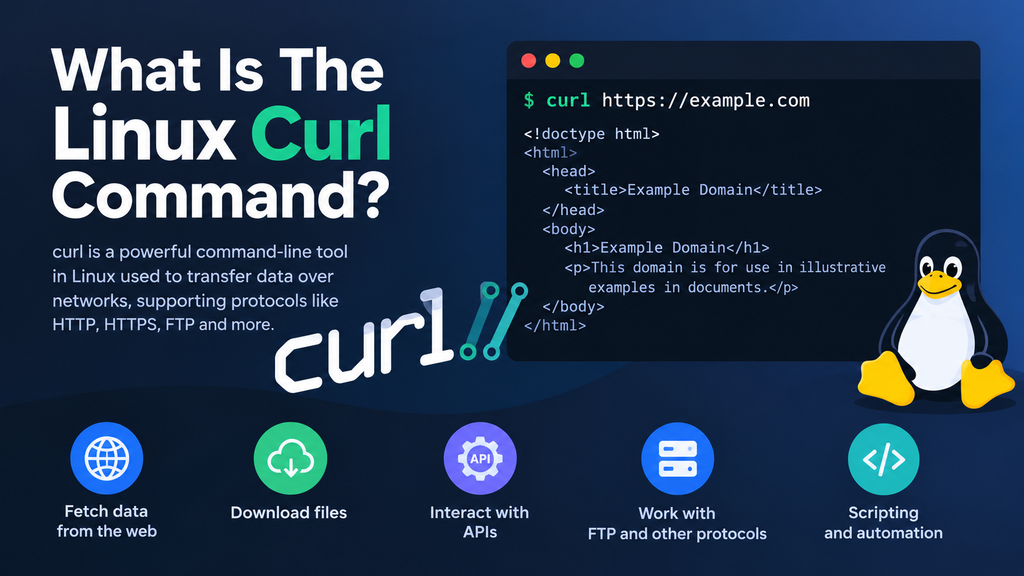
The Linux curl command is a command line tool for transferring data to or from a server, utilising URLS. The fundamental form is curl [options/URLs] in the official curl documentation. It supports HTTP, HTTPS, FTP, SFTP, SMTP and some other protocols.
Linux’s curl utility is great for submitting requests, viewing responses, downloading files, inspecting headers and debugging network connections. This is why curl is often considered a convenient networking tool for Linux. It’s also a handy tool to have around if you work on the Linux command line.
Linux Curl Command Syntax
The fundamental syntax of linux curl command is:
curl [options] URL
Examples:
curl https://example.com
Useful parameters for curl -I : retrieve headers -i : retrieve headers and body -L Follow redirects. -H : add header -X : http method to use -d : data to put in body -o : save to file instead of stdout -O : store remote file with original file name -v : verbose connection info
Learning the curl syntax will help you construct better curl commands.
Linux Curl Command Examples
The Linux curl Command can do a simple curl GET request:
curl https://api.example.com/users
To inspect headers:
curl -I https://example.com
To follow redirects:
curl -L https://example.com
To curl download file:
curl -O https://example.com/file.zip
HTTP Requests Using Curl
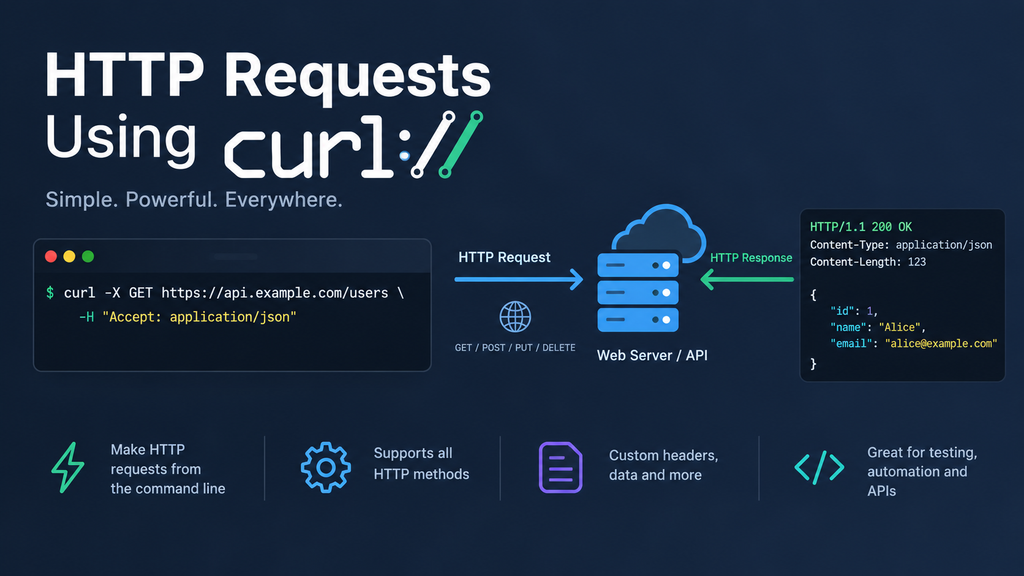
The Linux curl Command is useful for a curl HTTP request because you can control the method, headers, and body.
A curl POST request with JSON can look like this:
curl -X POST https://api.example.com/users \
-H “Content-Type: application/json” \
-d ‘{“name”:”Alex”,”email”:”alex@example.com”}’
For a curl PUT request:
curl -X PUT https://api.example.com/users/10 \
-H “Content-Type: application/json” \
-d ‘{“name”:”Alex Updated”}’
For a curl DELETE request:
curl -X DELETE https://api.example.com/users/10
These examples show HTTP queries with curl and explain why the command is beneficial for REST services.
curl headers and JSON requests.
You can use the -H option with the Linux curl command to add curl headers . Headers can include things like content type, permitted formats, authorisation, client info and more.
For a curl JSON request:
curl -X POST https://api.example.com/items
-H “Content-Type: application/json” \
-H ‘Accept: application/json’ \
-d ‘{“name”:”Keyboard”}’
This enables developers reproduce API calls and view answers while debugging.
Curl Authentication And HTTPs
You can test the authentication with the Linux curl command if the API allows it. You can use basic authentication for curl authentication:
curl -u username:password https://api.example.com/profile
Bearer-token authentication can use:
curl https://api.example.com/profile \
-H “Authorization: Bearer YOUR_TOKEN”
If you’re giving credentials, tokens or sensitive information, utilise HTTPS for a curl HTTPS request. The NIST guidelines specify the primary security guidelines for a web-carrier including authentication, authorisation, confidentiality and integrity.
Never consist of actual passwords or API keys in screenshots or for your shell records. Use environment variables or an authorized mystery management answer as appropriate.
Curl API Testing
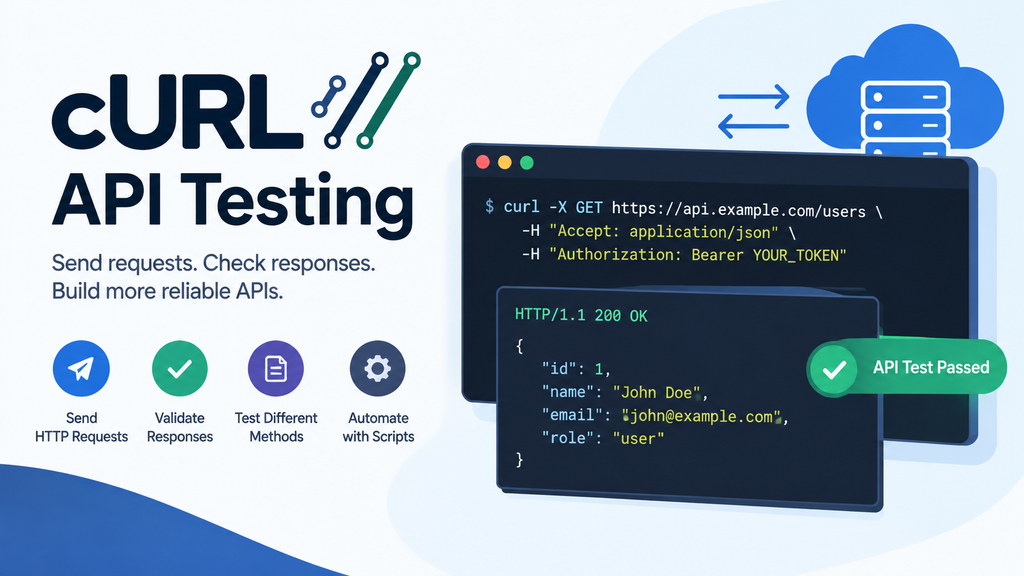
The Linux curl command is helpful for curl API testing, as testers can manage HTTP methods, headers, parameters, JSON contents and authentication.
To test a REST API with curl, attempt:
curl -i https://api.example.com/products
-i option displays response headers alongside body. You can also use -v :
curl -v https://api.example.com/products
The output can help to identify DNS, TLS, connection, request and response errors. This makes curl handy for command line API testing during development and debugging.
Two Real-World Examples
Testing a REST API
A developer builds a product endpoint and wants to ensure that it returns JSON. The Linux curl Command can send/receive:
curl -H “Accept: application/json” https://api.example.com/products
The developer can check response headers, status code and JSON body before connecting the endpoint to website or mobile app. This is a simple example of API testing with curl and curl API testing.
Downloading a Release File
A system administrator wants to download a release archive from a trusted project web site. You can download it with the curl Command Linux:
curl -L -O https://example.com/software.tar.gz
There you go, -L follows redirects, -O retains the remote filename For security-critical downloads, you should examine the checksum or signature provided by the trusted project.
curl vs wget
The Linux curl command and wget are two of the most utilised commands line programs. curl is particularly handy for APIs as you can control methods, headers, authentication and request bodies in a number of ways. wget is often preferable for simple downloads and recursive grabs of websites.
Curl is good for a curl command for beginners, as it exposes HTTP fundamentals close-up through its parameters. curl versus wget: Which One to Choose? It is dependent on what you are doing: API interaction, debugging, and downloading.
curl command options
Common curl command options include -I (headers), -L (redirects), -H (headers), -X (http method), -d (request data), -O (downloads), -v (verbose output). These parameters make curl a good choice for API operations and debugging.
Security Considerations
The Linux curl command is a high-quality tool for checking out and administering , but it does now not steady an API robotically. OWASP highlights problems including failed item-level authorisation, unsuitable authentication, and safety misconfiguration.
Use simplest the Linux curl command on structures you personal or have permission to check. Keep credentials secure and don’t percentage exclusive statistics with untrusted endpoints. API Threats and Controls all through API Lifetime. NIST Recommendation on REST APIs in 2026. Google Cloud recommends tiered API safety.
Conclusion
Curl Command in Linux Curl is a powerful and versatile tool to talk directly with web servers, APIs, and network services from the Linux command line. Supports GET, POST, PUT, DELETE, headers, JSON records, authentication, HTTPS connection, redirection and downloads of records.
The Linux curl command is a beneficial device for builders, tool admins, and cybersecurity trainees in phrases of testing APIs and debugging networks. With the perfect curl options and secure checking out methods, users might also quick recognize HTTP solutions, take a look at REST APIs, troubleshoot connectivity, and automate easy capabilities.
Frequently Asked Questions
1. How to use the Linux command curl?
Curl command Curl is a command line customer for sharing statistics with a server. It can scrape web sites, make HTTP queries, download documents, observe headers and take a look at APIs.
2. How can I conduct a GET request using curl?
curl -L https://example.com Replace the URL with the API endpoint. Add -i to see the response headers.
3. How to send JSON with curl?
-H “Content-Type: application/json” -d JSON body This is generally used for API queries using POST and PUT.
4. Does curl work on Windows?
Yes. Microsoft describes curl as a command-line program for transferring and calling REST APIs. Windows PowerShell 5.1 curl is an alias for Invoke-WebRequest hence use curl.exe for the real curl tool.
5. Is curl good for testing APIs?
curl is legit, but testing has to get allowed. Protect your API keys, passwords, tokens and any confidential information.
Explore Our Tools
Want to learn Linux, networking, cyber security or Api testing? Discover tech & security utilities at ExplainMeTech. Check out our tools at the ExplainMeTech Tools site. The Linux curl command can be combined with other command line tools to create useful troubleshooting and testing skills.
References
- curl Official Documentation — curl syntax, options, HTTP requests, downloads, and command examples. curl Official Documentation
- OWASP API Security Top 10 — API security risks and recommended security practices. OWASP API Security Top 10
- NIST – Guidelines for the Secure Deployment of RESTful Web APIs — guidance on REST API threats and security controls. NIST RESTful Web API Security Guidelines
- Microsoft Learn – curl on Windows — curl usage, REST API requests, downloads, and common commands. Microsoft Learn: curl on Windows
- OWASP API Security Project — API security risks, authentication, authorization, and API protection guidance. OWASP API Security Project
For more helpful technology, cybersecurity, and digital-security tips, visit ExplainMeTech.com and explore our latest guides, tools, and insights.