
Passwords are still one of the most significant security barriers to safeguard our online accounts. From email and social media to banking, shopping, cloud storage and work platforms, one hacked password can reveal a considerable quantity of personal information.
But how do hackers crack a password? Cybercriminals employ a number of tactics to crack, steal or exploit passwords. Some rely on automated guessing, while others take advantage of password reuse, phishing, stolen credentials, or predictable user behaviour.
Password attacks can be online password guessing or offline password cracking, using techniques such as brute force, dictionary attacks, credential stuffing, hybrid attacks and rainbow tables, Proofpoint said. Learning these techniques can help you create better passwords and protect your digital identity in 2026.
What Does Password Cracking Mean?
Password cracking is the process of attempting to find the password that secures an account, system, or encrypted password database. Password recovery and security testing can have valid uses, but attackers may also utilise password-cracking techniques to gain unauthorised access.
It is helpful to distinguish between password guessing and password breaking. Password guessing usually refers to trying passwords against a live login system, but password cracking may include working with stolen password hashes offline.
The good news is there are things you can do to cut the risk greatly Use unique, long passwords Use multi-factor authentication ( MFA ) Don’t use predictable password patterns .
How Do Hackers Crack Passwords?
Usually, hackers don’t have to miraculously “crack” every password. Instead, they hunt for the easiest opening. Accounts are easy to attack with weak passwords, repetitive credentials, predictable patterns, and stolen login knowledge.
Some of the most prevalent ones are here.
1. Brute-Force Attacks
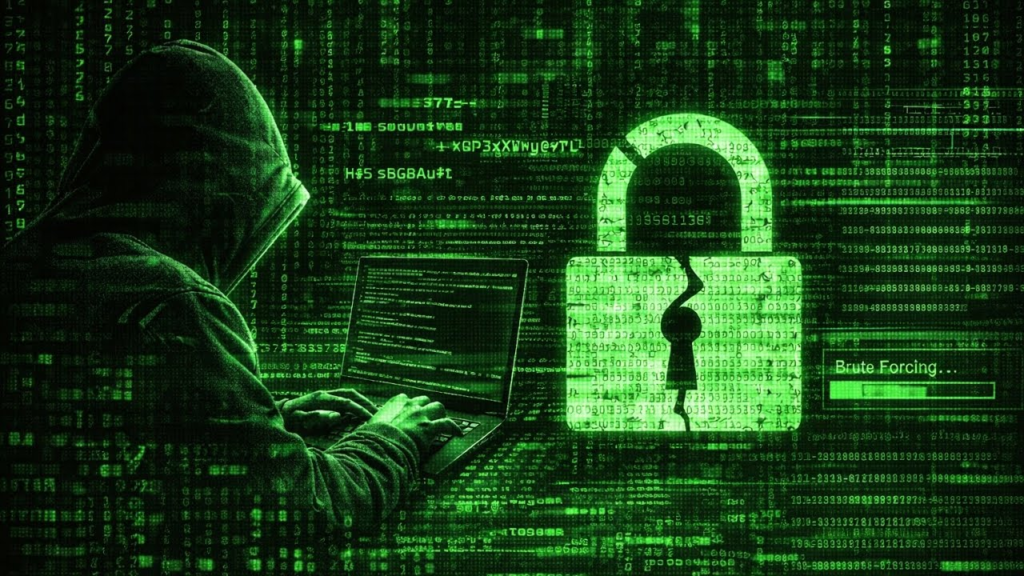
A brute force assault tries every conceivable password combination until it gets the right one.
The attacker can automate attempts against a weak password using different combinations of characters. Short and predictable passwords are more at risk, because there are few alternatives to try against.
Longer passwords and pass phrases increase the number of available combinations, making it harder for an automated guessing attack. But sites also need to implement safeguards like throttling logins, protecting accounts and MFA. OWASP suggests safeguards to restrict repeated login attempts .
2. Dictionary Attacks
Dictionary attacks are not trying every combination , but words and passwords that people are likely to choose .
Attackers can utilise dictionaries of common passwords, names, places, sports teams or phrases or other predictable terms. They can also change these words to familiar numbers or symbols.
For example, altering “password” to “Password1!” may look more complex, but such predictable changes can still be vulnerable to automated password-guessing algorithms. NIST particularly warns against using composition rules alone, and recommends prohibiting widely used or hacked passwords.
3. Credential stuffing attacks
Credential stuffing is not like trying to brute-force a password.
In this technique, thieves combine combinations of usernames and passwords from previous data breaches and test them on other websites. The attack is effective because some users use the same password for many accounts.
If, for example, your email address and password are exposed in a breach on an outdated retail website, an attacker might try the same combination on your email, social media or other accounts.
That’s why you should use a different password for each critical account. Google Password Manager also suggests strong passwords as using the same password across different sites might lead to a stolen credential compromising multiple accounts.
4. Password Spraying
Another option is password spraying. Some attackers prefer to try one common password against many distinct accounts rather than trying hundreds of passwords against one account.
This can help attackers evade defences that look for multiple failed attempts against a single login .
Microsoft has identified password spraying behaviour and proposes defences that include stricter authentication rules and migrating to passwordless authentication where possible.
5. Hybrid Attacks
Many users change hacked passwords in predictable fashions.
For example, a user might have one password and, when asked to update it, just add a different number or symbol. Attackers can use these patterns to combine dictionary-based guessing with variations of known passwords.
A password is technically different than an old password but still can be harmful if it is the same predictable pattern.
6. Rainbow Table Attacks
Stolen password hashes can be attacked via a rainbow table attack.
Passwords should not be saved in plain text on the website. Rather, passwords should be hashed securely using appropriate password hashing methods. With OWASP advice on using contemporary password hashing algorithms like Argon2id, bcrypt, or PBKDF2 with unique salts.
Rainbow tables are based on pre-computed data that let an attacker recognise particular password hashes. Proper salting makes these precomputed tables far less useful. Modern password storage techniques are therefore a key part of securing users in the event of a database compromise.
Realistic Example
Reused Email Password
Now consider that Priya uses the same password for her shopping account, her personal email account and her social media account.
One day the shopping website gets a data breach. Her email and password are compromised.
The attacker doesn’t necessary need to crack the password. Instead, they can use the hacked credentials on other popular services. If the attacker finds the identical combination works for Priya’s email account, they might potentially view password-reset messages and utilise the email account to compromise more services.
Lesson: Don’t use the same password for your email on other sites. Each critical account should have a separate password.
Predictable Password Changes
Take Arun for example, he has a password based on his name and a number he knows. When a site asks him to change his password he only changes the last number.
The new password is technically different, but the fundamental pattern is still predictable.
Rather of guessing from scratch, an attacker who knows or suspects the original password may try common variations.
Lesson: Never change an old password. Create a unique password instead.
How To Protect Yourself From Password Attacks?
You don’t have to be a cybersecurity specialist to increase your password security. Here are some practical measures to take:
- Use long and detailed passwords or passwords.
- Don’t reuse passwords for large sums of money you owe.
- Avoid names, birthdays, smartphone numbers, addresses, and generic words.
- Use a password manager to properly create and store passwords.
- Enable MFA or 2-step authentication where possible.
- If it is supported, think about considering secret keys.
- Change passwords when you realize or have a strong suspicion that they have been compromised.
- Update your operating system, browser, and security software.
- Be aware of unusual email, messages, or login websites.
The NIST’s current Digital Identity Guidelines look at password length and banning passwords that are regularly used or already compromised. Google also advises 2-Step Verification and introduces passkeys, a more phishing-resistant alternative to passwords.
Generate A Strong Password With Our Password Generator
Creating unique, secure passwords for each account can be tough to do manually.
That’s why we are building our Password Generator Tool, to give you a simpler way to create stronger and more unique passwords.
Use our password generator to generate a strong password, rather than common words, names, dates or predictable patterns.
Our Password Generator Tool – https://explainmetech.com/tools/password-generator/
Important: Never discuss your generated passwords with other people, and do not store them in unprotected notes or documents. A trustworthy password manager can offer a more secure place to store and track unique logins.
Why MFA And Passkeys Matter In 2026?
Strong passwords are necessary. But passwords aren’t always enough.
Even if a password is stolen by means of phishing, malware, a data breach, or credential stuffing, an attacker may still attempt to use it. MFA offers another layer of verification, which might make account takeover much more difficult to achieve.
Google argues that 2-Step Verification will stop someone else from getting in even if your password is stolen. Google also supports passkeys, which can employ a fingerprint, face scan or your device’s screen lock instead of needing you to enter in a password.
MFA is a first line of defence that organisations can implement to protect themselves from password-based attacks. OWASP also suggests methods like login throttling to prevent automated guessing.
Conclusion
So how can hackers crack passwords? They might want to try brute force guessing, dictionary attacks, credential stuffing, password spraying, hybrid attacks, or attacks with stolen password hashes, but in many cases attackers don’t need to “crack” a strong password at all if they are able to get it from phishing or a breach.
The quality “protection” is a set of awareness of long-term exact passwords, a password manager, MFA or 2-step authentication, static account processing options, and phishing activity . In 2026, with an ever-expanding array of online threats, proper password hygiene is one of the simplest and easiest ways to protect your digital identity.
Frequently Asked Questions
1. How long does it take hackers to crack a password?
There is no one answer. This will depend on the length and randomness of the password, the attack method, the available computer resources, and whether the attacker is assaulting an online login or an offline password hash. Generally, longer randomly generated passwords are much harder to guess.
2. How do hackers usually steal passwords?
Password theft can be done by phishing, credential theft, data breaches, malware, credential stuffing, password spraying and others. Another way attackers get in is by reusing passwords, not cracking the password.
3. Does a password need numbers and symbols to be secure?
No. Adding numbers and symbols to a password does not make it secure . A common term followed by “123!” is often a predictable, guessable password. Password length, uniqueness, unpredictability and whether the password has been seen in breach data are critical factors.
4. Should I use a different password for each account?
Yes. Unique passwords lessen the impact of credential stuffing. If one service is hacked, attackers can’t use that same password to get into your other accounts.
5. Is MFA more secure than passwords?
MFA above the password is just an additional security layer. But, still, a strong unique password should be used. MFA makes an account more secure, even if a password is compromised. Another great alternative are passkeys, where accessible.
Authoritative References And Further Reading
- Proofpoint – Password Cracking Techniques Used in Cyber Attacks
- ERMProtect – How Hackers Crack Passwords
- OWASP – Password Storage Cheat Sheet
- OWASP – Authentication Cheat Sheet
- NIST – Digital Identity Guidelines: SP 800-63B
- Microsoft Security – Password Spray Research and Recommendations
- Google Account Security – Passwords, Passkeys and 2-Step Verification
For more helpful technology, cybersecurity, and digital security tips, visit ExplainMeTech.com and explore our latest guides, tips, and insights.