
Whether you’re entering into an online account, using an app, accessing online banking or running a website, two vital security processes are happening behind the scenes: authentication and authorisation. The names are often used together, yet they perform independent functions. Authentication is the process of verifying who you are and authorization is the process of determining what you can access or do . Understanding Authentication Vs Authorization is important as both play a crucial part in securing accounts, applications, websites and sensitive information against unapproved access.
What Is Authentication?
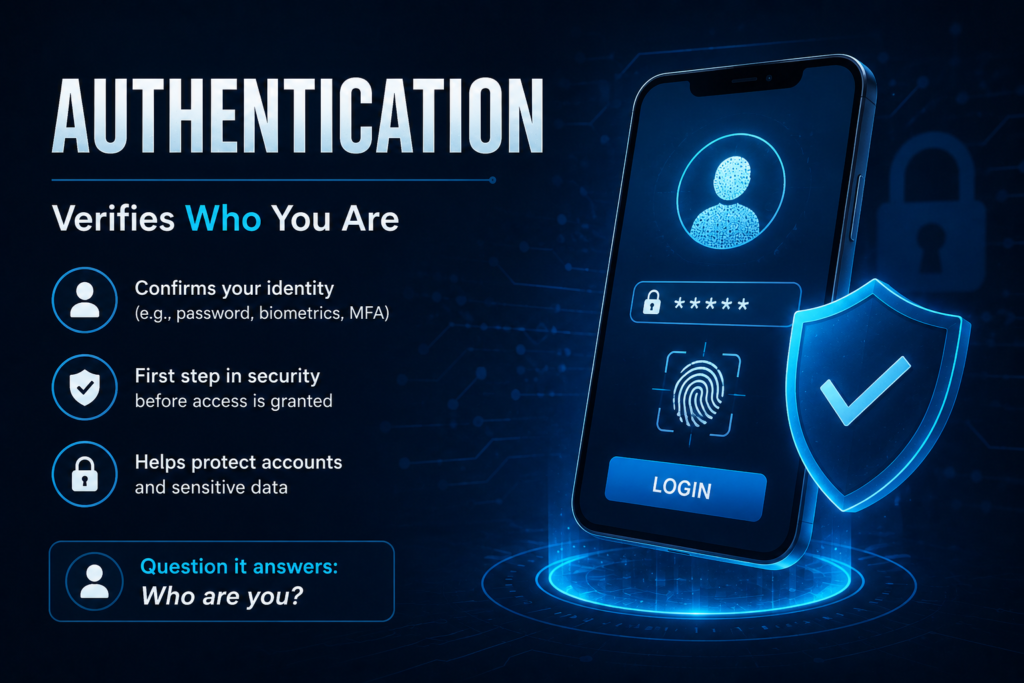
Authentication is the process of confirming one’s identity. Authentication, it says without a doubt, solves the question of “who are you?”. When you log in to an account with an email agreement and password, the service checks to see if the information is yours. It verifies who you are and helps increase the accuracy of records.
A few specific methods can be used for authentication. Typical examples are traditional passwords and PINs, however modern systems can additionally use one-time passwords, authentication software, security keys, passwords, fingerprints, facial recognition or digital credentials Multi-issue authentication can also or use multiple authentication methods for identity security.
OWASP advocates strong authentication rules, securing credentials, defending against automated attacks and adopting additional security controls such as multifactor authentication where suitable. The NIST Digital Identity Guidelines also contain technical requirements and recommendations for authenticators and authentication.
How Does Authentication Work?
Authentication normally begins when a user attempts to log in to an account or application. The user provides some form of credential which could be a password, passkey, security key, verification code, etc. The system then checks the information against the account credentials or authentication mechanism.
On successful authentication, the system acknowledges the user as an authenticated identity. If the credentials are invalid or the extra verification step fails, access may be denied.
For example, when you connect into an email account with a password and 2-factor authentication, the service is using those methods to verify that you are the actual account owner.
What Is Authorization?
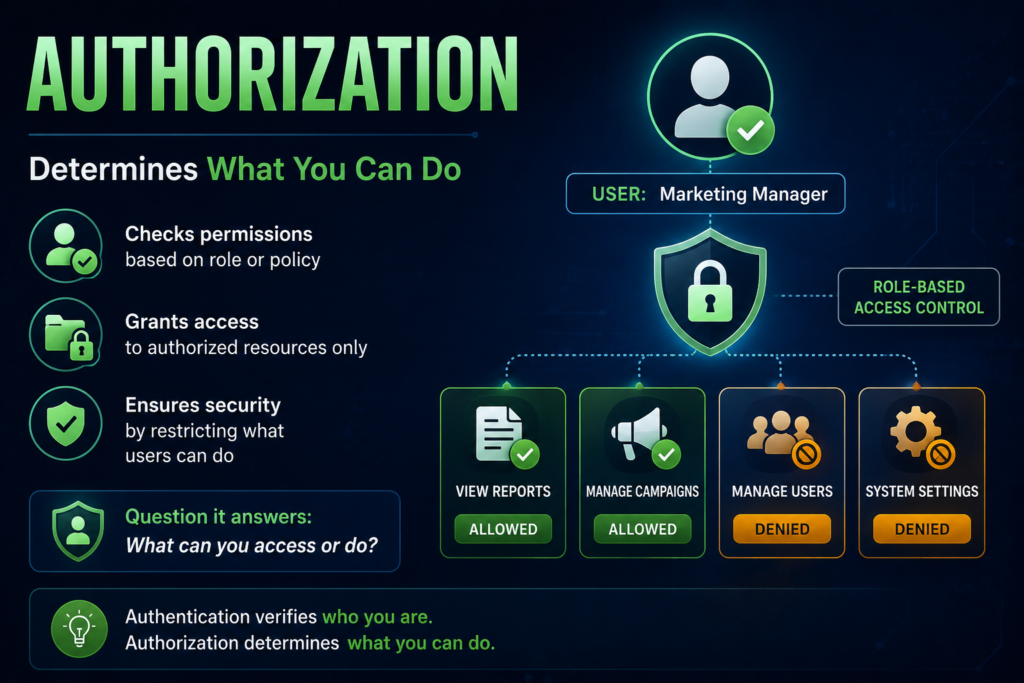
Authorization is the action of determining access rights or privileges for an authenticated user. Basically, “What are you allowed to do?”
Just because you’ve logged into an app doesn’t guarantee you can use all of its features. You can assign rights to humans in line with their desire for access, responsibility, or access.
For example an employe might be allowed to study business documents but not to take them away. Such documents can be modified by a manager. An administrator may be able to manage users and change system settings. The permission contains these access decisions.
OWASP recommends security ideas such as least privilege, deny-by-default, and authorization checks for protected actions and resources.
Authentication Vs Authorization: Key Differences
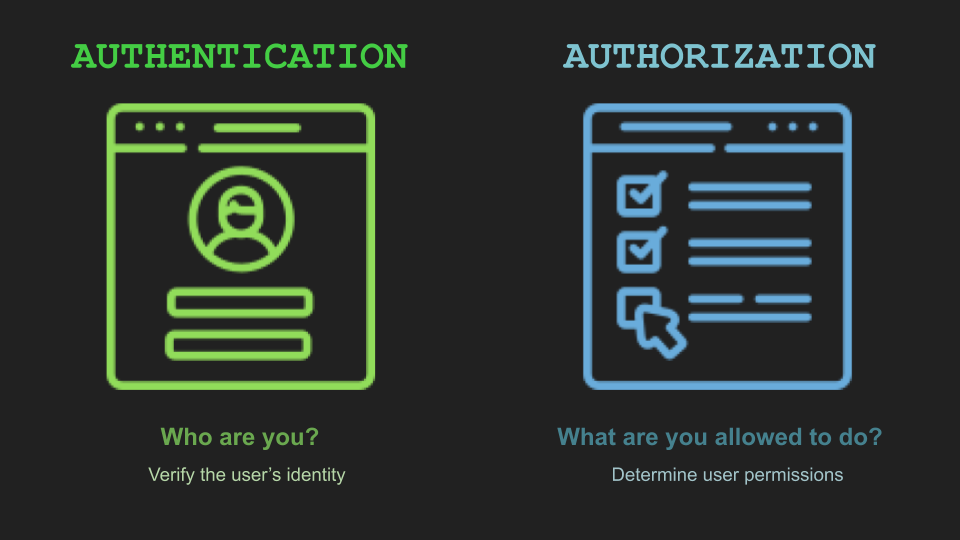
Authentication and authorization are two sides of the same coin, but serve different purposes. Authentication is verifying an identity . authorization is restricting access and rights .
| Feature | Authentication | Authorization |
| Main purpose | Verifies the user’s identity | Determines what the user can access |
| Main question | Who are you? | What are you allowed to do? |
| When it happens | Usually before authorization | Usually after authentication |
| Focus | Identity verification | Permissions and access control |
| Common methods | Passwords, OTPs, passkeys, biometrics, security keys | Roles, permissions, policies, access rules |
| Example | Logging into a WordPress account | Being allowed to publish or delete posts |
| Security goal | Prevent identity impersonation | Prevent unauthorized access |
| Common term | AuthN | AuthZ |
How Authentication And Authorization Work Together?
Authentication and authorization are generally combined as various phases of the security procedure. First, a user attempts to login and provides his credentials. The system then verifies the identity of the user by checking those credentials. After a successful authentication, the application checks the user’s permissions before granting access to specified resources or actions.
This means that a person can be authorised yet not allowed to access some elements of an application.
For instance, an employe might successfully log into a firm system, yet be refused access to open an administrator dashboard. The employee’s identity has been verified but they do not have permission to access that resource.
Realistic Example
Online Banking
Think about a person logging into an online bank account. They type in their username and password, and the bank can seek a verification code or permission on a device they’ve registered. Next, the bank authenticates the user’s identity as it verifies these facts.
Once the user has signed in successfully, authorization dictates what they can do. They can check their account balance, download statements, see transactions or transfer money. But they don’t have the ability to access another client account or undertake administrative actions that are only allowed to bank employes.
Here, logging in and proving who you are is authentication, while the rights that decide what banking features you can use are authorisation.
WordPress Site
Another easy example might be a WordPress site. Let’s say that a website has an administrator, an editor and author. Authentication checks that a user logging onto the website is who they say they are, using their own login details.
But, each user has distinct privileges. The administrator can handle plugins, themes, users and site settings. An editor can create, edit and publish posts. An author can mostly handle their own content.
The three users are authenticated but they have different authorisations. This division keeps users from accessing administrative functions that they don’t require.
Why Is Authentication Important For Security?
Authentication is one of the initial security hurdles for an account or an application. Attackers can easily impersonate valid users and may be able to access private information, financial accounts, corporate systems or other sensitive resources.
Strong and unique passwords, multifactor authentication, protection of login credentials, and the use of modern authentication technology can all help to increase account security.
But authentication alone is not enough. A system must also correctly restrict what authenticated users can access.
Why Authorization Is Important For Security?
authorization is a safeguard against every logged-in user having automatic access to all the functionality within an application. Without the right authorization restrictions in place, a regular user can gain access to administrative functions or the sensitive information of other users.
A good authorization system should follow the concept of least privilege. This means that people should only be granted the rights they need to do their jobs.
For example, a content writer who is responsible for publishing articles may not need access to install plugins, manage website users or change security settings. Limiting unneeded rights decreases the potential damage that might be caused by hacked accounts and unintended blunders .
Common Authentication Methods
Passwords are still one of the most prevalent ways to authenticate although there are various alternatives in modern systems. Multi-factor authentication provides an extra layer of verification, like an authentication app or security key. Passkeys are cryptographic credentials meant to give high protection against phishing. Biometric authentication is available via fingerprints or facial recognition on supported devices.
The correct way to authenticate depends on the application, the sensitivity of the information being protected, and the security level required.
Common Authorization Methods
There are various access-control models that can be used to implement authorisation. Role-based access control (RBAC) assigns permissions to users based on their role (e.g., administrator, manager, editor, employe, viewer).
Other systems may have more detailed rules based on qualities, or situations. Access may rely on the user’s department, on the type of resource, or on the exact action that the user is seeking to do.
Regardless of the mechanism, the purpose is the same: to guarantee users can only access those resources and functions to which they are authorised.
Authentication And Authorization In Google Services
Google is a good example of how authentication and authorization operate together. Authentication Authentication verifies the identification of a person or service trying to access resources. authorization then checks if that identity has permissions to access the resource and at what level .
You’ll see this similar strategy utilised in plenty of current systems – cloud platforms, websites, mobile apps, APIs and corporate software.
Generate A Strong Password With Our Password Generator
Start with strong authentication by securing your account credentials. Attackers can easily breach accounts using weak or predictable passwords. Don’t use names, birthdays, common terms, or easy numerical combinations as passwords.
You can use our Password Generator to create strong, random passwords for your online accounts. It is also a good idea to use a unique password for every critical account, so if one is compromised the impact is minimal.
Our Password Generator – https://explainmetech.com/tools/password-generator/
Use our Password Generator today to create a strong password and protect your online accounts.
Conclusion
Authentication and authorization are not the same yet they serve different security purposes. Authentication is to identify you . authorization is to control what you are authorised to access or do .
Both are needed for a secure website, application or online service. Strong authentication protects users’ identity, and well-designed authorization ensures that users obtain only the permissions they need.
Whether you are logging into online banking, accessing a cloud service, maintaining a WordPress website or utilising a corporate application, authentication and authorization go hand in hand to secure accounts, data and resources.
Frequently Asked Questions
1. What is the difference between authentication and authorization ?
Authentication is the process of verifying who someone is. authorization is the process of verifying what they have access to. Authentication answers “Who are you?” authorization answers “What are you allowed to do?”
2. Does authentication precede authorisation?
Most applications follow the pattern of authentication then authorisation. First it determines who the user is, next it looks to see if the person is authorised to access a certain resource or to execute an action.
3. Can a user be authenticated and not authorised?
Yes. A user can successfully log into an application yet still be refused access to some features. For example, an employe may be authenticated but not authorised to view an admin dashboard.
4. Password Authentication or Authorisation?
A password is a credential for authentication. This helps the system to validate the identity of a user. It says nothing about what features or resources the user can access.
5. Why do we need both authentication and authorisation?
Authentication protects unauthorised persons from claiming to be legitimate users, whereas authorization prevents legitimate users from accessing resources or taking activities that are outside of their permissions. Security of an application depends on both.
References
OWASP – Authentication Cheat Sheet
OWASP Authentication Cheat Sheet
OWASP – Authorization Cheat Sheet
OWASP Authorization Cheat Sheet
NIST – Digital Identity Guidelines (SP 800-63-4)
NIST Digital Identity Guidelines
Microsoft – Authentication vs. Authorization
Microsoft Authentication vs. Authorization
Google Cloud – Authentication Overview
Google Cloud Authentication Documentation
Keep your digital life safer and stay updated with the latest tech developments by exploring the helpful guides and cybersecurity resources at ExplainMeTech.com.