
Docker exec Command: Run Commands Inside a Running Container. What is Docker? This is a good topic for developers, DevOps engineers, system administrators, and cybersecurity students. Docker bundles apps and their dependencies into containers . The Docker exec Command enables you interact with an existing container . Docker exec Command is used to check files, processes, configuration, environment variables without establishing another container.
If you want to know about Docker exec explained then this tutorial will guide you to Run commands inside Docker container, Execute command in Docker container, Docker running container, How to use Docker exec command, How to run commands inside a Docker container, How to open a shell inside a Docker container, How to use docker exec -it.
What Is Docker?
Docker is a platform that allows you to construct, deliver and run programs in boxes. Docker boxes permit developers to wrap a chunk of software program and all its dependencies in one bundle. This is a quick and reliable solution to deploy apps in diverse environments. Docker is an open source platform which can run on various types of operating system such as Linux, Windows, MacOS.
Docker is a container platform. It packages the app and its dependencies together. Containers are isolated in terms of programs and resources, but they share the kernel of the host operating system.
What Is Docker Exec Command?
Docker exec Command Run a new command in a running container. The basic syntax is:
docker exec [OPTIONS] CONTAINER COMMAND [ARG…]
For example:
docker exec mycontainer ls
This launches ls in mycontainer. The target has to be operating and the command executes as a distinct process, not taking over the main process of the container. The exec process depends on the main process of the container to stay alive, according to the official Docker documentation.
What Is Docker Exec?
The general format is:
docker exec [options] container command
It is recognised by name or id. The command can be a tool such as ls, pwd, env, ps, cat or a shell. One common type of interaction is:
docker exec -it mycontainer sh
The -i option keeps input open and -t allocates a pseudo-terminal.
How To Use Docker Exec Command?
First, locate any running containers:
docker ps
Next select a container and run a command:
docker exec mycontainer pwd
You can see environment variables:
docker exec mycontainer env
Or list files:
docker exec mycontainer ls -la
Here are easy ways to run commands within a docker container without interrupting its application.
Docker Exec Interactive Shell
One of the main uses is to open a shell inside a running container. If Bash is installed, then use
docker exec -it mycontainer bash
This is the standard Docker exec bash way. If Bash is not accessible, try:
docker exec -it mycontainer sh
This Docker exec sh technique is common with Alpine and other basic Linux images. The shell you can use depends on what the image has in it.
How To Access A Running Docker Container?
To go into a running docker container, first get the name or ID using `docker ps`. Then open its available shell:
docker ps
docker exec -it webapp sh
Once in the shell view files , processes , permissions and configuration . Type exit to leave The shell is separate and the container continues normally. Docker exec Command facilitates access to this live-container.
Examples Of Docker Exec Command
You can check system info:
docker exec mycontainer uname -a
You may check the working directory:
docker exec -ti mycontainer pwd
You can see a list of processes:
docker exec mycontainer ps –
You can read a config file:
docker exec mycontainer cat /app/config.json
For shell operators, make an explicit call out to a shell:
docker exec mycontainer sh -c “echo hello && pwd”
Docker states that a quoted command on its own is not understood as a shell command, thus if shell syntax is needed, sh -c or bash -c is useful.
Docker Exec -It And Interactive Terminal
docker exec -it app sh produces an interactive terminal for Docker, because -i keeps input open and -t allocates a pseudo-TTY. # Use bash when installed, else use sh for Docker exec bash Here is how to use docker exec -it for an interactive session
Difference Between Docker Exec And Docker Run
Docker run runs a new container from an image. It performs another process within an already running container.
The example is:
docker run -d –name web nginx
launches a new Nginx container. Once it’s up and running:
docker exec web nginx -v
executes a command inside that existing container.
So, the difference between docker exec and docker run is straightforward. You can use docker run to construct and start a container. Use Docker exec Command if you want to perform command inside Docker container currently running. According to Docker’s run documentation, it is the creation of a new container and running it from an image.
Real Examples
Troubleshooting a Web Application
Say we have a web application container called webapp that is returning errors. An administrator can look at its application directory without halting it:
docker exec webapp ls -la /app
They can look at a config file:
docker exec webapp cat /app/config.json
They can then open an interactive shell:
docker exec -it webapp sh
This assists in verifying files, processes, permissions and runtime configuration.
Checking a Database Container
Say you have a container called database running PostgreSQL. An administrator can see its processes:
docker exec database ps
They can inspect its environment:
docker exec database env
The database client can also be used if installed (see image settings). This shows how to perform commands in a running container, without needing a second database container.
Docker Exec Command And Security
Container access should be an administrator privilege. Do not use –privileged unless it is absolutely necessary. The more rights you have, the more risk you have.
OWASP suggests utilising unprivileged users, restricting capabilities, not exposing the Docker daemon socket more than necessary, and keeping Docker and host up to date. NIST SP 800-190 addresses container isolation, image security, configuration and runtime security. Microsoft gives advise on hardening Docker hosts while Google Cloud provides documentation on roles and permissions for container security.
Use least privilege, safeguard Docker admin interfaces, and limit interactive access.
Common Docker Exec Command Errors
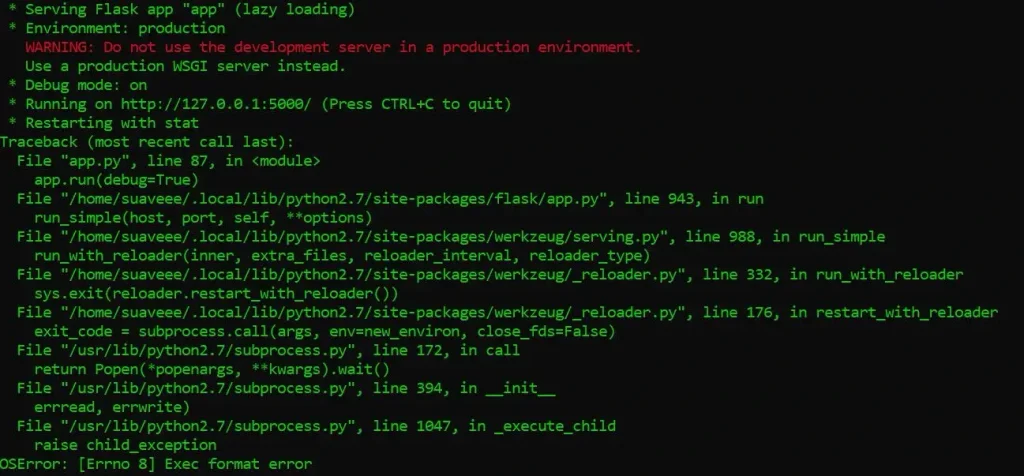
If you cease using the container:
docker ps -a
docker logs container-name
If bash is not found, try sh. There is also Docker Debug for a minimal image without a shell. Permission errors typically require checking the ownership and access of the selected user.
Docker Exec Command Best Practices
Make sure you have the right container before issuing commands. Be careful using the docker exec command in production. Prefer inspection over unneeded modification Use non-root users where possible Avoid –privileged unless necessary
Do not use manual shell changes as a permanent configuration. If a change needs to be permanent, update the Dockerfile, Compose configuration, or deployment system.
For docker-compose projects, docker-compose exec is performed against a service, and defaults to interactive mode with a TTY.
Conclusion
Docker exec Command is an important Docker command line capability to work with the running containers. This allows developers and administrators to run commands, access interactive shells, see files, check processes and troubleshoot applications without starting up another container. Common patterns are docker exec -it for an interactive terminal, Docker exec bash if Bash is installed, and Docker exec sh for lightweight images.
The main difference is , Docker exec Command is executed on an already operating container while docker run is used to construct and start a new container . Combine it with docker ps, docker logs, docker inspect and least-privilege principles.
Frequently Asked Questions
1. What is the purpose of the Docker exec Command?
Docker exec command is used to execute a command in an already running docker container. It is handy for analysing files, checking processes, debugging applications, looking at environment variables, and opening an interactive shell. It doesn’t generate a new container or replace the main process.
2. How can I get a shell within a docker container?
Run docker ps to find the container. Then docker exec -it container-name sh If bash is installed, run docker exec –it container-name bash. Minimal graphics typically give you sh instead of Bash.
3. Difference between Docker exec and Docker run?
docker run creates and runs a new container from an image docker exec performs a command in an already running container. Docker run to spin up a new container, and Docker exec to access an already running container.
4. Why doesn’t docker exec bash work?
The image may not have bash. Minimal photos usually do not include it to save image size. If sh is available try docker exec -it container-name sh. Docker Debug is handy when a container has no shell.
5. Is Docker exec secure?
Docker exec can be safe if access is regulated and least privilege is followed. Don’t run processes with extra privileges, secure the Docker daemon socket, run as a non-root user when possible, and restrict administration of containers to authorised users.
Try Our Tools
If you are learning Docker, Linux, networking and cybersecurity, check out practical resources and utilities at ExplainMeTech tools page. These resources can help hands-on learning in addition to practicing Docker command-line.
Reference
- Docker Documentation – docker container exec
Docker container exec documentation - OWASP – Docker Security Cheat Sheet
OWASP Docker Security Cheat Sheet - NIST – Application Container Security Guide (SP 800-190)
NIST Application Container Security Guide - Microsoft Learn – Docker Host Security
Microsoft Learn Docker security guidance - Google Cloud – Container Security Roles and Permissions
Google Cloud Container Security documentation
If you want more technology, cybersecurity and digital-security ideas, head on over to ExplainMeTech.com and see our latest guides, tools and insights.