
Windows 11’s New AI Features: What Microsoft Is Bringing to Your PC in 2026 is an important topic for anyone utilising a modern AI-powered computer. Microsoft is transforming its operating system into a smart computing platform that use AI to assist users to find information, comprehend what’s on their screen, create content, increase productivity and accomplish routine chores more quickly. These capabilities are targeted especially at Copilot+ PCs in 2026, with dedicated Neural Processing Units (NPUs) capable of more than 40 trillion operations per second (TOPS).
This isn’t about just adding another chatbot to your PC. Instead, Microsoft is integrating AI into search, productivity, accessibility, creativity, communications, and system experiences. Some functions are available only on compatible Copilot+ PCs, and some may be available on a broader set of devices.
What Are AI Features In Windows 11?
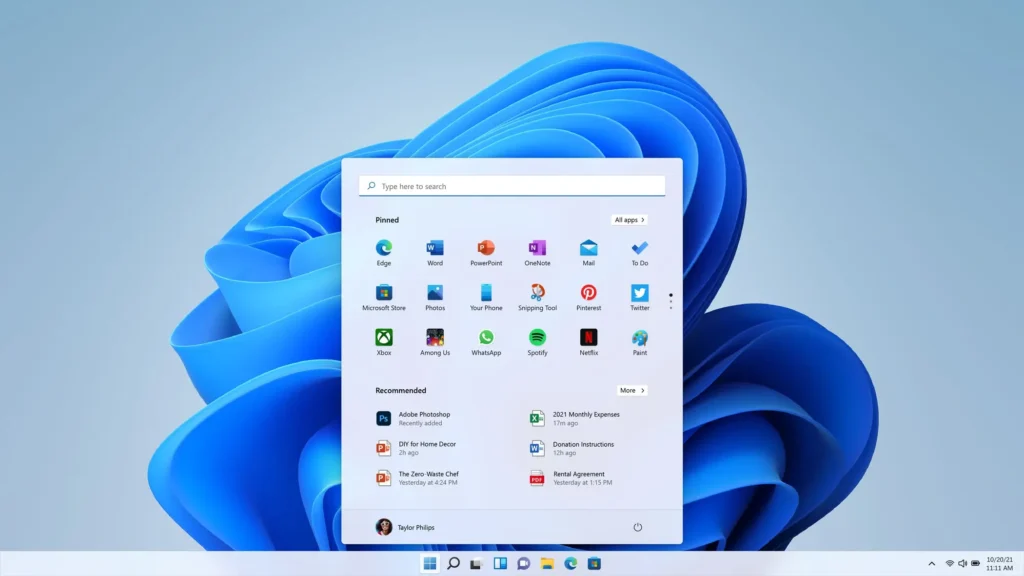
Windows 11 AI features are smart capabilities that are embedded directly into the operating system and select Microsoft apps. They rely on cloud-based AI, local AI models or both to understand text, pictures, sounds and other data.
The primary difference with Copilot+ PCs is an NPU. Some AI operations can be done locally on compatible PCs, rather than transmitting every AI workload to the cloud. Microsoft said Copilot+ PCs will require an NPU that can do more than 40 TOPS, plus increased memory and storage requirements.
This can enhance responsiveness and give greater privacy for some services since the processing can be done directly on the device.
1. Remember: Look For Things You’ve Seen Before
One of the most discussed features in Windows 11 is the Recall AI capability.
Recall helps you find stuff you’ve seen before on your PC using natural language descriptions. Rather than trying to remember the precise filename, URL or application, you can search through saved snapshots by describing what you remember.
Suppose you visited a product page a few days ago and you don’t remember the name. With Recall, you may be able to search for a description of what you saw, and go back to the relevant content.
Recall is an optional experience on Copilot+ PCs. Microsoft has also included settings for users to manage the collection of snapshots, suspend collection, filter apps and sites, and erase recorded snapshots.
This makes Recall one of the more exciting productivity capabilities to arrive on new Windows 11 systems, but users should understand its privacy settings before turning it on.
2. Click To Do
Another important capability of AI is “Click to Do.”
Click to Do reads text and images on your screen and suggests actions you can take. Instead of copying information between apps by hand, you may do AI-powered actions on the stuff you’re looking at.
You might highlight a bit of text and ask Copilot to create a summary, or search the web, or convert it to a more useful format, for example. Click to Do can view screen material locally on compatible Copilot+ PCs, Microsoft said, with information transmitted externally only when you select an action requiring it.
That might make Windows 11 feel a lot more engaging, as the operating system will be able to understand the context of what is now being shown.
3. Smarter Windows Search
AI is also making search better.
Computers in their usual search mode rely on our memory of the exact name of a file or a keyword in it. AI-assisted search is about knowing what you mean, not necessarily what you say.
For example, rather than recalling the name of a document, you may specify what it contains or sort of image you’re looking for.
Microsoft has also given a preview of an updated Windows Search, as part of the Copilot+ PC experience, alongside Recall and Click to Do.
For those that keep hundreds or thousands of documents, photographs and files, this could be one of the most beneficial Windows 11 AI capabilities in everyday use.
4. AI-Powered Creativity In Paint
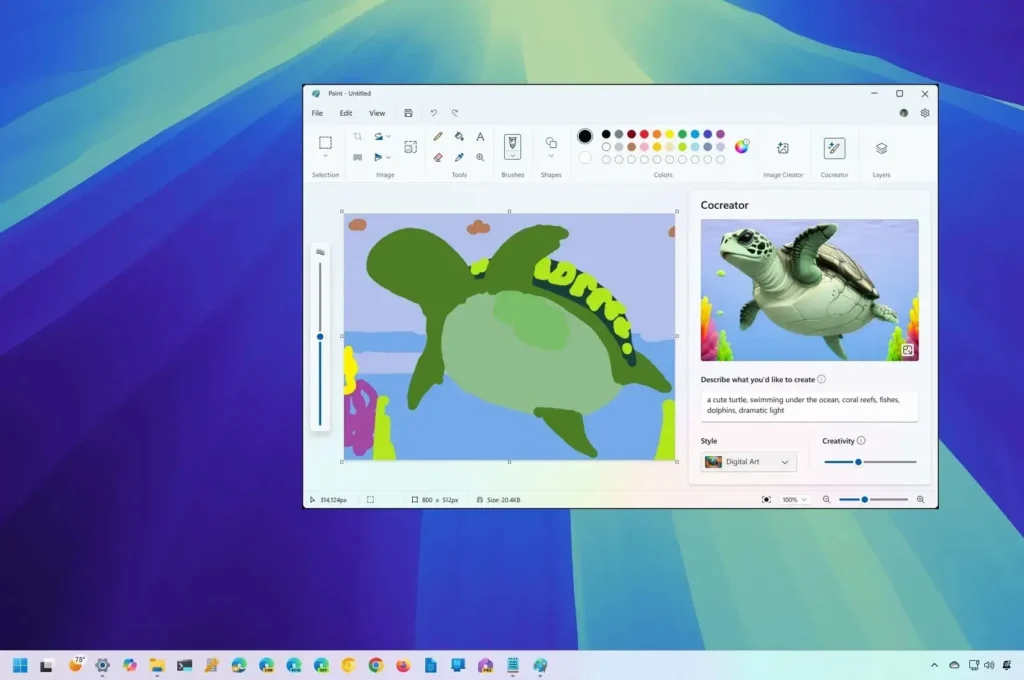
Microsoft is also pushing AI further into its creative tools.
Paint is supercharged with AI-powered features like Cocreator that may help you create or reimagine visual creations. This is especially handy for those who want to mess around with digital artwork without needing extensive graphic-design skills.
Rather than a blank canvas, users may utilise the aid of AI to brainstorm ideas and create graphic conceptions.
It’s a sign of how Windows 11 is becoming less of an operating system and more of a platform for AI-assisted innovation.
5. Restyle And AI Features In Photos
Another area where artificial intelligence can assist consumers in dealing with photographs is the Photos program.
AI-powered capabilities can help to modify photographs and produce alternative visual styles. These features can benefit casual users who want to enhance or creatively modify images without having to master complicated editing tools.
Microsoft has included Restyle and more to its Copilot+ PC AI range.
With AI picture editing becoming increasingly widespread, Windows 11 could become more enticing for schools, designers, marketers and ordinary users with built-in tools.
6. Windows Studio Effects
Video calling is a part of business and learning and Windows Studio Effects uses AI to make the experience better when you use a compatible webcam.
Depending on the supported hardware and applications, AI-powered effects can assist with camera presentation, backdrop effects, eye contact, and other communication advances.
These features come in handy especially for those who join online meetings, classes, interviews or presentations, on a regular basis.
Many of these experiences depend on the NPU, making the Copilot+ PC hardware platform a significant aspect of Microsoft’s AI vision for Windows 11.
7. Live Captions And Accessibility
Artificial intelligence can also make computers easier to use.
Live Captions can generate captions to assist consumers comprehend spoken content. AI-powered accessibility features can be especially helpful for persons who have difficulty hearing or are in a setting where it is difficult to hear audio.
Live Captions are listed by Microsoft as one of the AI experiences on Copilot+ PCs.
This is an essential reminder that Windows 11’s AI direction is more than simply productivity or entertainment. Artificial intelligence can also help make technology more accessible to more people.
8. AI Processing Happens Locally
Local processing is a significant technical development driving Microsoft’s AI strategy.
In many traditional AI applications, the request is sent to cloud servers. Copilot+ PCs are equipped with customised NPUs designed to handle certain AI workloads directly on the PC.
Microsoft calls Copilot+ PCs a kind of AI PCs that have sophisticated silicon and NPUs that can do more than 40 TOPS.
Local processing could provide lower latency and reduce the need to transmit some data to distant services. But users shouldn’t assume that every AI feature is totally offline or that all data is always on device. Processing location depends on the feature and service.
9. AI And Privacy: What Users Should Know
More AI capabilities means more reasons to care about privacy.
Recall is a nice one. It can save snapshots of activities so users should know what is being saved , whether programs or websites are prohibited and how to control snapshots .
Microsoft has also pointed to security and privacy safeguards related to Recall, such as authentication and controls for maintaining snapshots.
Artificial intelligence systems also face broader hazards such as prompt injection, leakage of sensitive information, disinformation, and excessive agency. These are key hazards identified in OWASP’s 2026 GenAI advice for modern AI applications.
So AI convenience should always be tempered with acceptable privacy and security procedures.
10. AI-Powered Security Is Becoming More Important
The AI transition is more than productivity.
Microsoft’s security work in 2026 will demonstrate how AI is also being used to uncover vulnerabilities, enhance threat detection and accelerate cybersecurity operations. Microsoft said its multi-model agentic security system assisted researchers in identifying vulnerabilities in the Windows networking and authentication stack.
At the same time, attackers can employ AI to make cyberattacks faster and more sophisticated. NIST’s Generative AI Profile provides a risk-management approach to trustworthy and responsible AI, while its Cyber AI Profile work addresses the cybersecurity risks and potential of AI.
Google is also warning against indirect prompt injection, where a user may put malicious instructions in websites or documents that then are processed by artificial intelligence (AI) systems.
If you’re using Windows 11, the practical advice is simple: Keep your OS up to date; utilise strong authentication; examine your privacy settings; be cautious of files and sites; and don’t trust the accuracy of AI-generated information.
Do All Windows 11 PCs Have These Features?
Nope.
This is one of the most crucial things to know.
Some AI experiences are publicly available, however some advanced capabilities are built only for Copilot+ PCs. Microsoft said Copilot+ PCs will need hardware with a powerful NPU, with the current minimum spec over 40 TOPS.
So, simply purchasing or upgrading to Windows 11 doesn’t automatically place all AI features at your fingertips.
Just remember to ensure that the new computer is a Copilot+ PC and that the hardware supports the specific AI function you desire before you buy.
Microsoft’s AI Strategy: What It Means
Microsoft’s approach shows the PC is becoming something more than an applications-running device.
In conventional computing, users would open programs and manually transfer information between them. AI disrupts that approach by allowing the operating system to interpret content and perform contextual actions.
Think about being able to find a document based on what was in it, picking words and quickly altering it, creating an image from an idea, making a video call better, or finding something you saw before but can’t recall its filename.
These kinds of experiences could make Windows 11 a lot smarter and more helpful for day-to-day computing.
But AI should be a helper, not a perfect authority. Microsoft itself highlights principles of responsible AI such as reliability, safety, privacy, security, transparency, and accountability.
Preparing For AI-Powered Windows
If you’re already on Windows 11, keep your machine up to date and check privacy and security settings regularly.
If you’re looking for a new PC, see if it has a dedicated NPU and fits the Copilot+ PC requirements.
You also should:
- Keep Windows and programs up to date.
- Use robust authentication, such as Windows Hello.
- Review the recall parameters before initiating snapshot storage.
- Do not input sensitive data into untrusted AI services.
- Verify critical AI-created content.
- Ensure you have reliable security software.
- Save important files.
- Discover unique security threats to AI, including quick injection and data leakage.
The future of Windows 11 is expected to be a more integrated experience of AI, apps, files, search, security and hardware.
Conclusions
AI is becoming a central element of the current PC experience, not just a nice-to-have feature buried in specific applications. Microsoft’s solution is a combination of dedicated NPU hardware, AI-enhanced search, productivity, creativity, accessibility and security capabilities.
The main thing for users is convenience. Computers are getting better at understanding what you’re doing and helping you do things in fewer steps. Privacy, security, and responsible AI use are still important. These features will keep evolving through 2026, as Windows 11 becomes the foundation for a more intelligent and personalised PC experience for Microsoft. It is up to consumers to know what their hardware supports, to set their privacy settings properly and to utilise AI as a useful helper and not as an infallible source of knowledge.
Frequently Asked Questions
1. What are Windows 11’s greatest AI features?
Some of the best AI experiences are Recall, Click to Do, enhanced Windows Search, Cocreator in Paint, Restyle in Photos, Windows Studio Effects, and Live Captions. Device and feature requirements apply to availability.
2. Is it possible to Recall on all Windows 11 PCs?
No. Recall is for eligible Copilot+ PCs and requires certain hardware. Microsoft has criteria such as a 40+ TOPS NPU, 16 GB of RAM and 256 GB of storage.
3. Does Windows 11 AI work without Internet?
Some AI processing can be done on compatible Copilot+ PCs locally, although not all AI features work fully offline. Processing techniques and requirements differ by feature.
4. Is Windows 11 AI safe?
AI capabilities can be valuable but consumers should consider privacy and security. Risks for standard artificial intelligence systems include quick injection, leakage of sensitive information, disinformation, and over-agency.
5. Do I need to acquire a Copilot+ PC?
If you want the newest AI experiences from Microsoft, a Copilot+ PC might be worth a look. But before you upgrade, be sure to assess hardware, NPU performance, battery life, price and what AI features you really need.
Test Our Tools
If you’re interested in strengthening your digital security and learning new technology, check out the valuable cybersecurity and technology tools on the ExplainMeTech Tools page. Check out the ExplainMeTech Tools for some handy tools to aid with day-to-day internet security, privacy and technology activities.
References
- Microsoft — Windows 11 Specifications and Copilot+ PC Requirements
- Microsoft — Recall and Privacy Controls
- OWASP — GenAI LLM Top 10 2026
- NIST — Artificial Intelligence Risk Management Framework: Generative AI Profile
- Google Security Blog — AI Threats and Indirect Prompt Injection
- Microsoft Security Blog — AI-Powered Defense and Cybersecurity
For more helpful technology, cybersecurity, and digital-security tips, visit ExplainMeTech.com and explore our latest guides, tools, and insights.