
One of the first important decisions for anyone considering a career connected to cybersecurity is choosing the right operating system. Students sometimes ask themselves the question of whether to specialise in Linux, Windows or learn both. And it’s a question worth asking because both operating systems are widely used in today’s IT environments, yet they offer a totally different educational experience for security professionals.
The operating system is not merely a platform to surf the internet or operate programs for cybersecurity students. This is where you learn networking, system administration, authentication, permissions, scripting, vulnerability analysis, malware activity, logging and incident response. To summarise, learning Linux vs Windows for Cybersecurity Students involves knowing how each platform fits into real-world security jobs.
Linux Vs Windows For Cybersecurity Students: Why Does The Choice Matter?
There’s more to the Linux vs Windows debate for Cybersecurity Students than which OS is more secure. Both platforms have security measures, are updated and can be secured. The greater question is which platform helps you build the skillset needed for your chosen cybersecurity job.
Linux is quite common in servers, cloud, containers, security laboratories, networking environments and penetration testing distributions like Kali Linux. Windows is still very relevant in enterprise situations where students could face Active Directory, Windows endpoints, Microsoft security products, PowerShell, event logs, and identity management.
NIST’s Cybersecurity Framework focuses on identifying, guarding, detecting, responding to, and recovering from cybersecurity hazards. Students who learn both operating systems might learn to grasp those tasks from distinct technological point of views.
Linux Vs Windows For Cybersecurity Students: Linux Advantages
One of the primary reasons Linux versus Windows for Cybersecurity Students favours Linux in the early stages is Linux command-line environment.
Students are given ample exposure to terminals, shells, permissions, processes, services, networking commands, package management, and system setup in Linux. These abilities come in handy when you work with servers and security technologies.
Linux offers an extensive ecosystem of open-source cybersecurity software. Students also have the option to learn the tools for network analysis, vulnerability assessment, penetration testing, digital forensics, log analysis, scripting and security monitoring.
Another benefit is that linux makes it easy to see what is going inside the graphical interface. Shell scripts can be used by students to check processes, configuration files, logs, permissions and automate repetitive operations.
OWASP security guidance also covers fundamental operating-system security principles including memory protection, privilege levels, process isolation, security modules and Linux namespaces.
Linux Vs Windows For Cybersecurity Students: Windows Advantages
For Cybersecurity Students, in terms of Linux vs Windows, Windows should not be considered an optional OS.
Windows is very popular in the business world. Security experts may have to study Windows endpoints, analyse Windows event logs, comprehend authentication techniques, manage users and permissions, investigate suspicious processes, and respond to endpoint threats.
Windows also has PowerShell which is super important for automation jobs, system management, security investigations and defensive tasks. If students want to work in security operations centers, digital forensics, incident response, identity security, or enterprise security, then they need get conversant with Windows.
Modern Windows also provides a number of security measures built in. Microsoft lists capabilities such as Microsoft Defender Antivirus, SmartScreen, Network Protection, Tamper Protection, Attack Surface Reduction, Exploit Protection, and Controlled Folder Access.
So Linux vs Windows for Cybersecurity Students is more about knowing two different security ecosystems and not a winner.
Linux Vs Windows For Cybersecurity Students: Security Comparison
| Area | Linux | Windows |
| Command line | Excellent | Excellent with PowerShell |
| Penetration testing | Excellent | Good |
| Security labs | Excellent | Excellent |
| Enterprise environments | Very common | Extremely common |
| Active Directory | Limited natively | Excellent |
| PowerShell | Available | Native |
| Bash scripting | Excellent | Available through alternatives/WSL |
| Server security | Very important | Very important |
| Cloud security | Very important | Very important |
| Malware analysis | Strong | Extremely important |
| Digital forensics | Strong | Extremely important |
| Open-source security tools | Extensive | Extensive |
| Beginner friendliness | Moderate | High for many users |
The best way to approach Linux vs Windows for Cybersecurity Students is to understand what each operating system teaches, instead of thinking one operating system can replace the other.
Linux Vs Windows For Cybersecurity Students: Which Is Better For Ethical Hacking?
Linux is usually the better starting point for students interested in ethical hacking and penetration testing.
There also exist security-focused Linux distributions that provide easy access to many security-testing tools and utilities. In addition to graphical interfaces, the Linux command line also helps students learn about networking and system administration.
But ethical hackers need to grasp Windows too. Many corporate networks rely heavily on Windows systems and Active Directory. If a penetration tester only knows Linux, they may not be able to properly test Windows based environments.
So Linux vs Windows for Cybersecurity Students should be seen as an additional learning path for ethical hacking.
Students are only allowed to conduct penetration testing on systems they own, or have been given express permission to test.
Linux Vs Windows For Cybersecurity Students: Which Is Better For SOC Careers?
To work in a security operations center you will need to know Windows inside and out.
SOC analysts regularly investigate endpoint alerts, authentication events, suspicious processes, malware detections and network activity. Windows environments can generate useful logs and security telemetry that analysts must learn to interpret.
At the same time, Linux is widely used in servers and cloud infrastructure . Security analysts may evaluate Linux authentication logs, processes, network connections, shell activity, and suspicious binaries.
This implies Linux vs Windows for Cybersecurity Students is particularly pertinent to SOC students because modern security teams often monitor both platforms.
Linux Vs Windows For Cybersecurity Students: Learning Command-Line Skills
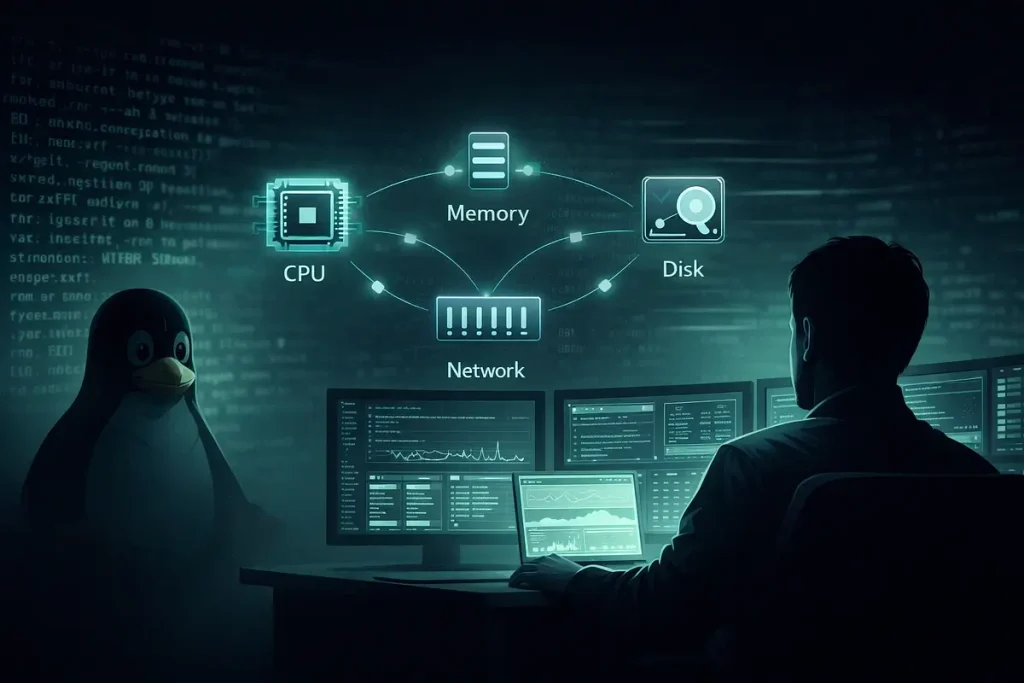
Command-line knowledge is one of the most transferable abilities a cybersecurity student can learn.
On Linux, students should acquire comfortable with commands such as ls, cd, grep, search, chmod, ps, ss, ip, and journalctl.
On Windows, students should master PowerShell commands and grasp tools such as Event Viewer, Task Manager, Windows Firewall, Windows Security, and other administrative applications.
The purpose of Linux versus Windows for Cybersecurity Students should not be memorizing hundreds of commands. Instead, students should grasp how commands enable them examine systems, automate operations, identify suspicious activity, and troubleshoot security problems.
Real Example
Security Operations
Consider a junior SOC analyst analysing a suspect employee computer.
The Windows endpoint reports odd PowerShell activity and an antivirus alert. The analyst needs to investigate the process tree, authentication events, network connections, and other logs to evaluate whether the activity reflects a true attack.
In this circumstance, Windows knowledge is vital.
However, the organization also operates Linux web servers. The analyst may need to check SSH authentication logs, ongoing processes, network connections, and suspicious files on such servers.
This real-world example shows that Linux VS Windows for Cybersecurity Students should not be a choice of either or. A skilled security analyst can need both.
Cloud Security
Imagine a corporation with apps running in a cloud environment on Linux and Windows virtual machines.
Google Cloud supports workloads on Linux and Windows. Its security literature discusses controls such as encryption, workload segregation, identity management, and layered security.
In this scenario, a cybersecurity professional needs to grasp the variations between operating systems, permissions, logging, patching, network configuration and authentication on both platforms.
This example illustrates why Linux vs Windows for Cybersecurity Students is becoming more relevant for students interested in cloud security and DevSecOps.
Linux Vs Windows For Cybersecurity Students: What Should Beginners Learn First?
If you are brand new to cybersecurity, start with the operating system you have access to and can utilise consistently.
If you are going for ethical hacking, penetration testing, network security, security labs then start with Linux. Ubuntu is a good choice for general use, and Kali Linux can be brought in after you learn some fundamental Linux administration.
If you want to undertake SOC analysis, enterprise security, identity security, incident response or Windows administration, learn Windows first and add Linux as you go.
So the best response to Linux vs Windows for Cybersecurity Students would be: learn Linux first if you want strong technical foundations, but don’t stop there.
Linux Vs Windows For Cybersecurity Students: A Practical Learning Roadmap
A concise learning roadmap makes Linux vs Windows for Cybersecurity Students easy to understand:
Step 1: Learn Basic Linux
Learn Files, Directories, Permissions, Users, Groups, Processes, Services, Networking, SSH and Bash.
Step 2: Learn Windows Fundamentals
Understand users, groups, permissions, Windows services, Event Viewer, Powershell, Windows Firewall and basic endpoint security.
Step 3: Learn Networking
Study IP addresses, DNS, HTTP/HTTPS, TCP/IP, ports, routing, firewalls and network monitoring.
Step 4: Practice Security Tools
Use tools such as Wireshark, Nmap, Burp Suite, OWASP ZAP and other authorised cybersecurity training environments
Step 5: Build Virtual Labs
Create isolated Linux and Windows environments with simulated machines. Practice safely and do not target systems you do not own or have permission to test.
Step 6: Choose a Specialization
Once you’ve learned both platforms, choose a specialisation like as penetration testing, SOC analysis, cloud security, digital forensics, malware analysis, application security, or security engineering.
Linux Vs Windows For Cybersecurity Students: Is One More Secure?
Security is a matter of configuration, patching, permissions, software, users, authentication, monitoring and other controls.
Microsoft says Windows 11 has numerous levels of protection, including trusted boot, encryption, network security and threat protection.
Linux also has significant security features like permissions, isolation technologies, security modules and system-level restrictions. Linux security features such as namespaces, cgroups, capabilities, seccomp and security modules is highlighted by OWASP.
Linux vs Windows for Cybersecurity Students Therefore, students should be graded based on learning objectives, rather than making simplistic statements about which platform is safer for everyone.
Conclusion
Cybersecurity students shouldn’t have to choose between Linux and Windows. Linux offers a good foundation for command-line, networking, scripting, servers, and security tools, while Windows gives students an introduction to enterprise environments, PowerShell, endpoint security, identity management, and incident response. Learning both platforms will provide you with a better perspective of how modern systems work and how security concerns, including threats such as carding, may be discovered, investigated, and controlled. If you’re just getting started, begin with Linux and then slowly add Windows abilities to that base.
Frequently Asked Questions
1. Should cybersecurity students learn Linux or Windows first?
Ethical hacking, penetration testing, networking and security technologies are generally the first steps for students interested in Linux. Windows should come next as most company security is dependent on Windows platforms.
2. Is Linux better than Windows for cybersecurity?
Linux may be more handy for many cybersecurity labs and command-line-based security chores, but Windows is just as critical for enterprise security, SOC operations, identity management and endpoint defence.
3. Do cybersecurity jobs require Linux?
If you want to work in the field of cybersecurity, knowing Linux is very helpful for many positions. This includes penetration testing, cloud security, DevSecOps, security engineering, and server security. BUT REQUIREMENTS CHANGE PER ROLE
4. Do I need Windows for ethical hacking?
Yes. You should learn Windows because a lot of companies have Windows endpoints and they use Active Directory. Restricted to Linux? You’re missing the point.
5. Can I learn Linux and Windows at the same time?
Yes. You can learn both operating systems on virtual machines in an isolated lab environment. This allows students to practise administration, networking, logging, and security principles without impacting their own computer.
Try Our Tools
Looking to increase your cybersecurity skills and make routine tech tasks easier? Explore the handy online tools in the ExplainMeTech Tools collection for students, tech users and cybersecurity learners. Use our tools.
References
OWASP – Software Platform Security Requirements
OWASP IoT Security Verification Standard – Software Platform Requirements
NIST – Cybersecurity Framework 2.0
NIST Cybersecurity Framework (CSF) 2.0
Microsoft – Windows 11 Operating System Security
Microsoft Windows 11 Security Documentation
OWASP – Authentication & Authorization Requirements
OWASP Authentication and Authorization Security Requirements
For more helpful technology, cybersecurity, and digital-security tips, visit ExplainMeTech.com and explore our latest guides, tools, and insights.