
Cloud computing is transforming how people use computers. Rather than purchasing costly gear with significant amounts of RAM and storage, customers can access computational resources remotely via the Internet. Jio is introducing this idea to the Indian market with this cloud-based PC service. JioPC: Pricing, Plans, Features, and How Jio’s New Cloud PC Functions in 2026 makes it a vital topic for anyone who wants to repurpose an ageing computer into a more powerful digital workplace. When using cloud-based services like JioPC, users should also follow basic cybersecurity practices, including creating a strong password, enabling available security features, and protecting their account credentials from unauthorized access.
What Is JioPC?
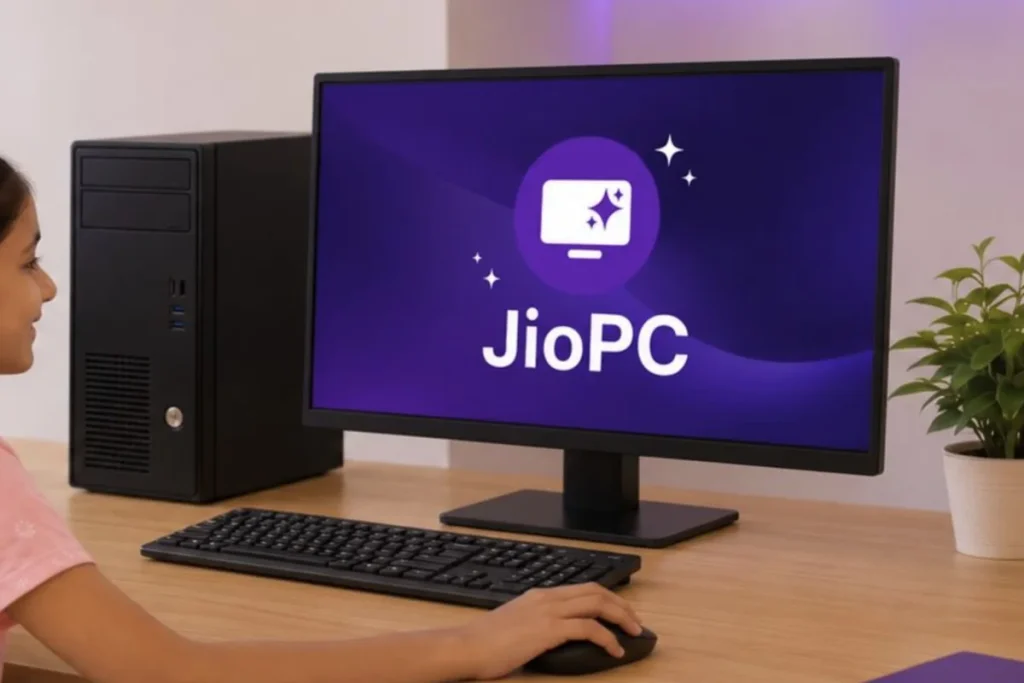
JioPC is a cloud-based computing service that enables users to use computing resources without having to acquire a brand-new physical machine. A lot of the computing environment Remote hosting of the computing environment occurs instead of relying on the CPU, memory, and storage installed in your laptop or desktop. This means that computing resources are accessed remotely, rather than relying on the CPU, memory, and storage installed inside your laptop or desktop.
The concept is comparable to a virtual PC, but on a smaller scale. NIST describes cloud computing as “on-demand network access to a shared pool of configurable computing resources and infrastructure.”
JioPC could be particularly interesting to Indian consumers, since it targets users with older or lower-powered computers. According to recent sources, the standalone service is now available to customers with an internet connection and not limited to JioHome broadband users.
JioPC Price In India
The JioPC is reported to be priced around ₹1,000 in India, according to the reports revolving around the standalone launch in September 2026. The service offers cloud computing resources. Instead of purchasing additional physical RAM or drive space, users can opt for cloud-based solutions.
Users can choose configurations that include up to 16GB of RAM and 1TB of cloud storage. According to reports, users can choose configurations that include up to 16GB of RAM and 1TB of cloud storage. Another leaked configuration is 500GB storage with 8GB RAM.
Prices and availability are subject to change, and users are advised to check the latest subscription options on Jio’s website before making a purchase.
Jio PC Plans
The alleged JioPC plans are intended for different levels of computing needs. The basic-level solution is for users who desire more capability without buying a new computer. The higher configurations provide additional virtual memory and storage.
A simplified view of the currently reported options is:
| Configuration | Reported Cloud Resources | Starting Price |
| Entry configuration | 8GB RAM + 500GB storage | From ₹1,000 |
| Higher configuration | Up to 16GB RAM + 1TB storage | Varies by plan |
These figures are based on recent launch reports and should be checked against Jio’s latest subscription information before purchase.
The important point is that the subscription provides access to cloud computing resources. It does not physically install 16GB of RAM or a 1TB SSD inside your old laptop.
JioPC Features
Some of the major aspects of JioPC are as follows:
- Cloud-based computing
- Access to higher virtual RAM configurations
- Cloud storage
- Support for older computers
- Reduced dependence on expensive new hardware
- Internet-based access
- Potential use for education and productivity
- Remote computing through a supported device
Jio has earlier defined the service as a cloud PC that can serve work-from-home, study-from-home, and entertainment use cases.
So, the biggest attractiveness of JioPC is not just storage. It is the opportunity to connect to a computing environment remotely hosted on a device you already own.
How JioPC Works?
JioPC, how it works, is effortless to get hold of.
In a standard PC, applications operate on the computer’s processor, RAM, and local storage. A cloud PC means that computing resources are hosted on the cloud. Your local device is mostly the screen, keyboard, mouse, network connection, and interface via which you interact with the remote environment.
The basic technique is as follows:
Your laptop or TV connects to the Internet, which then links to the Jio cloud infrastructure, creating a virtual computing environment that displays information back to your device.
This is mostly in line with the cloud computing concept defined by NIST, where computing resources are provided across a network and not solely relying on local hardware.
Microsoft’s Windows 365 is another example of the larger cloud PC concept, giving customers a Windows environment hosted in the cloud that can be accessed from various devices.
JioPC For Old Laptop
One of the most fascinating use cases is JioPC for aged laptop users.
Replacing an older laptop that is struggling to keep up with new programs because it doesn’t have enough RAM or storage can be a costly option. A cloud-based computer may extend the usable life of the current device.
For example, new reports claim the service can make even older PCs more useful, including systems about eight years old, by offering processing resources through the cloud.
But the local computer must still be able to operate the client or browser/interface and have a functional internet connection. Cloud computing won’t fix malfunctioning hardware by magic.
JioPC For Students
JioPC for students could be handy for students who need a computer mostly for online classes, research, documents, presentations, coding practice, and web apps.
A student who has an older, still-functioning laptop might not want to purchase a powerful laptop immediately but could instead use a cloud PC for their relevant workloads.
This solution can be quite handy for families where numerous individuals need access to computing but buying several high-end PCs isn’t practical.
However, students using demanding local software, high-end 3D programs, or workloads requiring powerful local graphics hardware should check compatibility carefully before subscribing.
JioPC On TV
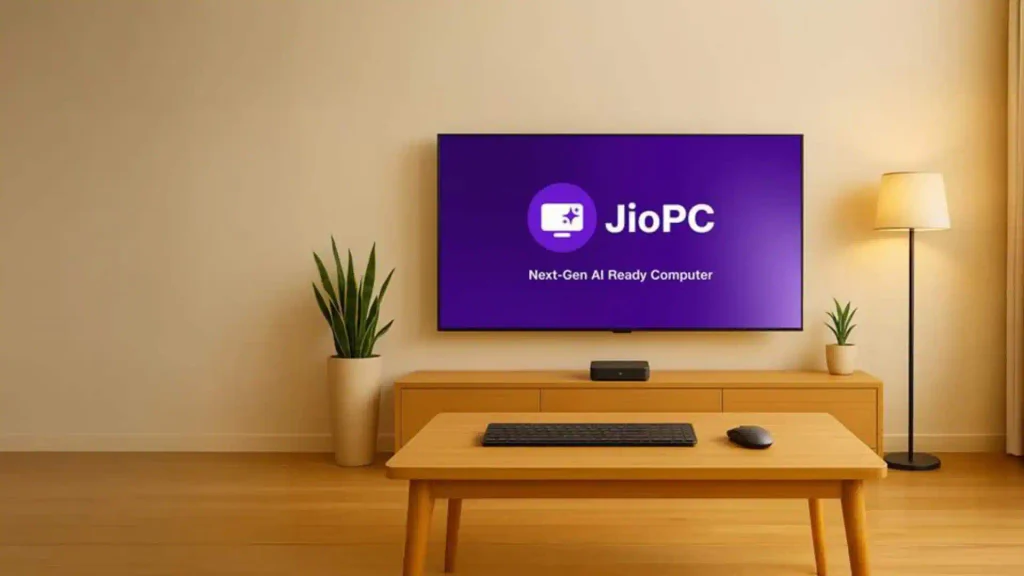
The original idea was to use a TV as a PC through Jio’s set-top-box ecosystem. Jio’s own marketing has defined its Cloud PC as a plug-and-play computing experience, and JioHome now includes Cloud PC for education and work-from-home services.
This makes JioPC on TV an appealing choice for households with a large screen but without a traditional desktop computer.
A compatible setup could allow users to connect a keyboard and mouse to the linked TV environment. That said, the availability and hardware requirements will differ based on the Jio service that is currently in place.
JioPC Without JioFiber
The big change for 2026 is the switch to standalone availability.
Earlier the service was available only to JioHome broadband users. In recent reports of September 2026, the standalone product is now available to users with an internet connection irrespective of their telecom or broadband provider.
Thus, JioPC without JioFiber is now a far more relevant search query than it was before. You should still check the most recent eligibility requirements and supported access methods before subscribing.
JioPC Vs Traditional PC
The biggest difference between JioPC vs traditional PC is where the computing happens.
| Feature | Cloud PC | Traditional PC |
| Processing | Primarily remote | Local |
| RAM | Virtual/cloud allocation | Physical RAM |
| Storage | Cloud storage | Local SSD/HDD |
| Internet | Essential | Not always essential |
| Hardware upgrade | Subscription-based resources | Physical upgrades |
| Portability | Can be accessed from supported devices | Tied to physical hardware |
| Offline use | More limited | Generally better |
On a typical PC, you have direct control over the hardware. A cloud PC can lower the need for pricey hardware but ties your experience to network access and the cloud provider.
JioPC Performance
JioPC performance is more than simply advertised RAM and storage. Important factors include internet speed, latency, network stability, server availability, and type of workload.
A user with a fast, reliable connection will have a better experience than one with an unreliable one, even with the same cloud setup.
That’s one reason why you should not just compare RAM or storage counts when comparing cloud PCs.
Security And Privacy Considerations
Security issues are also associated with cloud computing. Your computing environment and even your data are hosted remotely, making account security very crucial.
Use strong, unique passwords, enable applicable authentication protections, do not share account credentials, and keep the device used to access the service updated.
With cloud services, there is usually a shared responsibility security approach. Microsoft says clients are responsible for things like data, identities, access management, and client devices, while the provider manages portions of the underlying infrastructure.
In a similar vein, Google Cloud outlines that cloud security is a joint responsibility between the supplier and the client.
Real Life Example
A Student with an Old Laptop
Think of a college student with a low-ram, eight-year-old laptop. The laptop can still connect to Wi-Fi and surf the internet, but newer applications are slow to open.
The student, instead of buying a new computer right away, should consider JioPC as a cloud-based option.
For the student, if the workload is mostly web applications, documents, presentations, online classes, and programming practice, cloud computing could provide useful added functionality without replacing the real laptop.
Students should try the service first to see if the latency and application compatibility are acceptable.
Family Using TV as Computer
Imagine a family with a smart TV and internet access but no dedicated desktop computer.
A cloud PC, if linked up via a supported configuration, may potentially make the giant TV screen into a simple computer for web surfing, educational activities, and productivity work.
This exemplifies the premise of digital inclusion that JioPC embodies, where existing screens and devices may be access points to cloud computing instead of every home having to buy a traditional computer.
Limitations Of JioPC
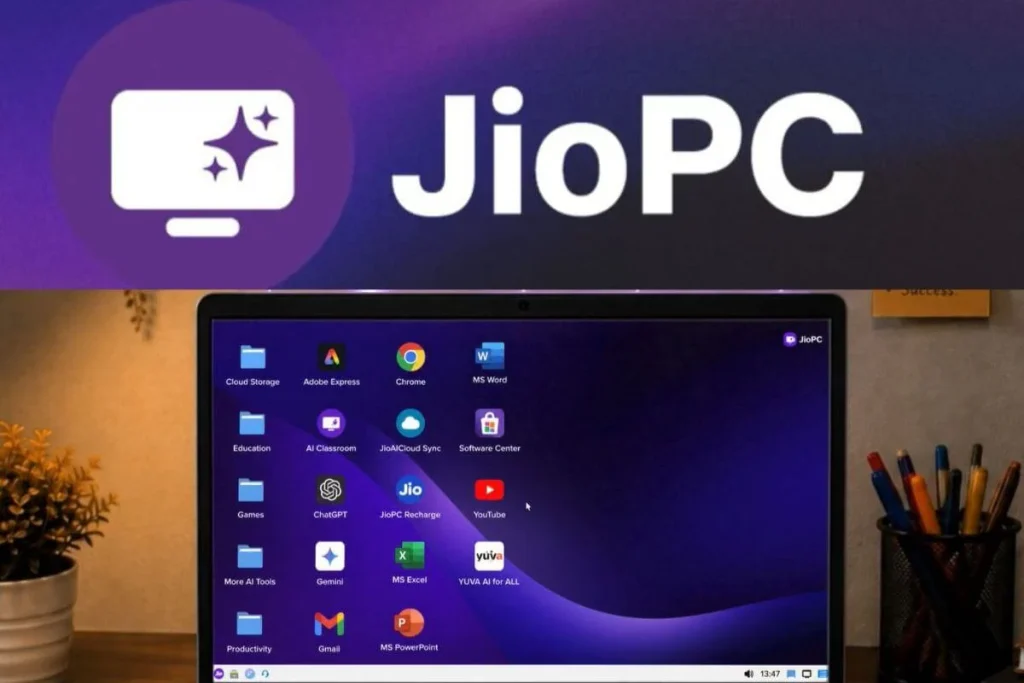
However, JioPC is not a replacement for every sort of computer, despite its advantages.
Its major problem is that it relies on the internet. If the connection is spotty, the remote desktop experience may be slow or not functional at all.
There may also be lag when working with programs, particularly those workloads needing quick visual response. But professional video editing, high-end gaming, advanced 3D rendering, and other GPU-intensive activities may require specialized hardware and should not be anticipated to work as a powerful local workstation by default.
The price of a subscription is another factor. While a cloud PC may save on upfront hardware costs, consumers should weigh the subscription price over time against purchasing an affordable physical computer.
Is Jiopc Worth It?
So, is JioPC worth it?
It can be beneficial for the right user.
It makes the most sense for folks who already own an older computer that still works and need cloud-based computing mainly for education, browsing, office work, and everyday productivity.
It may be less appealing to customers that need full offline capabilities, strong local graphics performance, specialized hardware, or permanent ownership of a physical system.
The best way is to compare your workload, internet reliability, membership cost, and predicted consumption before deciding.
Conclusion
Cloud computing is making the traditional notion of a computer more malleable. Instead of being confined to physical hardware, users can use computational resources remotely over an Internet connection. As more services move online, using the best password managers can also help users securely store and manage the credentials needed to access these cloud-based resources.
The service is an attractive alternative to buying a new computer right away for customers with outdated laptops, students, families, and users who need basic productivity capabilities. At the same time, users should consider factors such as internet dependency, program compatibility, latency, security, and long-term subscription expenses.
Frequently Asked Questions
1. What is JioPC?
It’s a cloud-based computing solution that offers access to remote computing resources from an internet-connected device.
2. JioPC Price in India?
According to recent reports in September 2026, the standalone service starts at about ₹1,000 with greater configurations available. The prices are subject to change, so please verify with Jio for the latest prices.
3. Is there a configuration available with 16 GB of RAM and 1 TB of storage?
Recent reports suggest the service provides configurations of up to 16GB of RAM and 1TB of cloud storage. These are cloud resources, not the physical RAM and storage installed on your laptop.
4. Can it be used on an outdated laptop?
Yes, the service is expressly marketed as a way to make older computers viable, assuming that the device connects dependably to the internet and meets the service’s access restrictions.
5. Is a cloud PC going to replace a traditional computer?
Not always, though. It can handle some ordinary computing demands, but customers who want powerful offline processing, specialized applications, or high-end graphics capabilities may still benefit from a regular PC.
Test Our Technology And Cybersecurity Tools
If you’re interested in cloud computing, cybersecurity, networking, and other technological topics, refer to the handy tools on ExplainMeTech. The tools can help you with practical chores as you learn more about current technology and digital security. Explore the tools here: ExplainMeTech Tools.
References
- Jio — JioHome and Cloud PC information. Jio Help & Support
- NIST — The NIST Definition of Cloud Computing, SP 800-145. NIST Cloud Computing Definition
- OWASP — Cloud-Native Application Security Top 10. OWASP Cloud-Native Application Security Top 10
- Microsoft — Shared Responsibility in the Cloud. Microsoft Azure Cloud Security Guidance
- Google Cloud Security — Shared responsibility and cloud security. Google Cloud Security Documentation
For more helpful technology, cybersecurity, and digital-security tips, visit ExplainMeTech.com and explore our latest guides, tools, and insights.
Thanks very interesting blog!
Thank you! Glad you found it interesting 😊