
Why can’t Two Devices Have The Same IP Address on the Same Network? This is an important networking question for beginners, students and anyone troubleshooting a home or office network. Two Devices Have the Same IP Address , this can cause an IP address dispute . Devices on a network need a unique local address to tell where to send packets . When Two Devices Have the Same IP Address on the same local network might cause computers to send traffic to the wrong device, failed connections, and instability in network services.
Most often, Two Devices Have the Same IP Address is caused by either a misconfiguration of static, DHCP or overlapping address assignments on the devices. Why Two Devices Have the Same IP Address generates problems makes troubleshooting Wi-Fi, Ethernet, routers, printers, servers and other connected devices easier.
What Is An IP Address?
An IP address is a number that identifies a device or network interface. IPv4 addresses are 32 bits long and are usually represented as a dotted-decimal notation such as 192.168.1.20.
For example, on a normal home network, the router may have an address such as 192.168.1.1, while the devices connecting to the network may be assigned addresses such as 192.168.1.10, 192.168.1.11, and 192.168.1.12.
An IP address is an identifier for a network and host . Subnetting divides the IP address into a network and host portion . Source: Google Cloud .
What is critical is that devices on the same local network must possess addresses that can be distinguished. When Two Devices have the same IP Address , the network has problems knowing which device to send traffic to .
Why Does An IP Address Need To Be Unique?
Think of an IP address as a flat number in a building. If two apartments have the same number people visiting and delivering cannot be sure which unit they are looking for.
Networking is just the same way. When a computer wants to talk to 192.168.1.20, it needs the network to know which device corresponds to that address.
If two devices have the same IP address, the Address Resolution Protocol, or ARP, can get confused about which hardware address belongs to that IP.
The result may include:
- Intermittent network connection
- Internet connection issues
- Devices constantly disconnecting
- Problems with accessing shared folders
- Printer not connecting issues
- Unreliable remote connections
- Unexpected network errors
RFC 5227 is specifically on IPv4 address conflicts and says that there are problems when two hosts on the same link use the same IPv4 address at the same time.
What Happens When Two Devices Have The Same IP Address?
When Two Devices Have the Same IP Address, Both devices may reply to network traffic addressed to that address.
For example, consider a laptop and printer both running:
192.168.1.25
A computer attempting to talk to 192.168.1.25 cannot logically distinguish between the laptop and the printer by IP address alone.
On Ethernet networks, MAC addresses are used to identify network interfaces at the level of the local network. ARP associates an IPv4 address with a MAC address.
Otherwise, the association may distribute packets in an inconsistent manner. One connection is made to the laptop, and another attempt is made to the printer.
These are the reasons why Two Devices Have the Same IP Address cause unpredictable behaviour instead of just one device not working.
How Do IP Address Conflicts Happen?
There are a few common causes.
1. Manual Static IP Configuration
An administrator could setup a device to have a static address manually.
For example, you are able to set up a printer at 192.168.1.50. Later , if another device is given the same address , or is configured with it manually , a conflict can arise .
This can cause an IP conflict with the static address and a DHCP given IP address . Microsoft lists duplicate IP conflicts as a possible issue .
2. Incorrect DHCP Configuration
DHCP just automatically assigns IP addresses to devices.
A DHCP server typically maintains a list of addresses and leases them to clients. Configuration errors, however, can result in duplicate addresses.
Microsoft also has documentation concerning DHCP lease and multiple IP scenarios.
3. Multiple DHCP Servers
There may be more than one DHCP server on a network unintentionally.
For example, if you connect a second router without configuring it properly, you can end up with rival DHCP services. distinct devices can then be allocated addresses from distinct address pools.
4. Manual Configuration During Troubleshooting
Someone might set a static IP address to fix a connectivity problem and neglect to remove it.
Normal DHCP service returns , however that address may already be in use by another device .
5. Incorrect Network Design
Overlapping network ranges can lead to routing and addressing issues. Therefore, modern network technologies prevent overlapping subnet ranges.
For example, Google Cloud requires subnet IPv4 ranges to avoid conflicting or overlapping ranges in its network design.
How Does DHCP Help Prevent Conflicts?

DHCP is short for Dynamic Host Configuration Protocol. It automatically assigns clients with network configuration information
A DHCP server has a pool of addresses that it doles out to requesting devices when they become available. This means users don’t have to manually set up every computer, phone, printer or smart device.
So verifying the DHCP server is a critical troubleshooting step when two devices have the same IP address.
DHCP reservations can be created by network administrators. A reservation ties a particular device to a particular IP address . When a device is on the network it has an identity .
How Does ARP Detect The Problem?
Local networks IPv4 devices utilise ARP to find the MAC address that corresponds to an IP address .
Two Devices Have the Same IP Address , ARP information can be inconsistent with the same IP associated with separate MAC addresses.
Modern systems can also detect duplicate addresses before fully establishing an address. Microsoft says that Windows DHCP clients can undertake an ARP-based conflict check before accepting an address given by a server.
RFC 5227 also outlines the protocols for IPv4 Address Conflict Detection, including address probing and notifications.
What Are The Symptoms Of An IP Conflict?
Signs include:
- “IP address conflict” notifications
- Intermittent internet access
- Devices randomly disconnecting
- Network printers becoming unavailable
- Duplicate IP warnings
- Difficulty accessing local servers
- Unstable remote connections
If Two Devices Have the Same IP Address, the problem may seem intermittent because ARP information can vary as devices talk.
Windows can report an address conflict clearly. Microsoft logs Event ID 4199 for cases where Windows finds an address problem.
How Can You Fix An IP Address Conflict?
The gadgets involved are,
Step 1: Check the IP Configuration
Type this in the Windows Command Prompt:
ipconfig
Find the IPv4 address, subnet mask and the default gateway.
Step 2: Restart the Network Connection
If you remove the affected device and then reattach it you may be able to get a new DHCP lease.
Step 3: Restart the Router
Rebooting the router can help refresh DHCP assignments and network status.
Step 4: Check Static Addresses
Look for devices with manually assigned addresses. Printers, cameras, servers and network equipment usually employ static setups.
Step 5: Check the DHCP Pool
If applicable, make sure that any addresses that are manually issued are beyond the DHCP range.
Microsoft recommends excluding a static IP address from the DHCP scope for resolving some duplicate-IP cases.
Can Two Devices Use the Same IP On Different Networks?
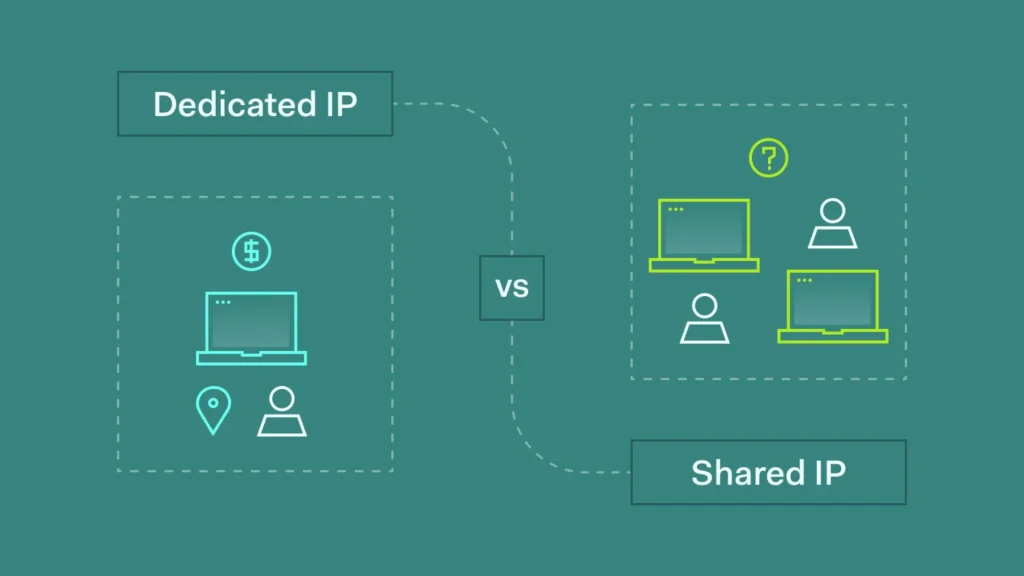
Yes. Private IP addresses can be utilised across different networks.
For instance, your home router may allocate your laptop 192.168.1.20. The same private address could be used by another household elsewhere without direct conflict.
The main difference is whether the devices share the same network or routing environment.
This is how millions of devices can operate on private ranges like 192.168.0.0/16 without requiring a unique private IPv4 for every device in the world. RFC 1918 private ranges are considered reusable private address space by Google Cloud.
Is Having the Same IP Address A Security Problem?
An IP dispute is basically a networking issue but the tactics involved in manipulating addresses might have security concerns.
ARP itself does not offer strong authentication. The behaviour of ARP is exploited by attackers in the form of ARP spoofing or ARP poisoning.
ARP spoofing is a technique that OWASP has documented that can allow an attacker to insert oneself between devices and potentially intercept or interfere with network communication.
The Denial of Service Cheat Sheet also covers ARP poisoning and describes how malicious ARP messages can bind an attacker’s MAC address to the IP address of another device.
This does not mean that Two Devices Have the Same IP Address is the result of a conscious network attack that interferes with the address resolution due to a setup error by accident.
Conclusion
Duplicate IP addresses are usually caused by configuration errors, DHCP problems, static-address overlap, or other network-management problems. If 2 devices have the same IP address , this might lead to ARP conflicts , unreliable connections , failed services , and irregular packet delivery .
The easiest way to avoid this is to use properly managed DHCP, making sure to carefully reserve static addresses and ensuring that any manually assigned addresses do not overlap with the DHCP pool. Two Devices Have the Same IP Address should then be treated as a network setup issue that needs to be investigated and rectified instead of being overlooked.
Frequently Asked Questions
1. What happens if Two Devices Have the Same IP Address?
This can generate an IP dispute if two devices have the same IP address. Intermittent connectivity, failed connection or communication problems for devices can occur as the network is not able to identify the IP address with the relevant hardware interface consistently.
2. Can You Use Two Devices with Same IP Address on Wi-Fi?
Two Devices Have the Same IP Address. This can happen on Wi-Fi if you’ve manually set the addresses with mistakes, or there’s an issue with DHCP configuration. Proper DHCP management should prevent common client devices from receiving competing addresses.
3. Can restarting a router solve IP conflict?
Sometimes a momentary DHCP or address-assignment problem can be corrected by rebooting the router. However, when Two Devices Have the Same IP Address due to static setup, the underlying configuration must be adjusted.
4. Can 2 devices have the same private IP?
The same private IP address may be used by devices on different networks. Two Devices Have the Same IP Address is a conflict that occurs when the devices need to communicate on the same relevant local network.
5. How do I prevent IP address conflicts?
Use DHCP for normal clients, keep a documented static-IP list, avoid overlapping DHCP and static ranges, and use DHCP reservations for fixed addresses. These procedures limit the chance of Two Devices Have Same IP Address on the same network.
Try Our Tools
Looking for practical cybersecurity and networking resources? Explore our resources for helpful utilities related to password security, networking and digital security. Check out the ExplainMeTech tools page for materials that might help with everyday technology and cybersecurity jobs.
References
RFC 5227 – IPv4 Address Conflict Detection
RFC 5227 – IPv4 Address Conflict Detection
Microsoft – Fix Duplicate IP Address Conflicts on a DHCP Network
Microsoft Support – Duplicate IP Address Conflicts
Microsoft Learn – Event ID 4199: IP Address Conflict
Microsoft Learn – Event ID 4199
Google Cloud – IP Addressing and Networking Basics
Google Cloud – IP Addressing Options
OWASP – ARP Spoofing / ARP Security
OWASP – ARP Spoofing
For more helpful technology, cybersecurity, and digital-security tips, visit ExplainMeTech.com and explore our latest guides, tools, and insights.