
If you’re looking for the Starlink Router 4, you’ve probably seen claims of Wi-Fi 7, faster speeds and improved coverage. However, before you purchase or evaluate Starlink gear, there is an important naming aspect that you should know. The top search query is Starlink Router 4 Wi-Fi 7 Speed Range Features Everything You Need to Know. But, the official literature from Starlink itself now shows the new Starlink kit name as Standard 4, but the router for this generation is Router 3, which uses Wi-Fi 6 instead of Wi-Fi 7.
What Is Starlink Router 4?
The Starlink Router 4 is a generic phrase you will see online to describe the router/hardware that is shipped with Starlink’s latest Standard 4 edition. But clients have to recognise the difference between the Standard 4 satellite internet kit and the Router 3 Wi-Fi router.
It’s the same hardware many customers previously dubbed “Gen 3 Starlink,” Starlink said. That’s Standard 4. The Router 3 is listed to support Wi-Fi standards 802.11a/b/g/n/ac/ax, tri-band operation, 4×4 MU-MIMO, and OFDMA in the published specs.
So if you’re on the lookout for Starlink Router 4 Wi-Fi 7, don’t expect the “4” to refer to the Wi-Fi 7 compatibility of the router itself.
Does Starlink Router 4 Support Wi-Fi 7?
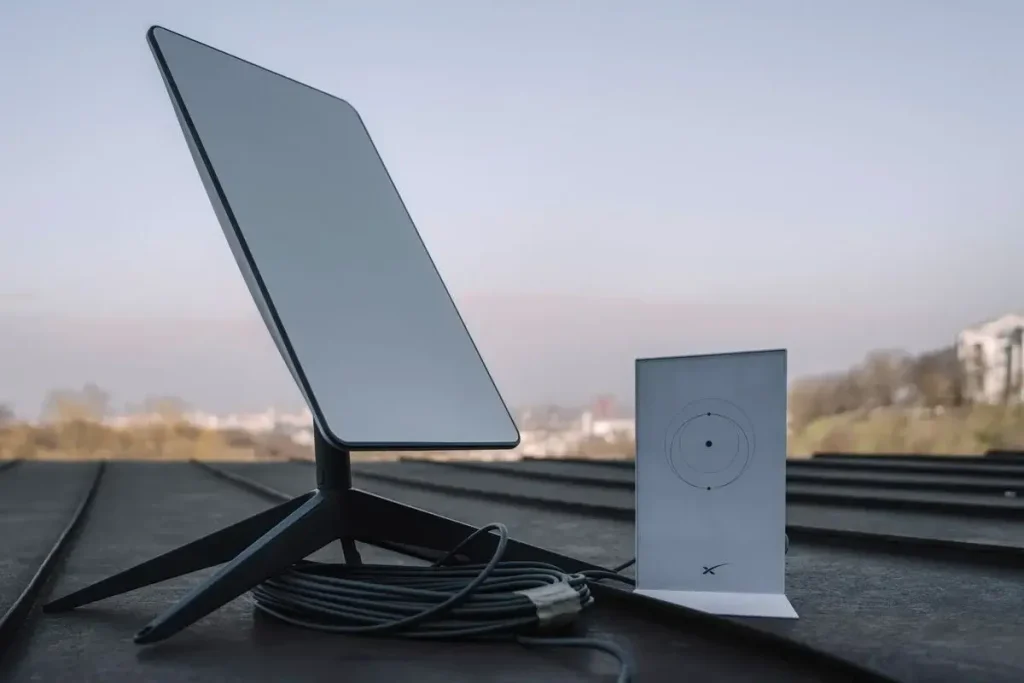
However, the Router 3 included with the Standard 4 environment doesn’t yet have Wi-Fi 7 functionality in its official specifications. The official spec states it has Wi-Fi 6, tri-band radio and 4×4 MU-MIMO.
This is one of the most important elements of the Starlink Wi-Fi 7 searching. Wi-Fi 7 is the latest standard for wifi, but a “Standard 4” Starlink kit doesn’t mean it has a Wi-Fi 7 router.
If future Starlink hardware comes with a Wi-Fi 7 router, check the official specs before buying.
Starlink Router 4 Speed
Starlink Router 4 Speed compared. Wi-Fi Technology Max Theoretical Speed Do not confuse the speed of the Starlink Router 4 with the maximum potential speed of the Wi-Fi technology. Actual Starlink internet speed depends on a variety of factors like your Starlink service package, network state, satellite availability, obstructions, Wi-Fi conditions and device connected.
The Router 3 is designed to provide you with better wireless performance than the previous Starlink router models. Starlink says Router 3 has higher performance and range, and includes Wi-Fi 6 and tri-band radios.
That is to say, Starlink Router 4 can provide good wifi performance, but it shouldn’t be promoted as having a guarantyd internet speed.
Starlink Router 4 Range And Coverage
The Starlink Router four range is impacted by means of the constructing, partitions, interference, router region, and devices linked to the router. Router 3 is said to cover up to 297 m² (3,200 ft²).
The Starlink router should have sufficient variety for maximum homes, however huge homes might want to have a look at mesh networking.
The Starlink Router 3 is compatible with Starlink mesh nodes, and posted specs suggest it could handle up to three Starlink Mesh Nodes.
The Starlink Router four works satisfactory while installed an open, high, typically imperative location, and not interior a cabinet or at the back of heavy electrical gadget.
Starlink Router 4 Features
The Starlink Router 4 shares the same main features as the existing Standard 4/Router 3 combo:
- Wi-Fi 6 technology Wi-Fi connectivity Tri-band 4×4 Multi-User MIMO (MU-MIMO)
- OFDMA 2 x Ethernet LAN port
- secured WPA2
- Water resistant to IP56 rating
- Support for Starlink mesh networking
- Up to 235 devices can be linked
- Operating temperature -30 °C / +50 °C
The specs are from the official specs for the Starlink Router 3.
Starlink Router 4 Specifications
| Specification | Current official Router 3 information |
| Wi-Fi generation | Wi-Fi 6 |
| Wireless standard | 802.11a/b/g/n/ac/ax |
| Radio | Tri-band 4×4 MU-MIMO |
| Coverage | Up to 297 m² / 3,200 ft² |
| Ethernet | 2 LAN Ethernet ports |
| Security | WPA2 |
| Devices | Up to 235 |
| Environmental rating | IP56 |
| Operating temperature | -30°C to 50°C |
| Mesh | Starlink Mesh compatible |
Starlink Router 4 Ethernet And Ports
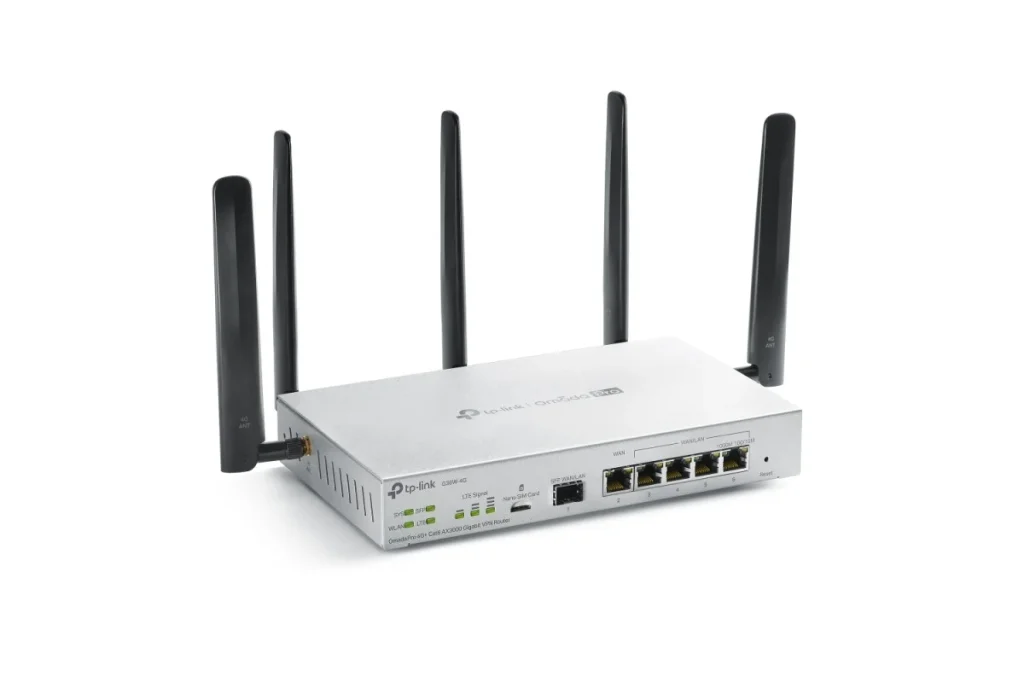
The subject of Ethernet for the Starlink Router 4 is significant for users who connect computers, TVs, gaming systems or networking equipment by cable.
The modern Router 3 has two Ethernet LAN ports behind a removable cover. Starlink states that you can utilise these ports for wired devices like laptops and TV’s, or wired mesh connections.
If you require more wired connections, you can attach an Ethernet switch to increase the number of ports accessible.
Starlink Router 4 Vs Router 3
The name “Starlink Router 4 vs Router 3” can be confusing because “Standard 4” refers to the Starlink kit, not an officially certified Wi-Fi 7 router.
Router 3 is tri-band 4×4 MU-MIMO and Wi-Fi 6 officially. It also has two Ethernet LAN connections and supports Starlink mesh networking.
So when comparing Starlink Router 4 vs Router 3, check first if vendor really means Standard 4 hardware, Router 3 or an illegitimate product name
Starlink Router 4 Setup
The design of the Starlink Router 4 is meant to be uncomplicated. When the Starlink gear and router are plugged in, users may connect their phone or computer to the Wi-Fi network and set up the network using the Starlink app.
Make sure you have a strong Wi-Fi password and don’t leave your network open. Starlink setup guidelines recommends utilising the Starlink app to rename the network and create a Wi-Fi password.
Starlink also allows third-party routers in compatible configurations, including bypass mode for those who want to use more complex networking gear.
Starlink Router 4 Price And Availability In India
It’s hard to give a global price for the Starlink Router 4 as Starlink notes that the price for hardware and service varies by location and you should check by entering an address on its website.
Another crucial factor is the Starlink Router 4 price in India: As of September 2026, Starlink’s commercial satellite broadband service was yet to fully debut in India. India’s Digital Communications Commission had authorised the framework for satellite spectrum but more permits and security clearances were required before commercial services could commence.
Therefore, until Starlink issues official local prices, readers should not rely on Indian unauthorised prices or listings.
Two Real-World Examples
Large Family Home
Imagine a household with many smart phones, laptops, smart TVs and gaming gadgets. A good Starlink Router 4 arrangement can deliver Wi-Fi throughout a typical home, and Starlink mesh nodes can help extend the coverage to places with poorer signal.
The stated standard for Router 3 supports up to 235 devices, but real-world performance can vary greatly depending on bandwidth needs and network conditions.
Remote Work and Streaming
Imagine a remote employee on a video call, while another family member is streaming high-definition video and additional devices are linked. A Starlink Router 4-type arrangement can take use of Wi-Fi 6’s improved efficiency and capacity for multiple devices.
But the router can’t make more satellite internet bandwidth than the Starlink service has. Your entire experience still depends on the Starlink connection and package of service.
Is The Starlink Router 4 Worth It?
If you are looking at Starlink Router 4, the answer depends on what you are expecting from the hardware.
It’s a terrific alternative for those who want a Starlink networking solution with Wi-Fi 6, mesh capability and Ethernet ports. But if your main motivation for buying is Starlink Wi-Fi 7, wait for an official announcement of a Wi-Fi 7 Starlink router, and don’t assume Standard 4 means Wi-Fi 7.
Cybersecurity: Use a secure Wi-Fi password and maintain router software up to date. NIST recommends safeguarding and monitoring wireless network components during their lives, whereas Microsoft suggests updating default credentials, enabling router security features and keeping router software updated.
Conclusion
The biggest thing you need to know about Starlink Router 4 is that the name can be confusing. In Starlink’s documentation, Standard 4 is now the rebranded version of what many customers previously termed Gen 3 Starlink, and its described Router 3 has Wi-Fi 6, not Wi-Fi 7.
Research the precise hardware name and official specifications of Starlink Router 4 before purchase. The current Router 3 ecosystem offers a capable solution for those wanting robust Wi-Fi coverage, Ethernet connectivity and mesh technology for consistent coverage. If you’re especially looking for a Starlink Wi-Fi 7 router, wait for an actual Wi-Fi 7 announcement and not unapproved product names.
Frequently Asked Questions
1. What is Starlink Router 4?
Starlink Router 4 is a word that is often searched for, however the official Starlink nomenclature currently differentiates Standard 4 from Router 3. The Starlink kit is now named Standard 4, and the router in the documentation supports Wi-Fi 6.
2. Does Starlink Router 4 support Wi-Fi 7?
There is no official Starlink standard confirming WiFi 7 for the router that comes with Standard 4. The documented Router 3 is Wi-Fi 6.
3. How fast is Starlink Router 4?
There is no guarantyd Starlink Router 4 speed. *Actual performance may vary based on Starlink service, network circumstances, Wi-Fi environment and connected device.
4. What is the range of Starlink Router 4?
Under perfect conditions, the reported Router 3 covers an area of up to around 297 m 2 (3,200 ft 2). Walls, interference and location can in practice restrict coverage
5. How many devices can Starlink Router 4 support?
According to the official Router 3 specification , it can connect up to 235 devices. However, the number of gadgets that can be comfortably utilised at the same time depends on what those devices are doing.
Try Our Tools
If you want to test your internet connection, learn about cybersecurity, or use useful technology utilities visit the Try our tools section at ExplainMeTech. These technologies can assist users with routine technology and networking and cybersecurity activities. Explore the tools here: https://explainmetech.com/tools/
References
- Starlink – Gen 3 Router Specifications
Starlink Router Specifications
Covers Wi-Fi 6, tri-band, 4×4 MU-MIMO, Ethernet ports, WPA2, IP56, mesh compatibility and device capacity. - Starlink – Router 3 Setup Guide
Starlink Router 3 Setup Guide
Confirms Router 3 compatibility with Standard 4 and provides the official router specifications. - OWASP – Wi-Fi Security Testing Guide
OWASP Wi-Fi Security Testing Guide
Useful for Wi-Fi security testing, vulnerabilities and security recommendations. - NIST – Guidelines for Securing Wireless Local Area Networks
NIST SP 800-153 – Wireless LAN Security
Provides recommendations for securing, configuring and monitoring wireless networks. - Microsoft – How to Secure Your Home Wi-Fi Router & Network
Microsoft Wi-Fi Security Guide
For more useful tech, cybersecurity and digital security tips, visit ExplainMeTech.com for our latest guides, tools and insights.