
Linux is one of the world’s most popular operating-system technologies. It powers everything from home PCs and web servers to cloud infrastructure, networking devices embedded systems and supercomputers . If you are interested in security, networking, cloud computing, programming, DevOps or system administration, learning Linux might be a highly beneficial skill to have.
But what is Linux exactly? What are Linux distributions? Why are there so many? What commands does a newbie need to know? And where is Linux really used? In this Linux for beginners guide, we cover the foundations of Linux, distributions, commands, uses, benefits and security issues.
What Is Linux?

Linux is an open-source operating-system kernel that was invented by Linus Torvalds in 1991. The Linux Kernel maintains key computing resources like memory, processes, hardware, storage and networking. Linux is a Unix-like system. It has multitasking, virtual memory, memory management, networking, etc. Linux is strictly the kernel , not the whole operating system that most people install onto a computer.
A full Linux system often includes the Linux kernel along with system utilities, libraries, software, package managers, and sometimes a graphical desktop environment . These entire systems are termed Linux distributions , or ” distros ” for short .
For instance , Ubuntu , Debian , Fedora , Linux Mint , Arch Linux , and Kali Linux are all distributions based on the Linux kernel .
Why Is Linux So Popular ?
The versatility of Linux is what makes it popular. Much of the Linux ecosystem is open source. Developers and organisations can view, edit, customise and distribute the software as they see fit.
You can also run Linux on a variety of hardware architectures . The Linux Kernel documentation mentions that Linux has grown well beyond its original PC-only start to include support for various CPU architectures and types of devices.
Other reasons for its popularity are:
- Open source development
- Powerful command line tools
- Good networking skills
- Flexible customisation
- Efficiency of resources
- Huge developer community
- Strong support in server and cloud
- Powerful scripting and automation
- Complete management and security choices
- Linux Kernel vs Linux Distribution
The Linux kernel is the operating system component that handles communication between software and hardware. It handles processes , memory , devices , networking , and other essential system functions .
A Linux distribution is an operating system based on Linux and includes the Linux kernel plus other software.
Think of it like this:
Linux Kernel = engine
Linux distribution = complete vehicle
Usually, when you wish to start using Linux, you don’t download the Linux kernel itself. The official Linux Kernel page says that newcomers usually want a Linux distribution, not the kernel itself.
What Is A Linux Distribution?
A Linux distribution ( distro ) is a whole operating system that is based around the Linux kernel.
Different distributions are for different reasons.
Ubuntu
Ubuntu is one of the most user-friendly Linux distributions for beginners. It is widely used on desktops, servers, development devices and cloud environments.
Debian
Debian is recognised for its stability and rich software ecosystem. It is often used as a basis for various Linux distributions.
Fedora
Fedora is all about modern technologies and is popular among developers and Linux lovers.
Linux Mint
Linux Mint offers a familiar desktop and can be a comfortable choice when transitioning from Windows.
Kali Linux
Kali Linux is used for cybersecurity work including penetration testing, security research, digital forensics and other things. Microsoft has also included Kali to the list of Linux distributions that can run on a Windows subsystem for Linux.
Arch Linux
Arch Linux is a favourite of people that desire a lot of control and customisation. It usually requires more manual setting than distributions targeted at the beginning.
Best Linux Distro for You: Depending on what you want to do, your technical experience, your hardware and how you want to use it, the best Linux distro for you will vary.
Common Linux Commands Beginners Should Know
One of the first things that newbies see is the Linux terminal. The user can interact with the system by typing commands, not only using the graphical menus.
Some useful commands are:
| Command | Purpose |
| pwd | Shows the current directory |
| ls | Lists files and folders |
| cd | Changes directory |
| mkdir | Creates a directory |
| touch | Creates a file |
| cp | Copies files |
| mv | Moves or renames files |
| rm | Removes files |
| cat | Displays file contents |
| grep | Searches for text |
| find | Searches for files |
| chmod | Changes permissions |
| ps | Displays running processes |
| top | Shows system processes and resource usage |
| ip | Displays network information |
| sudo | Runs a command with elevated privileges |
For example, you could use:
pwd
to see where you currently are in the filesystem.
You could then use:
ls
Mastering these basic commands creates a foundation for newcomers to work with Linux servers and development environments.
What Is Linux Used For?
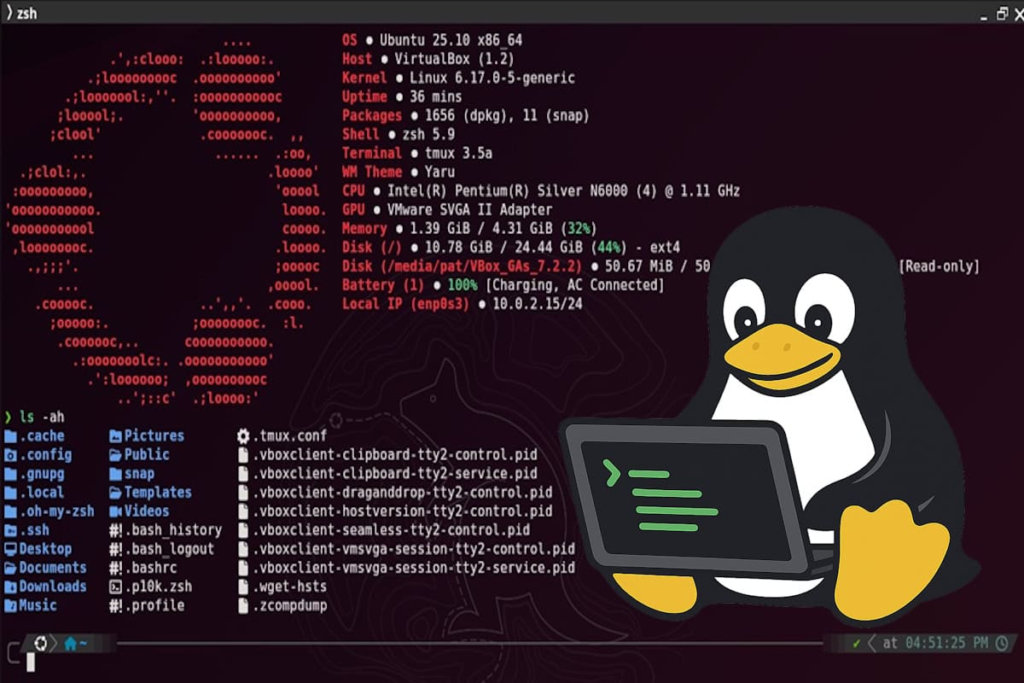
Linux is utilised in many fields of tech.
1. Web Servers
Many websites and web apps run on servers using Linux. Administrators utilise Linux tools to configure web servers, manage users, monitor processes, and solve network problems.
2. Cloud Computing
Linux is widely used in cloud infrastructure. Developers are able to build Linux VMs, containers, and cloud-native applications.
Microsoft offers numerous ways to run Linux, including the Windows Subsystem for Linux, virtual computers, and bare-metal installs.
3. Cybersecurity
Linux plays a very vital role in cyber security . Linux is used by security experts for penetration testing, vulnerability assessment, digital forensics, network analysis, security monitoring, and scripting.
Many of the tools that cybersecurity experts use have very robust command line interfaces that perform especially well in a Linux environment.
4. Programming and Software Development
Linux is the platform developers utilise for programming languages, git, databases, containers, automation tools and development environments.
Linux also plays nice with things like Python, C, C++, JavaScript, Go, Rust, Docker and a whole lot of other development tools.
5. Networking
The networking tools and configurability of Linux make it a popular choice for networking.
Administrators can utilise programs such as ip, ss, ping, traceroute and curl to diagnose and analyse network connections.
6. Embedded Devices
Linux is also present in embedded systems, smart appliances, network devices, industrial systems and other specialised hardware.
The Linux Kernel documentation points out how Linux went from a desktop-oriented project to something that is being utilised in a variety of platforms.
Real-World Example
1: Student Learning Cybersecurity
Consider a college student who dreams of becoming a cybersecurity professional.
Instead of spending money on expensive equipment immediately, the learner can put Ubuntu or Kali Linux into a virtual system and start studying Linux commands.
They can practice:
- File permissions
- Manage users
- Commands for Networking
- Bash Scripting Tutorials
- Process management
- Security tools
- Logs analysis
This provides the learner with real exposure to the command line and operating-system principles relevant in the cybersecurity space.
2: Website on Linux
The tiny business decides to start a website.
The website could be running on a Linux server with a web server such as Apache or Nginx, a database, application software and monitoring tools.
Using Linux commands an administrator can:
- Check the server resources
- Logs review
- File Management
- Services restart
- Upgrade packages.
- Set up permissions
- Watch network connections
If something goes wrong the admin may look at the server straight from the command line, and isn’t wholly dependent on a graphical interface.
Is Linux Secure ?

Linux has a lot of good security features, but if you have Linux it doesn’t mean Linux is inherently secure.
Security depends on configuration, updating , monitoring and maintenance of the system.
For example, improper file permissions can lead to sensitive information exposure. OWASP’s Web Security Testing Guide also expressly mentions verifying Linux file and directory permissions, and suggests ensuring that vital resources are not unnecessarily exposed.
Security misconfiguration is also mentioned as a key security issue by OWASP. Unnecessary services, old software, high privileges, and vulnerable setups all provide an attacker more options.
Linux Security Practices include:
- Update your OS
- Disable unwanted services
- Strong authentication
- Set correct file permissions
- Limit administrative rights
- Log monitoring
- Use firewalls where necessary
- Periodically examine the setups
- Backup critical data
NIST’s Linux hardening guidance proposes employing compliance-checking tools such as OpenSCAP to analyse Linux systems against relevant security profiles.
Google Security Operations also has documentation on Linux-specific threat detection and security monitoring, including privilege escalation and persistence activity detection.
Linux And Windows: Can They Work Together?
yeah. You don’t have to replace Windows to start learning Linux.
Microsoft provides Windows Subsystem for Linux ( WSL ) that allows you to run Linux environments directly on Windows . WSL supports distributions like Ubuntu, Debian, and Kali and gives you access to the Linux command-line tools and apps.
This is a good alternative for novices who wish to try out Linux without having to set up a separate computer.
You can run Linux on a virtual system, or you can install it directly on hardware.
How To Begin Learning Linux For Beginners?
If you are a full Linux newbie, start from the basics and don’t try to memorise hundreds of commands.
The learning path is simple:
- Explore the Linux filesystem.
- Learn some fundamental terminal commands.
- Learn About Users and Groups
- Know your file permissions.
- Get good at package management.
- Learn basic networking commands
- Grasp processes and services.
- Bash scripting. Learn it.
- Practice Linux system administration.
- Acquire cybersecurity and server administration skills.
The most critical thing is daily practice with hands on. Even 20-30 mins a day practicing on the terminal would progressively make Linux lot easier to understand.
Conclusion
Linux is far more than an alternative to Windows. It is a strong technology ecosystem that is used across servers, cloud platforms, cybersecurity, software development, networking, embedded systems and many other fields.
The first step in this process is knowing the distinction between the Linux kernel and Linux distributions. From there , you may build a strong foundation by learning fundamental terminal commands , permissions , networking , package management , and system administration .
If you want to be an IT, cybersecurity, cloud computing, DevOps or software development professional, Linux is a skill worth mastering.
Frequently Asked Questions
1. Is Linux an operating system?
Technically Linux is the kernel , the central part of the system that governs the hardware and resources of the system . A Linux distribution is a complete system based on the Linux kernel.
2. Can I use Linux for free?
Many Linux distributions are available free of charge, and the Linux kernel itself is provided as free software under the GNU General Public License version 2.
3. What is the best Linux distro for beginners?
New users often regard Ubuntu and Linux Mint as good solutions. It should be based on what you want to learn and what hardware you have.
4. Can you learn Linux without installing it?
Yes. You can practise Linux with Windows Subsystem for Linux, virtual machines or cloud-based Linux environments. Microsoft has explicit support for WSL as a mechanism to run Linux environments on Windows.
5. How vital is Linux for Cyber Security?
Yes. Linux is popular in the field of cybersecurity due of its powerful command line tools, networking capabilities, scripting environments, and security focused distributions like Kali Linux. So learning Linux can be quite helpful to prospective cybersecurity experts.
Try Our Tools
Looking for beneficial tools to learn IT and cybersecurity? Check out our resources at ExplainMeTech for useful online services to make common digital activities easier! Explore our Tools area for tools you can use right in your browser that will help you: ExplainMeTech Tools
References
- Linux Kernel – About Linux Kernel: Official information about the Linux kernel, its history, capabilities, and distributions. Linux Kernel Documentation
- OWASP – Security Misconfiguration: Guidance on avoiding insecure configurations, unnecessary services, outdated components, and excessive privileges. OWASP Top 10 – Security Misconfiguration
- NIST – Linux Hardening: Guidance on assessing and hardening Linux systems using security compliance tools and profiles. NIST Linux Hardening Guidance
- Microsoft Learn – Windows Subsystem for Linux: Documentation covering Linux distributions, WSL, commands, and running Linux alongside Windows. Microsoft Learn – WSL
- Google Cloud – Linux Security: Google documentation covering Linux threats, auditing, privilege escalation, persistence, and security monitoring. Google Cloud – Linux Threats
Written by ExplainMeTech — For more helpful technology, cybersecurity, and digital security guides, visit ExplainMeTech.com.