
After a specified number of failed login attempts, the account lockout prevents unauthorized users from logging in. If someone keeps entering the wrong password, the system can temporarily prohibit subsequent sign-in attempts .
This straightforward approach can be used for protecting accounts from brute-force and password-guessing assaults. An account lockout, however, is not a fool-proof security measure. If it is set too aggressively, it can annoy genuine users, or even be utilized by attackers to deliberately lock out other people.
Understanding account lockout benefits, dangers and recommended practices can help organizations strike a better balance between security and usability.
What Is Account Lockout?
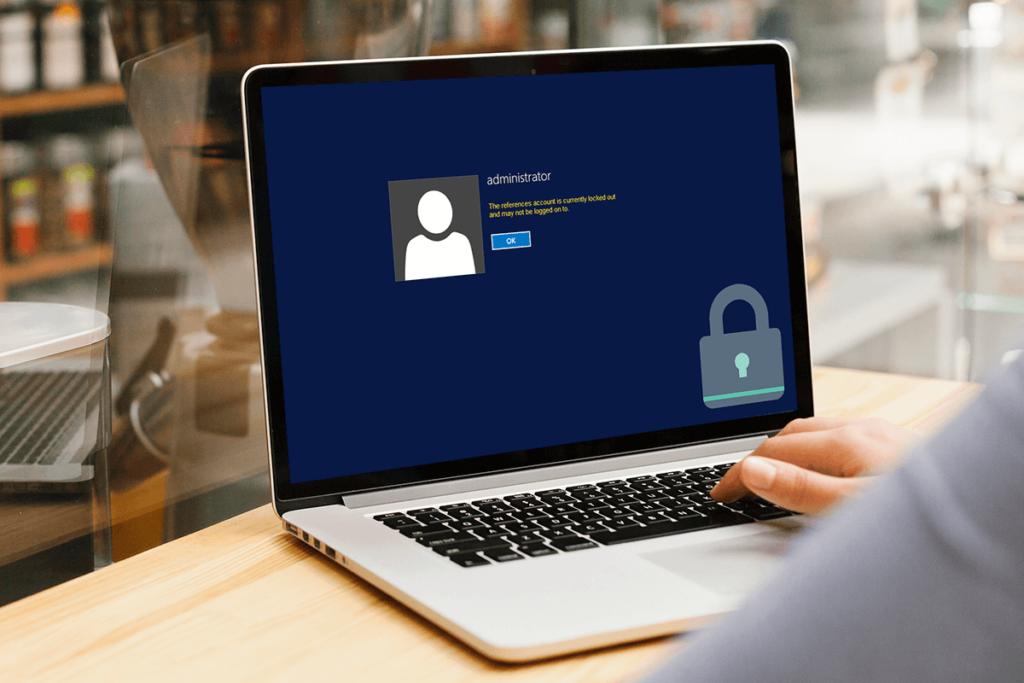
Account lockout is an authentication security feature that prevents an account from receiving login attempts for a selected period of time after a predetermined number of failed login attempts.
For example, an organization may set its device to bind an account so that the account is mechanically unlocked after a certain amount of time within a certain time frame after a few different failed password attempts, or an administrator may want to address access.
Account lockout and login fraud are deeply intertwined. OWASP recommends looking at the amount of failed attempts, statement time, and lockout length. Also recommends linking failed-login monitoring to an account, now not just an IP address, because attackers can open attempts on multiple IP addresses as well. Specific criteria should be tailored to the type of utility, users, threat environment, and recovery process.
How Does Account Lockout Work?
A common process for an account lockout is:
- A user types in their login and password.
- The system verifies the credentials.
- If the password is wrong the failed-attempt counter is incremented.
- Once the set threshold is met, the account is locked out temporarily.
- The account becomes available again after the lockout time or if an administrator intervenes.
- Failed attempts might be logged in security logs for inquiry.
Modern authentication systems will additionally implement progressive delays, risk-based authentication, CAPTCHA challenges or adaptive controls rather than relying only on a fixed lockout.
To counter online guessing attacks, NIST advises adopting measures to limit failed authentication attempts. Its current advise also includes tactics such as raising delays and risk-based authentication to lessen the likelihood of attackers intentionally locking out innocent users.
Benefits Of Account Lockout
1. Helps reduce brute-force attacks
One of the greatest pluses of account lockout is that it makes it harder to guess the password several times.
If there is no rate limiter , an automated system can keep submitting password guesses . A lockout or throttling mechanism limits the rate at which those guesses can be made.
This is especially useful for individuals who have passwords that an attacker would try to guess using common-password or dictionary-based assaults.
2. Slows Down Automated Attacks
Attackers can use scripts and botnets to automate login attempts. Account lockout is an impediment since it restricts the number of failed login attempts for an account.
This doesn’t make an account unattackable, but it can go a long way toward slowing down online password guessing.
3. Provides an Early Security Warning
Multiple failed attempts to log in might sometimes be a sign of suspicious activity.
If an employe logs in successfully and then there are many failed attempts on their account, security teams can analyze the situation.
Account lockout in conjunction with security monitoring can thus provide still another level of visibility.
4. Protection against Simple Password Guessing
Locking an account out can be quite effective against attackers that try obvious combinations such as common passwords, names or predictable variations .
However, users should still use long and unique passwords, as account lockout should not be seen as a substitute for rigorous authentication.
5. Supports Layered Security
Account lockout works best when it’s part of a larger security policy.
Other controls should be:
- Strong unique passwords
- Multi-factor authentication (MFA)
- Password Managers
- Security surveillance
- Account recovery security
- Risk based authentication
- Sign-in throttling
- Phishing resistance authentication when appropriate
MFA in particular is recommended by OWASP as a good defence against password assaults.
Risks And Disadvantages Of Account Lockout
While account lockout provides security benefits, it can also create a number of difficulties.
1. Accident lockouts
Legitimate users may forget their password and make mistake to enter wrong password many times.
Account lockouts can occur when a user repeatedly enters the wrong password, or when an application or service repeatedly attempts to authenticate using an old password, according to Microsoft.
Repeated unintentional lockouts may be frustrating and lead to further support requests.
2. Denial of Service Risk
An attacker may try a number of wrong passwords for someone else’s account purposefully.
If the system locks the account after a short number of failures, the attacker may be able to deny the legitimate user the ability to log in.
This is one of the major problems of traditional account lockout. OWASP particularly warns that lockout mechanisms should be developed so as not to be misused as a denial-of-service technique.
3. Increased Help Desk Work
If hundreds of users are routinely locked out, IT workers could be inundated with requests to unlock accounts.
Microsoft’s guidance also mentions that account lockout policies might increase help-desk calls, which is why there needs to be a suitable threshold and recovery process for enterprises.
4. Poorly Chosen Thresholds Can Create Problems
A very low threshold can lead to unneeded lockouts.
If the barrier is set very high, this can give attackers too many chances to guess passwords.
Organizations should not naively duplicate a lockout setting from another environment.
5. Lockout Does Not Stop Every Attack
Locking an account is mostly about frequent online efforts to authenticate yourself.
It does not prevent users from all types of credential attacks. Attackers can steal passwords thru phishing, spyware, credential theft or data breaches.
Therefore, account lockout should be used in conjunction with MFA and other security controls.
Realistic Example
Employee Accidentally Gets Locked Out
Let’s say an employe, Priya, is changing her company password on a Monday morning.
Later that day, her laptop still has an outdated password stored in an email application. The program keeps trying to connect using the old credentials.
The company’s account lockout policy will kick in after a number of failed attempts.
Priya knows her new password, but she cannot log in.
This is why enterprises need to monitor applications and services that employ stored credentials. One probable reason for unexpected account lockouts, Microsoft says, is when applications or services are using old passwords.
Attacker Tries to Lock an Employee Out
Suppose a corporation automatically locks an account after five unsuccessful login attempts.
An attacker has an employee’s e-mail address but does not know the password. The attacker keeps trying wrong passwords instead of successfully logging into the account.
The system locks the employe account.
The attacker has not gotten access, yet the employe cannot log in anymore.
This is why account lockout has to be carefully designed. A security measure that stops brute-force attacks can be turned into a denial-of-service if the threshold and recovery process is not implemented properly.
Account Lockout Best Practices
1. Avoid Extremely Low Thresholds
Don’t fall back into the trap of a few poor tries immediately.
Allow for some leeway for actual users’ typing errors, but limit automated guessing.
2. Impose Rate Limiting and Incremental Delays
Instead of freezing an account for an extended period immediately, organizations might utilize increasingly longer delays following multiple failures.
NIST explains methods such as raising wait periods and risk-based controls that may lessen the danger of attackers locking off legitimate users.
3. Look Into Risk-Based Authentication
“Modern systems can look at device information, how you log in, location and other signals.
For example, Microsoft’s Smart Lockout is designed to differentiate between likely legitimate users and attackers and apply different treatment to suspect sign-in attempts.
4. Turn on Multi-Factor Authentication
MFA adds an additional security layer over the password.
Even if an attacker captures a password, another element of authentication can make illegal access orders of magnitude more difficult.
Google advises using two-step verification on Google Accounts for further security.
5. Monitor Failed Logins
Organizations should watch authentication logs for abnormal patterns.
Repeated failures to one account, multiple accounts or from odd sources may be an indication of an assault.
6. Offer a Secure Recovery Process
Users need a secure means to recover access when account is locked.
Recovery must authenticate the identity of the user . At the same time , recovery must not facilitate attackers to evade authentication .
7. Don’t depend on IP-based blocking alone
Attackers can spread login attempts across multiple IP addresses.
OWASP suggests that the unsuccessful login counts should be associated with the account itself and not just the source IP address.
8. Make use of Strong and Unique Passwords
One level of security is the account lockout.
For critical accounts, users should employ long, unique passwords and not reuse the same password across various sites.
Generate A Strong Password With Our Password Generator
A strong password can considerably increase online accounts’ resilience against guessing attempts.
Password generators provide random mixes of characters for passwords instead of using predictable passwords that contain names, birthdays, phone numbers or common terms.
Use the ExplainMeTech Password Generator: https://explainmetech.com/tools/password-generator/
If you have essential accounts, you might want to create a unique password for each service and store those credentials safely in a trusted password manager.
Does Account Lockout Still Matter?
Yes, however it should not be seen as a stand-alone security solution.
Modern authentication security is progressively combining several controls such as rate restriction, MFA, adaptive authentication, strong passwords, monitoring, and safe recovery.
It is not about locking an account as fast as you can. This is to make it more difficult to access without permission yet allow legitimate users to continue to access their accounts.
Thus a good authentication system needs to strike the right balance between security, usability, availability and recovery.
Final Thoughts
Account lockout remains a good security feature to prevent repeated unsuccessful login attempts. But overly harsh policies might result in unintentional lockouts, increased support costs and even enable attackers to block genuine users.
The optimal solution is to combine strong passwords with MFA, monitoring, risk-based authentication, and secure recovery mechanisms, together with reasonable lockout or throttling policies.
By making account lockout one of several layers of an overall authentication approach, organizations can enhance account security without impeding usability excessively.
Frequently Asked Questions
1. What is Account Lockout?
Account lockout is a security feature that restricts an account from logging in for a set period of time after a certain number of failed attempts to authenticate.
2. Can account lockout stop brute force attacks?
It can considerably cut down on online brute-force and password-guessing assaults, but it cannot eliminate them completely. Other restrictions such as strong passwords, MFA, rate limitation, monitoring etc. should also be employed.
3. Can attackers lock someone else’s account on purpose?
Yes. If a system locks accounts after a few failed attempts, an attacker might deliberately enter wrong passwords and trigger a denial-of-service scenario. That’s why lockout policies have to be set up properly.
4. What happens if my account is locked?
Do not continue to try random passwords. For a business or school account, you can use the official account recovery process for the service or contact your organization’s administrator.
5. Is MFA superior to account lockout?
MFA and account lockout are two independent facets of authentication security. MFA provides another verification factor and throttling or lockout limits repeated authentication attempts. Using them together provide better protection than using just one by itself.
Reference Sources
- OWASP – Authentication Cheat Sheet — Guidance on login throttling, account lockout thresholds, observation windows, lockout duration, CAPTCHA, and MFA.
OWASP Authentication Cheat Sheet - NIST – Special Publication 800-63B — Authentication and rate-limiting guidance for protecting against online guessing attacks.
NIST SP 800-63B - Microsoft – Account Lockout Threshold — Information about failed sign-in thresholds, lockout duration, security considerations, and administrative impact.
Microsoft Account Lockout Threshold - Microsoft – Smart Lockout — Information on Microsoft’s approach to identifying suspicious authentication attempts and protecting accounts from password-guessing attacks.
Microsoft Smart Lockout - Google Security – Suspicious Sign-In Protection — Google’s guidance on blocked suspicious sign-ins and reviewing unusual account activity.
Google Account Security Help
Keep your digital life safer and stay updated with the latest tech developments by exploring the helpful guides and cybersecurity resources at ExplainMeTech.com.