
Directory enumeration is the silent initial step in many online assaults. A tester (or attacker) requests hundreds of possible paths from a server, then notes the responses. It only takes a forgotten /admin page, a discarded backup folder or an exposed.git directory to turn a harmless-looking site into a serious breach. This post is about how directory enumeration works, how hidden folders and admin login pages are exposed and how to execute it yourself using curl, gobuster, FFUF and dirsearch under Kali Linux. It also explains what developers need to do to address these gaps. All here is for systems that you own or have authority to test.
What Is Directory Enumeration?
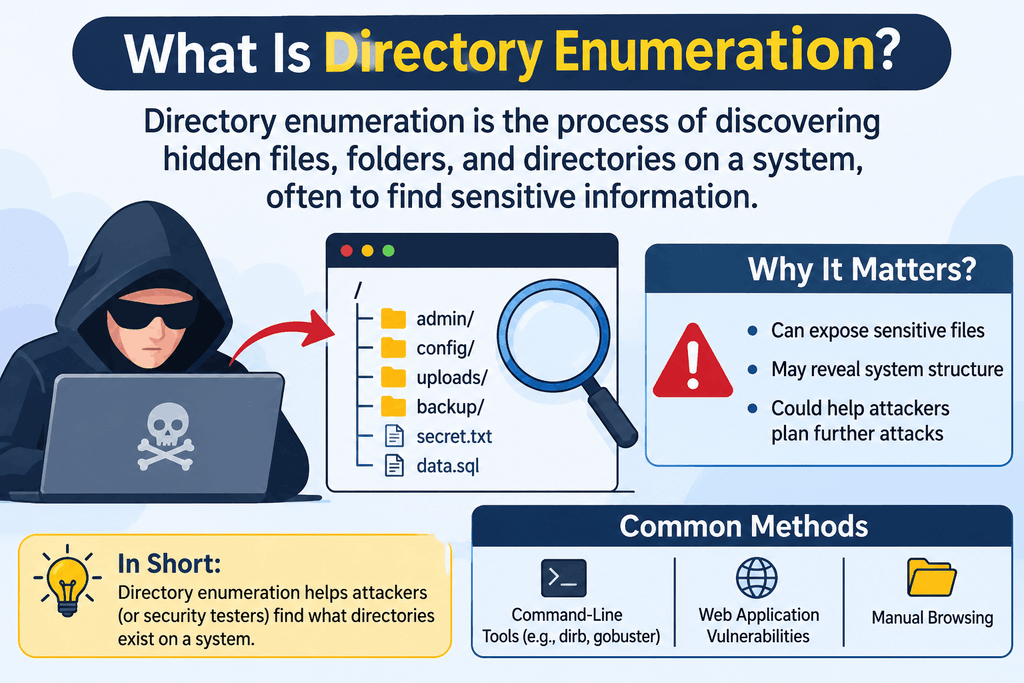
Directory enumeration (also known as directory brute forcing or content discovery) is the act of requesting several potential paths from a web server and interpreting the status codes that are returned. 200 signifies the page exists . 301 or 302 normally means it ‘s a real folder . 403 means something ‘s there but access is limited . 404 means nothing was discovered . The tool don’t break anything. It only asks queries that the server answers truthfully, which is why OWASP classifies this kind of work under information collection in its testing guide.
The quality of the output is dependent on the wordlist. Thousands of names are used by genuine developers and may be found in lists like dirb’s common.txt or the SecLists collection: admin, login, backup, uploads, config, test, and many more. If your site uses one of those names and doesn’t secure it, enumeration will locate it in minutes.
How Websites Expose Hidden Directories?
No one publishes a secret directory intentionally. It oozes out through common habits. A developer uploads a project folder with a.git directory still within. After a migration, a staging copy, /old or /backup, is left up. A content management system has a default /admin or /wp-admin directory that no one renames or restricts. Directory listing is enabled so the server will list out every file in a directory to anyone who asks. Internal routes may be referenced in error pages and in JavaScript files.
Add security through obscurity to the mix. Teams assume that an unlinked page is invisible, however a server will respond to a direct request regardless of whether or not any link refers to it. That’s the main takeaway from OWASP’s Broken Access Control category: concealing a URL isn’t the same as restricting who can access it.
What Is robots.txt And How Can It Reveal Sensitive Paths?
robots.txt is a plain text file at the root of a website that instructs search engine crawlers which paths they should not crawl. As Google’s own literature says, it’s supposed to control crawler traffic, not to make a page private. The file is public by purpose; anyone can read it. A site owner has just given a visitor a short list of the areas most worthy of hiding by writing a line like Disallow: /admin-panel/ or Disallow: /backup/.
Hence, the OWASP testing guide suggests reading the robots.txt file early, as part of the assessment of webserver meta files for information leakage. The fix is to not remove the file. Retain it for crawling rules, but never provide a path there that you depend on for security. Enforce authentication and server rules on the path itself.
Practical Directory Enumeration On Kali Linux
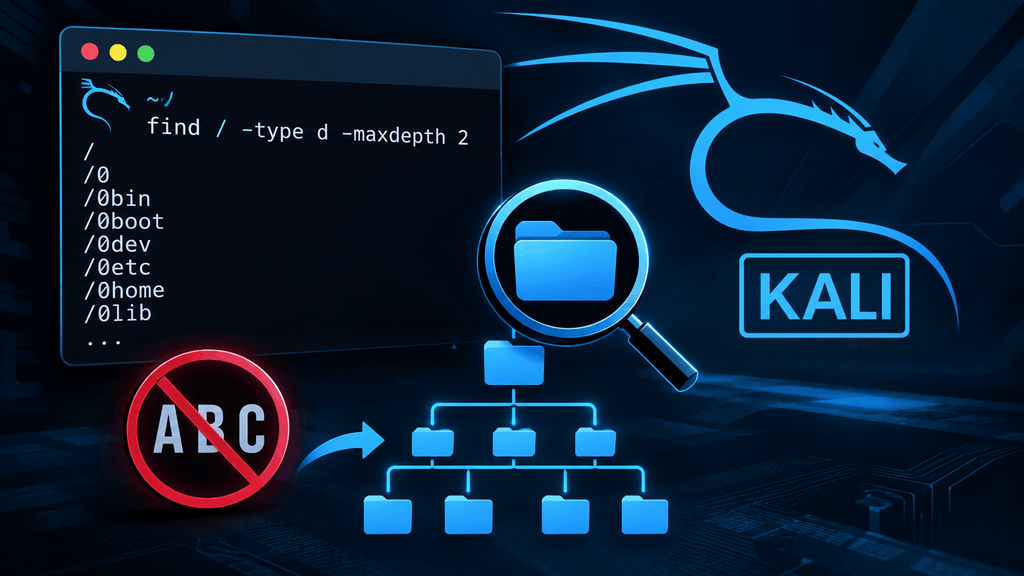
Practise in your own lab: a virtual machine running DVWA, OWASP Juice Shop or Metasploitable on a host-only network. The samples below utilise the lab address 192.168.56.101. Change it to a target that you are authorised to test, and never use these tools against a site that you do not own.
Start with curl
Don’t run any scanner until you have looked at it manually first. The first script reads robots.txt, the second checks the headers of a suspected admin path, and the third shows only the status code so you can test paths quickly.
curl -s http://192.168.56.101/robots.txt
curl -I http://192.168.56.101/admin/
curl -s -o /dev/null -w “%{http_code}\n” http://192.168.56.101/.git/HEAD
Gobuster
Gobuster is a fast Go based tool. Its dir mode takes a URL and a wordlist. The -x argument lets you specify file extensions to try. You can store the results for your report with the -o flag.
gobuster dir -u http://192.168.56.101 -w
/usr/share/wordlists/dirb/common.txt -x php,txt,bak -t 20 -o gobuster.txt
FUF
FFUF (Fuzz Faster U Fool) replaces the term FUZZ in the URL with each entry in the wordlist. It’s flexible, in that you can filter by status code, size or word count, which helps cut down on noise when a site returns the same page for everything.
ffuf -u http://192.168.56.101/FUZZ -w /usr/share/wordlists/dirb/common.txt
-mc 200,204,301,302,307,401,403 -t 20 -o ffuf.json
dirsearch
dirsearch is a python utility that has built in wordlists and appropriate defaults. It handles extensions, recursion and reports without much configuration, so it is an excellent first scan.
dirsearch -u http://192.168.56.101 -e php,html,txt -t 20 –exclude-status=404
When reading output, treat every 200 as a lead, 301 as a folder worth exploring and 401 or 403 as something crucial behind a gate. Keep thread counts modest so you don’t overload a server. Note the time of each scan for your report.
Two Real-World Examples
Equifax Argentina’s Open Employee Portal (2017)
In September 2017, Hold Security researchers alerted journalist Brian Krebs that an Equifax staff portal in Argentina meant to manage credit disputes was reachable from the public internet and accepted the login and password “admin” for both fields. Inside the site, there were more than 100 employees and their passwords were the same as their usernames. Equifax was alerted and pulled the portal offline. The lesson is simple: an admin page accessible by anyone and using default credentials is an open door. Enumerating gives you the page in seconds, which is the easy part. (CNBC, KrebsOnSecurity)
390,000 Websites With an Exposed .git Directory (2018)
Czech researcher Vladimir Smitka analysed nearly 230 million websites in 2018 and found approximately 390,000 websites that exposed their .git directory to the public. That folder can include a project’s source code and commit history, and sometimes passwords or keys contained in config files. They were not cleverly hacked sites. The owners had moved a functioning folder to a web server and never prevented access to a secret path. A single line request for /.git/HEAD will be adequate to detect this problem. (The Register)
Common Mistakes That Expose Admin Panels

The same few mistakes just keep repeating themselves. Teams leave the admin panel at a predictable location like /admin, /administrator or /wp-admin and open it to the complete internet. They use default identities and passwords, don’t use multi-factor authentication, and expose private pathways in robots.txt. backup files such as config.php.bak or site.zip are still in the web root, directory listing is turned on, test or staging folders are never deleted. Some teams also rely on a hidden URL just, with no login check on the site behind it. This is exactly the failed access control that OWASP ranks first in its Top 10.
How Developers Can Protect Sensitive Directories?
First, remove what shouldn’t be there: delete old backups, test folders and version control directories from production and deploy built files instead of entire working copy. Disable directory listing on Nginx, Apache or IIS. Add multi-factor authentication to each admin account, and require authentication and authorisation on each sensitive route on the server end, not just the client side.
Then reduce your exposure. Limit admin pathways by IP address, VPN or a zero-trust gateway. Add explicit server rules that reject requests to dotfiles like .git, .env. For instance, Microsoft’s IIS request filtering can hide named segments, so the server responds with an error to them. Rate restrict the site and put a web application firewall in front of it and watch the logs for 404 and 403 response bursts, which is what enumeration looks like from the defender’s perspective. Finally, get in the habit of running your own authorised scans regularly with the tools in this book, so you uncover the gaps before anybody else does.
Conclusion
“Directory enumeration is easy, cheap and effective. That’s exactly why defenders should do it before the attackers.” First, locate your hidden folders and admin login pages. Remove what should not be online and put the remainder behind actual authentication. Never consider an unlinked URL or a robots.txt entry to be protection. Do your practice in a lab, remain within your authorisation and repeat the scan when your site changes.
Frequently Asked Questions
1. Is it prohibited to list directories?
It is contingent upon the approval. It is usual practice to do security testing on your own systems or a client’s systems with written authorisation. Running it against a site you don’t have authorisation to test can contravene computer abuse laws in many countries, so always seek a written scope first.
2. Gobuster, FFUF and dirsearch – how are they different?
All three request pathways are from a wordlist. Gobuster is easy and quick, FFUF is the most customisable because to its filters and fuzzing positions, and dirsearch is the easiest to start with because of its defaults and built-in reports. Many testers utilise more than one and compare the results.
3. Does the robots.txt make the directory safe from hackers?
No. It just tells good crawlers not to crawl particular paths and the file is readable by everybody. Simply listing a vulnerable path can lead attackers right to it. Instead, use authentication and server access rules.
4. What wordlist to use for directory enumeration?
For a basic check, you may begin with /usr/share/wordlists/dirb/common.txt and then progress to bigger lists from the SecLists project for fuller coverage. Match the extensions with the technology you see e.g. php, aspx or jsp.
5. How can I know whether my own admin panel is exposed?
Run an authorised scan of your site. Check robots.txt. Run curl on common URLs such as /admin and /.git/HEAD. Check your server logs also. If any of the sensitive paths returns a 200 from the open internet, lockdown ASAP.
Try Our Tools
Want to check your own site, or learn more by doing? See the free security and technology utilities at the ExplainMeTech tools page. The objective is to assist beginners and working professionals test ideas, check out their setup and comprehend digital security without cumbersome setups.
References
- OWASP. A01:2021 Broken Access Control, OWASP Top 10.
- OWASP. Review Webserver Metafiles for Information Leakage, Web Security Testing Guide.
- NIST. Technical Guide to Information Security Testing and Assessment (SP 800-115).
- Google Search Central. Introduction to robots.txt.
- Microsoft Learn. Hidden Segments in IIS Request Filtering.
For more technology, cybersecurity and digital security ideas visit ExplainMeTech.com for our latest guides, tools and insights.