You’ve seen the little padlock next to a site address a thousand times. Most of us glance at it, feel somewhat reassured, and continue scrolling. But what exactly is SSL? And why does your browser tell you with a terrifying red warning when a site doesn’t have it?
SSL scrambles the data sent back and forth between your device and a website, meaning that no one sitting in between can read it, or discreetly change it. That’s it. The rest of this book is about how it works, what kind of certificate you’d pick, where things have gone severely wrong, and how to put it all up without wasting a weekend on it.
What Is SSL?
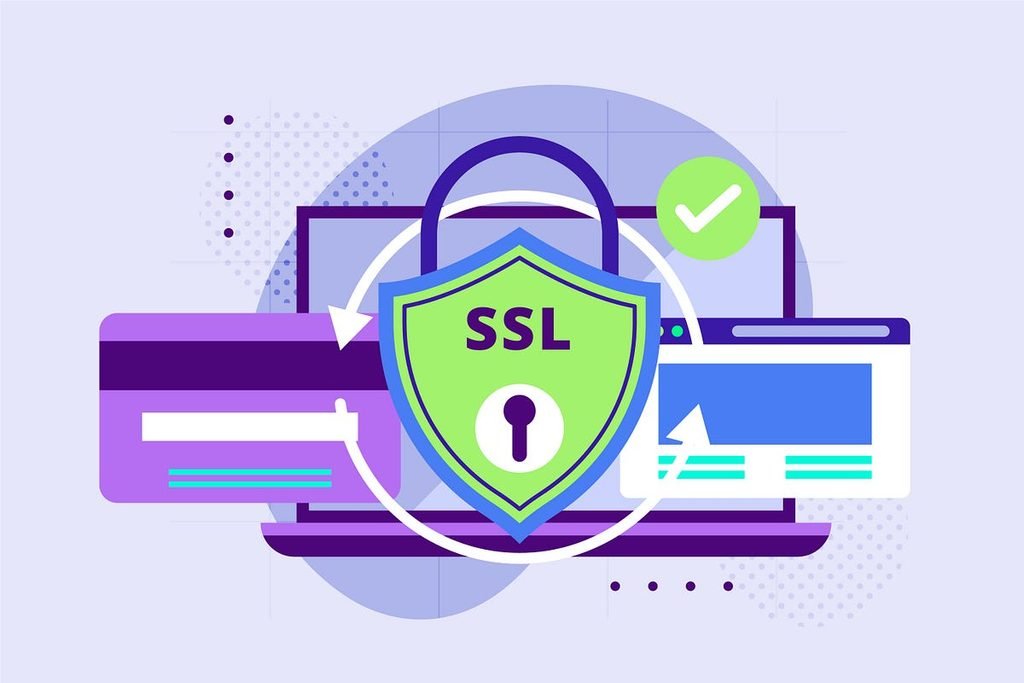
SSL is short for Secure Sockets Layer. This is a security protocol that creates an encrypted tunnel between a browser and a web server. So whatever that goes through that tunnel , a password , a credit card information , a contact form , becomes scrambled eggs to anyone sniffing the network .
Think about it this way. Without SSL, you’re sending a postcard. Anyone who touches it on the way can read it, including the postman. SSL locks your message in a box, and only the person you are writing to has the key.
In fact it does three things simultaneously:
- Encryption hides your data as it travels.
- Authentication confirms that the site is really who it says it is.
- Integrity gives both sides a way to know whether something was tampered with.
SSL vs TLS

This is where a lot of articles go wrong. The original SSL is dead. Versions 2.0 and 3.0 were retired years ago because of major problems. What we actually use today is TLS, Transport Layer Security. The latest version is TLS 1.3, described in RFC 8446.
So why does everyone still say ” SSL “? Habit, that’s all. The moniker persisted so hard that certificates are still sold as “SSL certificates”, even if they run on TLS underneath. If your host advertizes SSL you’re getting TLS. And if a server still supports SSL 3.0 or the oldest TLS versions, don’t interpret it as flexibility. It’s a weakness.
How SSL Works: The Handshake
Every secure connection starts with a brief back-and-forth handshake. It takes only a few milliseconds, so you don’t even realise it. It goes somewhat like this:
Hi. Your browser contacts the server and tells it the encryption methods it can use.
Certificate: The server responds with its SSL certificate, which contains its public key and identity information.
Verification: Your browser verifies three things: a trusted certificate authority signed it ; it hasn’t expired; and the domain name matches.
Key exchange: Both sides agree on a shared secret, the session key, without ever sending it in the clear. Modern TLS handles this in a way that provides forward secrecy, so even if a key is later leaked, sessions in the past remain secret.
Secure session: From now on everything is encrypted with that session key.
And what I appreciate about this design is that it is mixing two ways. Asymmetric encryption deals with the tricky setup phase, the public and private key combination. Then the real traffic is taken over by the faster symmetric encryption . You get robust protection, without slowing down the page.
What Does SSL Certificate Mean?

An SSL certificate is a little digital file that resides on your web server. It binds your domain name to a cryptographic key and a certificate authority (CA) vouches for it. A CA is just an institution that browsers already trust.
If the CA’s signature is good, your browser permits you in. When it doesn you receive the full screen warning and most visitors leave right there.
The file contains the domain name, occasionally the owner’s data, the public key, the issuing CA and the period that the certificate is valid for.
Types Of SSL Certificates
Certificates vary in two ways : How thoroughly the CA verifies you . How many domains they cover .
By validation level
Domain Validated (DV): The CA merely checks that you own the domain. It’s fast, typically free and great for a blog or small page.
Organization Validated (OV): The CA additionally verifies there is an actual organization behind the site. A good option for business sites and client portals.
Extended Validation (EV): The most complete checks. Browsers no longer display the green corporate name and today the value is mostly in internal policy and compliance.
By coverage
Single domain: protects a single hostname.
Wildcard: covers one domain and its first-level subdomains, like example.com.
Multi-domain (SAN): A single certificate that secures numerous separate domains.
Quick heads up for 2026. Certificate lifetimes have been decided by the industry to be reduced in stages . This makes manual renewal a chore nobody wants to do . The practical approach is automation, with the ACME protocol, which tools like Certbot and many hosting panels already use.
Why Does SSL Matters?
Security: Someone a couple tables away on shared wifi can grab an unencrypted login. That’s the typical man-in-the-middle attack, and SSL stops it.
Trust: Chrome and other browsers call plain http sites ‘Not secure’. People do notice. According to Google’s HTTPS transparency report, most page loads in Chrome are now over HTTPS, so a site without it is a site that stands out for all the wrong reasons.
SEO: In 2014, Google announced that HTTPS was a ranking factor. It’s a light one, not a miracle, but add the trust and the lower bounce rate and it does help.
Compliance: Encryption of card data in transit is required by PCI DSS and similar standards. Privacy regulations require responsible protection of personal information.
Browser capabilities: Many current technologies like geolocation, service workers and HTTP/2 only operate on secure origins.
Two Real Examples
Heartbleed (2014)
Heartbleed is the classic case of ‘the lock was good, the door frame wasn’t.’ In April 2014 researchers found a problem (CVE-2014-0160) in the OpenSSL library that supports much of the web server world. The heartbeat feature had a missing bounds check which allowed attackers to read slices of a server’s memory. That memory might hold private keys, users, passwords and the attacks left very little evidence.
The protocol itself was okay. The code was not. Administrators were forced to fix OpenSSL, revoke and reissue certificates, and compel users to change passwords. The conclusion is simple: Installing a certificate is not sufficient. You have to maintain the software underlying it current.
DigiNotar (2011)
DigiNotar was a Dutch certificate authority (CA). In 2011 hackers broke into its servers and issued false certificates, including one for google.com. It was utilised to intercept Gmail communications of numerous users, mostly in Iran, reports at the time indicated. The browsers trusted DigiNotar and victims still saw a standard padlock.
Browser makers and Microsoft eliminated DigiNotar from their lists of trusted parties, and the company went bankrupt. The repercussions helped accelerate Certificate Transparency, a public logging mechanism for domain owners to see certificates issued on their behalf. The uncomfortable (but necessary) lesson is that SSL relies on trusted authorities, and trust can break down.
How To Get And Install An SSL Certificate?
Pick a type: For most sites, a free DV cert from a charity CA such as Let’s Encrypt is sufficient. If you have sensitive consumer data, think OV.
Generate a CSR: Along with your private key, you create a certificate signing request on your server. Guard the key like a password.
Validate & receive: The CA validates your domain and then issues the certificate.
Install it: Set it up on Apache, Nginx or IIS or enable it from your hosting dashboard.
Redirect HTTP to HTTPS; Then fix your internal links, your sitemap, and canonical tags.
Automate renewal so it never expires on you at 2am. Best Best practices for SSL & TLS
Disable SSL 2.0, SSL 3.0, TLS 1.0 & TLS 1.1. Prefer TLS 1.3, fallback to TLS 1.2.
Use powerful cyphers and keep forward secrecy on.”
Enable HSTS so browsers will always utilise HTTPS to your domain.
Avoid mixed content where a secure page still loads graphics or JavaScript over HTTP.
Make cautious to keep your private keys safe and change them if you feel they have been compromised.
Watch the expiry dates and test your configuration with a public scanner once in a while.
Bookmark the OWASP Transport Layer Security Cheat Sheet and NIST Special Publication 800-52 Revision 2 if you need to go deeper.
Common SSL Mistakes
- Allowing the certificate to lapse. Browser alerts come up right away.
- example.com but not www.example.com.
- leaving old protocol versions on “for compatibility.
- Forget the intermediate certificate which causes distrust on some devices.
- Silent padlock removal for mixed-content.
Conclusion
SSL (or more accurately, TLS) is what keeps your private data secret when it’s travelling over the internet. It encrypts the connection, authenticates a site and tells both sides if anything has been altered in transit. Without it, you are just sending postcards.
The good news is it’s no longer difficult to get correctly. Choose the right certificate for your site, install it, set up a redirect from HTTP to HTTPS, enable HSTS and automate certificate renewals. Then maintain your server software patched, because Heartbleed revealed that a certificate alone is not enough.
FAQ’s
1. What is SSL in simple words?
It’s technology that encrypts the connection between your browser and a website so that outsiders cannot access or manipulate the data. The protocol in use today is actually TLS, but everyone still calls it SSL.
2. Is SSL the same as HTTPS?
HTTPS is HTTP operating on top of SSL / TLS . The certificate and encryption do the protection. You see HTTPS as a consequence in the address bar.
3. Is a free SSL certificate safe?
Yes. Trusted Certificate Authorities like Let’s Encrypt provide free certificates which are as strong as expensive certificates in terms of encryption. Paid plans mostly include deeper validation, warranties and support.
4. What is the lifespan of an SSL certificate?
Industry standards are steadily reducing the lifetime, and many certificates currently have a life span of less than a year, with more reductions expected. The best method to manage this is to set it to auto-renew.
5. Does SSL impact SEO?
A tiny bit, certainly. Google uses HTTPS as a ranking indication and the trust it engenders typically leads to lower bounce rates. It won’t pull a weak page up by itself, but you’re at a disadvantage without it.
Try Our Tools
Want to test your own setup? Explore the free utilities at Explainmetech tools page and have a peek at the technical aspect of your website. They simplify tricky facts into fast, easy-to-read replies so you can discover errors before your visitors do.
References
- OWASP Foundation. Transport Layer Security Cheat Sheet. https://cheatsheetseries.owasp.org/cheatsheets/Transport_Layer_Security_Cheat_Sheet.html
- NIST. SP 800-52 Rev. 2: Guidelines for the Selection, Configuration, and Use of TLS Implementations. https://csrc.nist.gov/pubs/sp/800/52/r2/final
- Microsoft Learn. Transport Layer Security (TLS) best practices with .NET. https://learn.microsoft.com/en-us/dotnet/framework/network-programming/tls
- Google Transparency Report. HTTPS encryption on the web. https://transparencyreport.google.com/https/overview
- IETF. RFC 8446: The Transport Layer Security (TLS) Protocol Version 1.3. https://www.rfc-editor.org/rfc/rfc8446
If you want more technology, cybersecurity and digital-security ideas, head on over to ExplainMeTech.com and see our latest guides, tools and insights.