
Windows is still evolving beyond the standard operating-system updates, with Microsoft focused on artificial intelligence, search, recovery, personalisation, accessibility and the usability of everyday life. Windows 11 26H2: 10 New Features Coming to Your PC in 2026 is especially exciting for customers who want a smarter, more adaptable desktop experience. However, it’s worth noting that Microsoft is testing many of these experiences through Windows Insider versions right now, and availability may vary depending on device, region, hardware and testing channel.
Based on Microsoft’s latest Windows release information, the corporation is still sticking to a yearly feature-update cadence, while Windows Insider channels are being used for testing future experiences. This means Windows 11 26H2 should be treated as a work in progress, not a fully baked set of features.
What Is Windows 11 26H2?
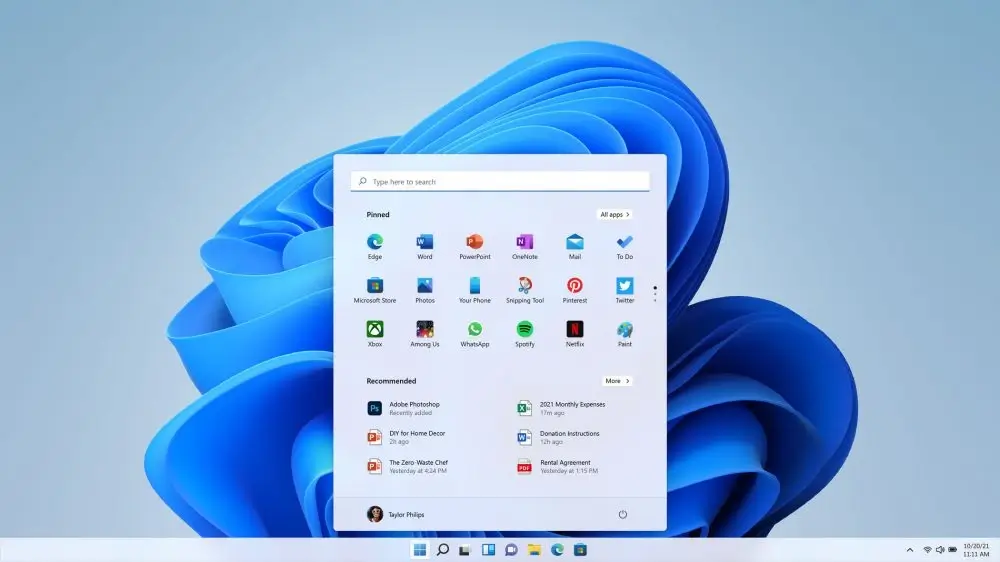
Windows 11 26H2 is a future version of Microsoft’s desktop operating system, currently being evaluated through Insider builds. Microsoft started exhibiting version 26H2 in some Experimental Channel releases as early as June 2026, and successive builds have included or tested changes to Search, recovery, File Explorer, the taskbar, accessibility and other areas of Windows.
Unlike a conventional software rumour, these innovations have official Microsoft documentation to back them up. But Microsoft also makes it clear that Insider features may be brought out gradually, and certain experiments may never make it into a final public edition.
Here are 10 noteworthy additions and enhancements to watch for.
1. Smarter Windows Search
A smarter Windows Search experience could be one of the more visible upgrades in Windows 11 26H2.
Microsoft has been trialling modifications that enable Windows Search to dynamically broaden its reach of indexing depending on user activities. For example, Windows Search can be influenced by recent files and commonly accessed places.
This could make it easier to find documents, apps and other stuff, as Windows will respond more to how you really use your PC.
For students and professionals as well as consumers who deal with a big number of files, improved indexing could cut down on the time spent searching directories manually.
2. Cloud Rebuild for Windows Recovery
Cloud Rebuild is one of the most useful technologies being tested for Windows 11 26H2.
Microsoft says Cloud Rebuild is a recovery option that reinstalls the entire operating system to return a Windows 11 PC to a clean state known to be good. Instead of the typical Reset this PC, the cloud-powered method can download the Windows image and device drivers via Windows Update.
This can be quite handy if Windows is badly infected or would not boot up.
It might be possible for users to repair the system using Microsoft’s cloud-based recovery infrastructure rather than just a USB installation disc or a custom recovery image.
3. More Taskbar Customization
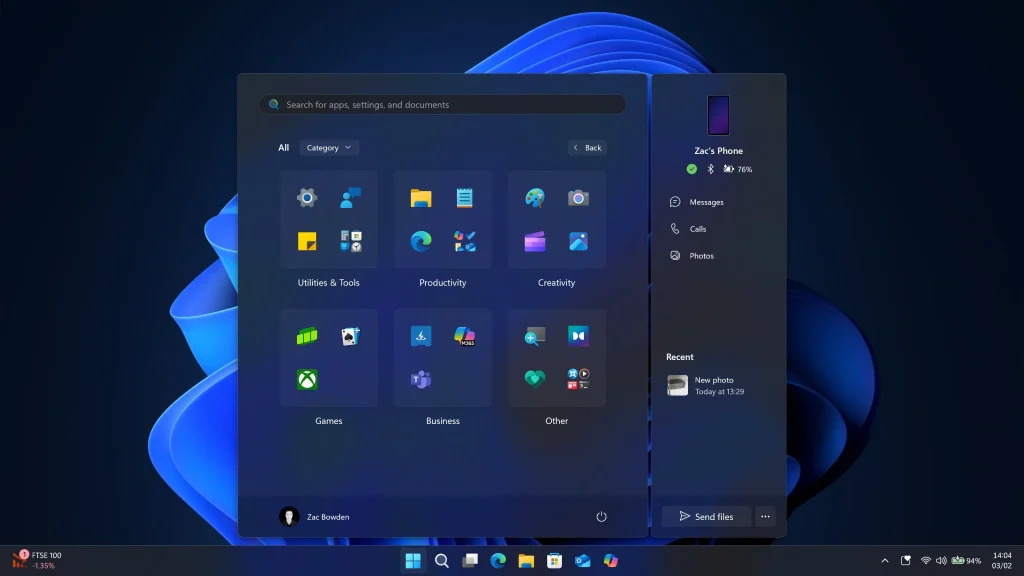
Another area Microsoft has been exploring with is taskbar customisation.
In Windows Insider releases, a specific Taskbar Size setting is now available, allowing users to customise their taskbar experience. Microsoft has also been working on smoothing transitions between different taskbar sizes.
More control over the taskbar could make the experience of using Windows more like their own for those with smaller laptops, larger monitors or display arrangements with accessibility in mind.
It’s a pretty tiny modification compared to AI functions, but small interface enhancements can make a big difference in everyday use.
4. Improved File Explorer Experience
File Explorer is getting some polish, too.
In the latest Windows 11 26H2 Insider testing, Microsoft has been working on improving the stability of thumbnail previews for cloud files, and rearranged elements of the Details pane to make it easier to identify file attributes.
Microsoft has also improved the reliability and look of the Copy dialogue, including better behaviour in Dark mode.
You might not think these changes are revolutionary, but File Explorer is one of the apps Windows users use every day.
5. A Modernized AutoPlay Experience
Another noteworthy feature coming via Insider testing is a reworked AutoPlay experience.
The new AutoPlay interface is re-written in Microsoft’s current WinUI design style. It has been built to work more reliably with Windows, including Dark mode and varied text scaling and display settings. Notifications for AutoPlay are being added to the notification center as well.
If you plug in phones or cameras or external storage devices or any other removable gear on a regular basis, it may make device handling feel more consistent.
6. Better Accessibility Controls
Windows 11 26H2 development also puts an emphasis on accessibility.
Microsoft has been developing a feature called “Open apps maximized” that makes applications open in a maximised state. This can avoid the need to maximise applications over and over again yourself.
Microsoft is also continuing to make improvements to keyboard, screen reader, scaling, and interface behaviour across Windows.
These adjustments matter because accessibility isn’t just about helping disabled people. Improved accessibility features help anyone who uses large print, works on a small display, or just prefers simplified window management.
7. Better Search Personalization
The search improvements in Windows 11 26H2 are not just about making the search box seem different.
Microsoft has been experimenting with activity-aware indexing, letting Search analyse signals such as recently used files and regularly accessed places.
The conclusion is simple: Windows can give you priority on what matters to you.
Every morning you open a project folder, over and over. A more intelligent index would make it easier and faster to find similar files.
8. More Reliable Start Menu and System Components
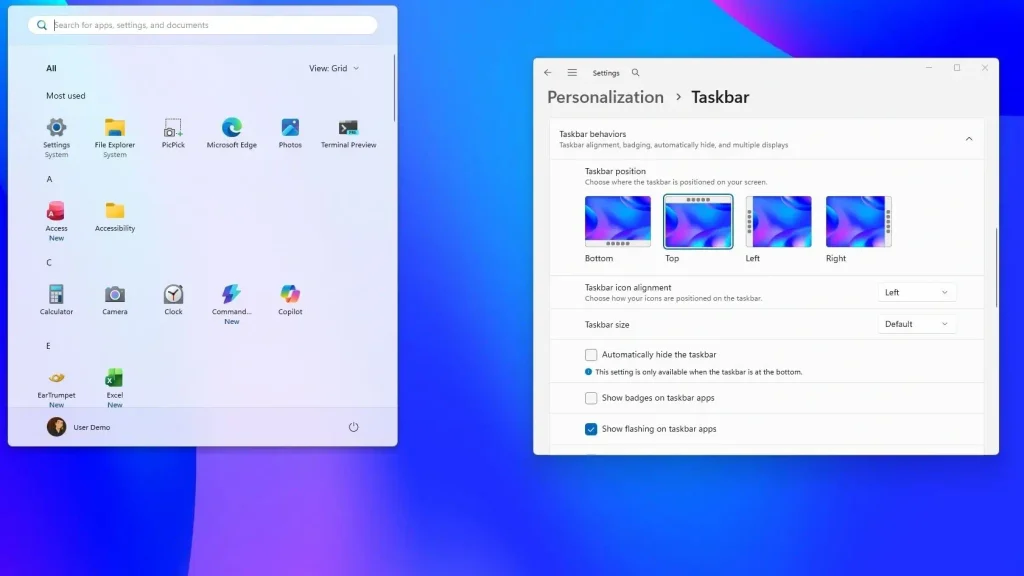
Microsoft is also using Windows 11 26H2 Insider releases to improve the dependability of key Windows components.
One Experimental Channel build, for instance, contained a tweak to make the Start menu reflect newly installed or uninstalled apps without needing users to sign out or reboot the PC.
Microsoft has also been fixing stability issues with Settings, virtualisation, the taskbar and other system components.
These aren’t spectacular features, but can help lead to a smoother operating system.
9. Continued Security and Recovery Improvements
Security will certainly remain a key aspect of Windows 11 26H2.
Microsoft still manages to push out monthly security upgrades as well as developing features, and recovery tools like Cloud Rebuild could offer another method of restoring hacked or damaged installations. Microsoft’s current Windows documentation highlights that each monthly cumulative update includes prior fixes and security enhancements.
Users should not use new Windows features as a substitute for basic cybersecurity procedures.
Patch Windows, use strong authentication, turn on security measures, keep backups, and don’t install software from untrusted sources.
This is consistent with general cybersecurity guidelines. OWASP focuses on secure authentication, access control, data protection and safe communication standards. NIST’s Cybersecurity Framework 2.0 provides a standardised method to managing cybersecurity risk.
10. A More AI-Focused Windows Experience
Artificial intelligence continues to be one of the key themes around modern Windows.
Microsoft has been steadily deploying AI-powered experiences to Windows and Copilot+ PCs, and the future of Windows development will likely continue to emphasise intelligent search, productivity, assistance, and on-device capabilities.
However, users should be aware of the difference between features confirmed for a final release and features presently being tested. These Windows 11 26H2 Insider builds may contain experimental features that might be updated or removed before they’re released to the general public.
AI-powered computing also comes with new security considerations. Google has stressed that AI is shifting the scene for both defensive security and threats, with more sophisticated schemes and automated attacks.
So consumers should consider AI features not just in terms of convenience, but also privacy, permissions, how the data is used, and security.
Will Windows 11 26H2 Be Worth The Upgrade?
Most users will be limited by the final feature set and device compatibility.
Windows 11 26H2 could provide major enhancements in search, recovery, File Explorer, taskbar customisation, accessibility, and system dependability. Especially, the Cloud Rebuild feature could be useful for people who run into major issues with their Windows installation.
But don’t install an Insider build on your main computer just for access to experimental features. Microsoft is careful to mention that Insider features are controlled rollouts, and some features may never make it into a final Windows release.
For the average consumer, the stable release channel from Microsoft is typically the safest bet.
Windows 11 26H2 System Requirements
The underlying hardware requirements for Windows 11 also matter when you contemplate future releases. Microsoft’s requirements are a compatible 64-bit processor, 4GB RAM minimum, UEFI firmware with Secure Boot, TPM 2.0, and a compatible DirectX 12 graphics solution. There are certain individual features that require some additional hardware.
Specialised hardware can also have a role in AI related capabilities. So just because you have Windows 11 installed doesn’t guarantee you’re going to get all the new features on every PC.
What Should Windows Users Do Now?
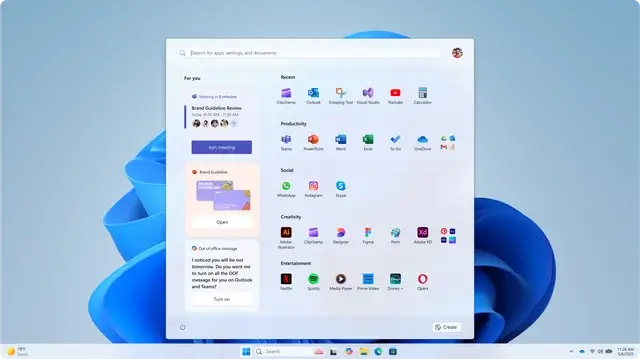
For those interested in Windows 11 26H2, here are some logical things you can do now:
- Keep your Windows up to date.
- Backup crucial files regularly.
- Check that your hardware is compatible with Windows 11.
- Avoid installing Insider builds on crucial work machines
- Use secure passwords and two factor authentication.
- Update browsers and programs.
- Get software only from trusted sources.
- Review privacy settings before turning on new AI features.
- Use trusted security software
- Check final availability on Microsoft’s official release docs.
Google’s latest security advice also highlights the necessity of remaining vigilant against phishing, scams, dangerous websites and increasingly sophisticated online attacks.
Conclusion
Windows 11 26H2 is becoming a major update for Windows users in 2026, with Microsoft testing new Search, File Explorer, taskbar customisation, accessibility, recovery, security, and AI-powered features. This doesn’t mean every feature you see in an Insider build will make it to the final public release, but these changes indicate Microsoft’s continuous dedication to making Windows smarter, more flexible, safe and easier to use.
If you’re using Windows 11, make sure your PC is up to date and wait for Microsoft’s official announcements before installing experimental releases. As Windows 11 26H2 matures, consumers can expect to hear more about its final features, availability, compatibility, and deployment schedule.
Frequently Asked Questions
1. What is Windows 11 26H2?
Microsoft is testing the next version of Windows, Windows 11 26H2, through its Windows Insider program. In 2026, Microsoft started labelling certain Experimental Channel builds as version 26H2.
2. When will Windows 11 26H2 be released?
Not as a final general-availability feature release at the time of this writing. Microsoft is testing Insider builds with 26H2-related experiences, and some features might alter or not ship at all.
3. What is the biggest feature in windows 11 26H2 ?
Another important improvement could be Cloud Rebuild, which can reinstall Windows and get the Windows image and drivers from Windows Update, possibly simplifying recovery when a PC has major difficulties.
4. Does every PC get all Windows 11 26H2 features?
No. Features may vary by hardware, device configuration, location, edition and by the Microsoft controlled rollout process. Certain functionalities may also require hardware.
5. Do I need to install a Windows Insider build to receive Windows 11 26H2 features?
Most users will want to utilise stable releases. Insider builds are for testing and may contain unfinished features, flaws or experiments that might be deleted later.
Try Our Tools
Looking to brush up on your everyday digital security and tech knowledge? Go to the ExplainMeTech Tools page and discover helpful online tools for passwords, cybersecurity, productivity and other computer jobs. These tools help augment solid security practices while you try out new capabilities of operating systems and digital technologies. Discover ExplainMeTech Tools page.
References
- Microsoft Learn – Windows 11 Release Information — Microsoft’s official documentation covering Windows servicing, releases, builds, and update information. Microsoft Learn: Windows 11 Release Information
- Microsoft Learn – Windows Insider Experimental Builds — Official documentation for features currently being tested in Windows 11 Insider builds, including 26H2-related changes. Microsoft Windows Insider Program
- OWASP – Secure Coding Practices — Security guidance covering authentication, access control, cryptography, data protection, communication security, and related practices. OWASP Secure Coding Practices
- NIST – Cybersecurity Framework 2.0 — A framework for understanding, assessing, prioritizing, and managing cybersecurity risk. NIST Cybersecurity Framework 2.0
- Google Security Blog — Google’s current security research and guidance covering emerging threats, scams, AI security, and vulnerability protection. Google Security Blog
For more helpful technology, cybersecurity, and digital-security tips, visit ExplainMeTech.com and explore our latest guides, tools, and insights.
They really can’t help themselves by showing AI down our throats every chance their get, can they? Absolutely despicable.
And that’s exactly why I stick with Linux 😂 No AI shoved down my throat every five seconds.