
A top résumé simply isn’t enough in today’s competitive employment market. Your resume will go thru an Applicant Tracking System (ATS) before a hiring manager or recruiter even takes a look at your application. If your CV isn’t ATS-friendly, it may be automatically screened out, regardless of your high qualifications for the post.
That’s why knowing How to Check If Your Resume Will Pass an ATS is a must for the job searchers in 2026. Hiring process is playing a crucial role inApplicant Tracking System software, whether it is LinkedIn, Naukri, Indeed or enterprise employment portals. In this guide, you’ll learn what an Applicant Tracking System is, how it works, how to test your resume, typical pitfalls to avoid and practical tips to get recognised.
What Is An ATS?
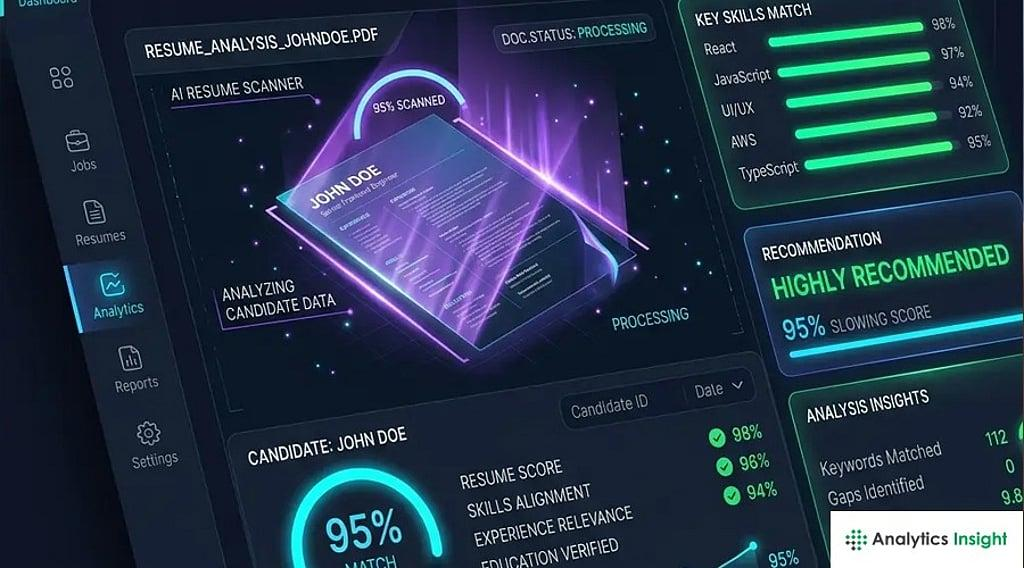
An Applicant Tracking System (ATS) is a type of software businesses use to collect, sort, scan and rank job applications. It helps recruiters to manage hundreds or thousands of resumes efficiently.
ATS software can:
- Parse resume data
- Identify talents and experience
- Matching job descriptions and keywords.
- Rank candidates
- Screen unqualified applications
Some of the most popular ATS platforms include Workday, Greenhouse, Lever, Taleo and iCIMS. These computers parse resumes before a human recruiter even sees them.
Why Applicant Tracking System Compatibility Matters?
A lot of hopefuls never get interview calls as they fail Applicant Tracking System screening of resumes.
Common reasons include:
- No related keywords found
- Complicated formatting
- Graphics and tables
- Wrong file formats
- Unclear headings for sections
An ATS-friendly resume will increase your chances of getting via the first round of screening and into the hands of a recruiter.
How To Check If Your Resume Will Pass An ATS?

1. Compare Your Resume With the Job Description
Comparing your resume to the target job posting is the easiest technique to check for Applicant Tracking System compatibility.
Beware of:
- Required skills
- Software tools
- Certifications
- Industry terminology
- Job titles
For instance if a job description is saying over and over again:
- Project Management
- Agile Methodology
- Jira
- Scrum
If you have the experience, these terms should roll smoothly off your CV.
Most Applicant Tracking System systems rank applicants based on keyword matches.
2. Utilise an ATS Resume Checker
There are several online tools to imitate Applicant Tracking System scanning.
These tools usually analyse:
- Keyword matches
- Resume structure
- Formatting issues
- Missing skills
- Applicant Tracking System compatibility score
Applicant Tracking System ratings don’t guarantee success, but they can help you find deficiencies in your CV before you submit.
3. Test Your Resume in Plain Text
A simple Applicant Tracking System test is to:
- Open your resume.
- Copy all text.
Paste it into Notepad or another simple text editor.
The Applicant Tracking System program could fail to read the content properly if it is not structured well.
Search for:
- Missing information
- Jumbled sections
- Broken formatting
- Lost bullet points
This basic test will readily uncover any parsing problems.
4. Use Classic Resume Headings
Applicant Tracking System systems recognize common section titles such as:
- Professional Summary
- Work Experience
- Skills
- Education
- Certifications
Avoid creative headings like:
- My Journey
- Career Adventures
- What I Bring to the Table
Standard headers let Applicant Tracking System software put your information in the right buckets.
5. Check the format of your resume
Applicant Tracking System friendly formats are:
- DOCX
- Text-based PDF
Avoid:
- Image-based PDFs
- Screenshots
- JPEG files
- Scanned resumes
Many Applicant Tracking System systems read DOCX files more reliably than complex PDF formats.
6. Remove Applicant Tracking System Unfriendly Elements
Avoid:
- Tables
- Text boxes
- Icons
- Charts
- Infographics
- Multiple columns
These elements can be visually pleasing but often result in processing issues. Simple layouts work best with Applicant Tracking System software.
Signs Your Resume Is Applicant Tracking System Friendly

Your CV will probably get past Applicant Tracking System screening if it:
- Uses a clean layout
- Includes job-specific keywords
- Has standard headings
- Uses readable fonts
- Contains clear employment dates
- Avoids graphics and tables
- Uses DOCX or text-based PDF format
If you follow these standards, your resume will have a much better chance of being properly analysed and rated.
Real Life Example
Software Developer
Before Applicant Tracking System Optimization
Rahul has applied for the Software Developer role.
His resume stated:
- “Software Developer” instead of “Coding Expert”
- Skill charts
- 2-column layout
- Missing Keywords like Python, SQL
Result: Zero interview invites.
After Applicant Tracking System Optimization
He said: “
- Updated job title to “Software Developer”
- Added API Development, Git, SQL, Python
- Graphics deleted
- Used single column layout
Result: A couple of interview invites in a month.
Digital Marketing Specialist

Before Applicant Tracking System Optimization
Priya sent her resume with some unique headlines and visual features.
Key talents such as:
- SEO
- Google Analytics
- PPC Advertising
Result: Applicant Tracking System most certainly scored her application low.
After Applicant Tracking System Optimization
She:
- Added a dedicated Skills section
- Keywords in actual job description included
- Utilised standard headings
- Submitted a DOCX file
Outcome: Better response rate and able to get few interviews.
Top ATS Mistakes To Avoid
Many job searchers unwittingly make blunders that can damage their ATS score.
Keyword Stuffing
If you don’t use keywords in context, your resume may sound stiff.
Missing Job-Specific Skills
Generic resumes are not going to work.
Premium Templates
Complex templates can confound ATS software.
Headers and Footers
Do not include critical contact information in headers or footers.
Unique Fonts
Use professional fonts like:
- Arial
- Calibri
- Times New Roman
- Verdana
Utilise Our Password Generator Tool
While looking for jobs you will probably make accounts on many job portals, recruiting websites and firm career pages.
Using strong passwords helps protect your:
- Resume data
- Personal information
- Email accounts
- Job applications
Use ExplainMeTech Password Generator to generate strong and unique passwords for your professional accounts and online employment sites.
Our Tool: https://explainmetech.com/tools/password-generator/
ATS Resume Optimisation Checklist
Check before you apply:
- Resume contains relevant keywords
- Common section titles
- Single column layout
- No tables, no pictures
- Correct file format
- Contact information available
- Skills according to job description
- Dates are equal
- Resume passes plain text test
- No spelling/grammar mistakes
Conclusion
Understanding how to determine if your resume will make it through the ATS will dramatically increase your chances of getting an interview. While ATS technology is supposed to help recruiters filter packages properly, they can also filter out talented people with poorly prepared resumes.
The real news is that it’s easy to pinpoint the maximum ATS goal. Using relevant keywords and an appropriate format, clean titles and ATS resume checkers will significantly increase the visibility and evaluation of your resume. Remember, ATS customization is not a foolproof program. The idea is to make it clean for the generation and recruiters to read your qualifications.
Frequently Asked Question
1. What’s a decent ATS score?
Most resume professionals advocate a score of 75% or greater, yet different employers utilise different ATS settings.
2. Do ATS read PDF resumes?
While most recent ATS systems can read text-based PDFs, DOCX files are typically the safest bet.
3. Are ATS systems rejecting resumes automatically?
ATS platforms may screen applications based on keywords, qualifications, or employer-defined criteria before a recruiter reviews them.
4. Are resume templates ATS compatible?
ATSs generally work best with simple templates, while templates that are elaborately built with columns, images, and tables might cause problems.
5. Do I need to tailor my resume to each position?
Yes. Customising your CV to match each job description can boost keyword relevance and enhance ATS performance.
References
OWASP – Authentication Cheat Sheet
OWASP Authentication Cheat Sheet
NIST – Digital Identity Guidelines (SP 800-63B)
NIST Digital Identity Guidelines (SP 800-63B)
Microsoft Security – Create and Use Strong Passwords
Microsoft Security – Create and Use Strong Passwords
Google Safety Center – Security Tips
Google Safety Center – Security Tips
Indeed Career Guide – Automated Resume Screening (ATS)
Indeed Career Guide – Automated Resume Screening (ATS)
Want more practical guides on technology, cybersecurity, online safety, career growth, and digital tools? Visit ExplainMeTech.com and discover expert tips, detailed tutorials, and easy-to-follow resources designed to help you stay informed and ahead in the digital world.